City Legends 3: Extra f2p

City Legends 3: Extra f2p

Puzzle

| Do Games Limited

Play on PC with BlueStacks or from our cloud

  • Overview
  • Game Features
  • How to Play

Page Modified On: August 07, 2025

Play City Legends 3: Extra f2p on PC or Mac

City Legends 3: Extra f2p brings the Puzzle genre to life, and throws up exciting challenges for gamers. Developed by Do Games Limited, this Android game is best experienced on BlueStacks, the World’s #1 app player for PC and Mac users.

About the Game

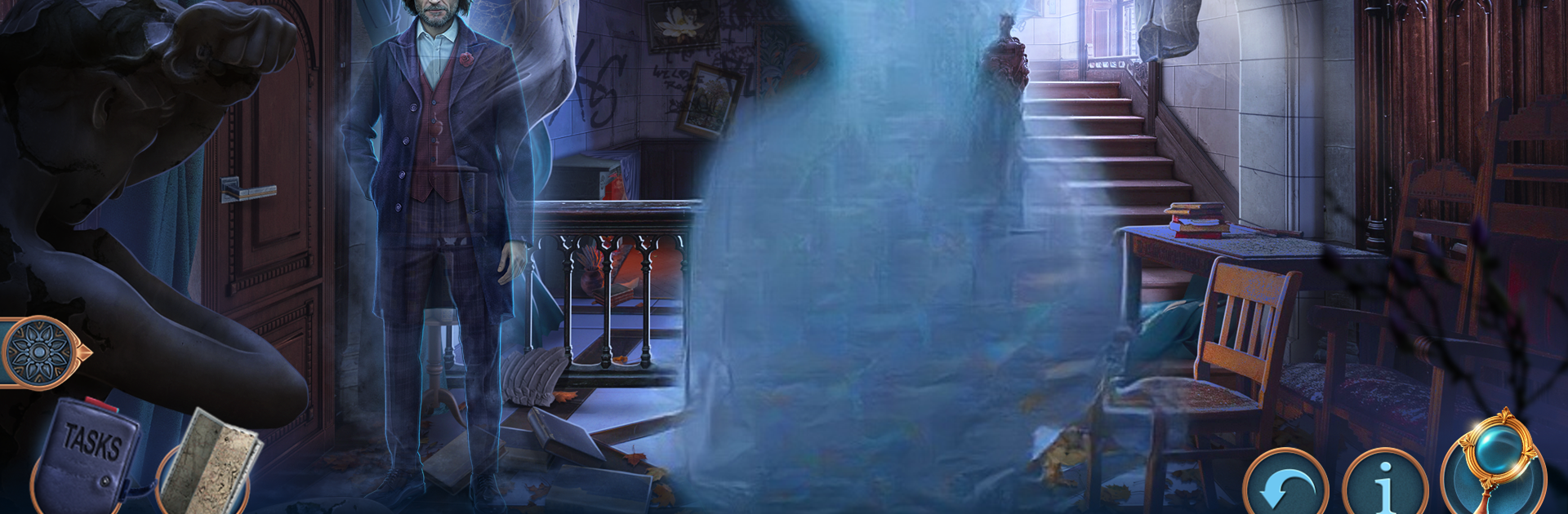
Step back into the eerie world of City Legends 3: Extra f2p, where dark legends and ghost stories come to life in a way that’ll get your heart racing. If you’ve got a knack for solving mysteries and an appreciation for a good scare, this one’s going to keep you on your toes. Haunted theaters, vanishing actors, and a cursed mask—yeah, there’s a lot more brewing beneath the surface than your average puzzle adventure.

Game Features

  • Expanded Ghost Story:
    Pick up the thread of the City Legends tale as you navigate an abandoned theater filled with whispered secrets and a past stained by tragedy. The shadowy plot of murder, betrayal, and haunted artifacts will challenge even experienced puzzle fans.

  • Hidden Object Challenges:
    Roam through backstage clutter, dusty prop rooms, and forgotten corners to hunt for hidden clues and key items. Each object you discover isn’t just junk—it’s one more piece in the bigger riddle, tied to the fate of everyone caught up in the curse.

  • Clever Mini-Games and Puzzles:
    Every challenge feels woven right into the creepy storyline. From brain-bending riddles to unusual logic puzzles, your decisions aren’t just for show; they steer the course of the story and maybe, just maybe, offer a shot at breaking the curse.

  • Ghostly Encounters:
    It’s not just spooky stories—expect to go head-to-head with restless spirits and mysterious presences. As you investigate, you’ll need quick thinking and a sharp eye to outsmart the forces haunting the theater.

  • Atmospheric Exploration:
    The game draws you into moody locations with rich visuals, making every room and corridor feel alive (or not so alive…). Running City Legends 3: Extra f2p on BlueStacks lets you really soak up those eerie details and enjoy all the twists the Puzzle genre has to offer.

If you think you’re clever enough to solve mystical riddles and gutsy enough to explore every shadow, there’s a story waiting for you in City Legends 3: Extra f2p.

Get ready for a buttery smooth, high-performance gaming action only on BlueStacks.

Game Features

Enhancements

  • Macros
  • Multi Instance
  • Multi Instance Sync
  • Script
  • Enhancements
Macros

Macros

Automate the predictable in City Legends 3: Extra f2p and transform your gameplay with Macros. Get access to inventive Macros in the BlueStacks Macro Community
Multi Instance

Multi Instance

Play City Legends 3: Extra f2p on one window. And chat with your friend on the other. Press CTRL + Shift + 8 to open the Multi-Instance Manager. And start creating fresh instances or clone an existing one.
Multi Instance Sync

Multi Instance Sync

Play City Legends 3: Extra f2p with the power of Multi-Instance Sync. Replicate what you are doing on the main instance on all other instances. Level up faster, play more.
Script

Script

Script your way to gaming glory in City Legends 3: Extra f2p with BlueStacks Script. Write and run a set of commands to automate repeated tasks. Trigger the command by assigning it to any key.
Read More

How to Download and Play City Legends 3: Extra f2p on PC or Mac

  • Download and install BlueStacks on your PC or Mac

  • Complete Google sign-in to access the Play Store, or do it later

  • Look for City Legends 3: Extra f2p in the search bar at the top right corner

  • Click to install City Legends 3: Extra f2p from the search results

  • Complete Google sign-in (if you skipped step 2) to install City Legends 3: Extra f2p

  • Click the City Legends 3: Extra f2p icon on the home screen to start playing

video
Watch Video

Minimum System Requirements

With BlueStacks 5, you can get started on a PC that fulfills the following requirements.

  • Operating System

    Microsoft Windows 7 or above, macOS 11 (Big Sur) or above

  • Processor

    Intel, AMD or Apple Silicon Processor

  • RAM

    at least 4GB

  • HDD

    10GB Free Disk Space

Note:

* You must be an Administrator on your PC. Up to date graphics drivers from Microsoft or the chipset vendor.

City Legends 3: Extra f2p - FAQs

  • How to play City Legends 3: Extra f2p on Windows PC & Mac?

    Play City Legends 3: Extra f2p on your PC or Mac by following these simple steps.

    • Click on 'Play City Legends 3: Extra f2p on PC’ to download BlueStacks
    • Install it and log-in to Google Play Store
    • Launch and play the game.
  • Why is BlueStacks the fastest and safest platform to play games on PC?

    BlueStacks respects your privacy and is always safe and secure to use. It does not carry any malware, spyware, or any sort of additional software that could harm your PC.

    It is engineered to optimize speed and performance for a seamless gaming experience.

  • What are City Legends 3: Extra f2p PC requirements?

    Minimum requirement to run City Legends 3: Extra f2p on your PC

    • OS: Microsoft Windows 7 or above MacOS 11 (Big Sur) or above
    • Processor: Intel, AMD or Apple Silicon Processor
    • RAM: Your PC must have at least 4GB of RAM. (Note that having 4GB or more disk space is not a substitute for RAM)
    • HDD: 10GB Free Disk Space.
    • You must be an Administrator on your PC.