Connected Hearts: Full Moon

Connected Hearts: Full Moon

Puzzle

| Do Games Limited

Play on PC with BlueStacks or from our cloud

  • Overview
  • Game Features
  • How to Play

Page Modified On: September 01, 2026

Play Connected Hearts: Full Moon on PC or Mac

Connected Hearts: Full Moon by Do Games Limited has plenty to keep you busy. BlueStacks lets you play it on PC or Mac with more screen space, better control, and fewer mobile limits.

About the Game

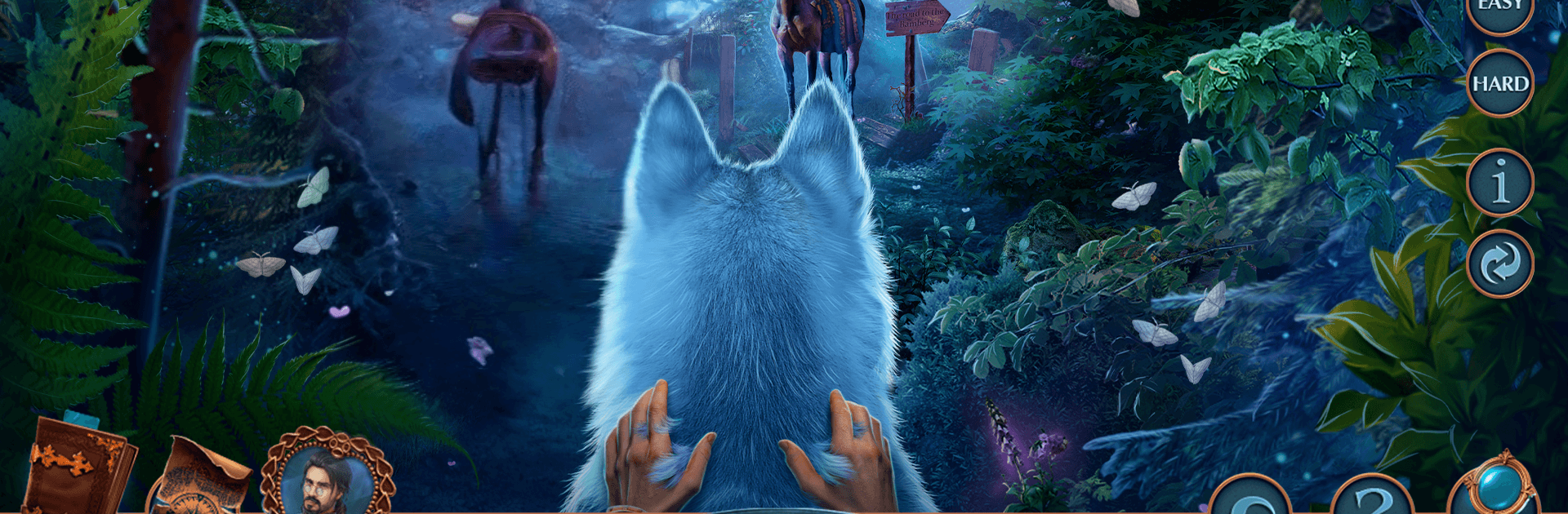
Connected Hearts: Full Moon is a story-first Puzzle adventure where a quiet forest hides teeth and secrets. You play Riviera, a healer racing to save her beloved Mark after a brutal attack leaves him… not quite himself, all while a relentless witch hunter dogs your steps. Expect hidden-object sleuthing, clever mini-games, and choices that keep you guessing—especially nice on a bigger screen with BlueStacks.

Game Features

  • Haunted love story: Follow Riviera and Mark’s desperate fight against a creeping curse as Gregor, a stern witch hunter, questions your every move.
  • Search-and-sleuth gameplay: Scour richly illustrated scenes for key items, track leads with a handy clue sheet, and size up suspicious townsfolk.
  • Clever mini-games: Solve lock puzzles, mix remedies, and tinker with contraptions that reward sharp observation and a bit of experimentation.
  • Bonus chapter mystery: Unravel a bold kidnapping after the main tale, opening new locations, new brainteasers, and extra story turns.
  • Collectibles and morphs: Hunt down unique collectibles and spot objects that subtly change shape to unlock fun extras along the way.
  • Replay what you love: Return to favorite hidden-object scenes and mini-games to sharpen your scores and scoop up more achievements.
  • Built-in help when needed: Pop open the in-game strategy guide for gentle nudges so you never lose the thread of the investigation.

Start playing Connected Hearts: Full Moon on BlueStacks and get a smoother, more comfortable PC or Mac setup.


Game Features

Enhancements

  • Macros
  • Multi Instance
  • Multi Instance Sync
  • Script
  • Enhancements
Macros

Macros

Automate the predictable in Connected Hearts: Full Moon and transform your gameplay with Macros. Get access to inventive Macros in the BlueStacks Macro Community
Multi Instance

Multi Instance

Play Connected Hearts: Full Moon on one window. And chat with your friend on the other. Press CTRL + Shift + 8 to open the Multi-Instance Manager. And start creating fresh instances or clone an existing one.
Multi Instance Sync

Multi Instance Sync

Play Connected Hearts: Full Moon with the power of Multi-Instance Sync. Replicate what you are doing on the main instance on all other instances. Level up faster, play more.
Script

Script

Script your way to gaming glory in Connected Hearts: Full Moon with BlueStacks Script. Write and run a set of commands to automate repeated tasks. Trigger the command by assigning it to any key.
Read More

How to Download and Play Connected Hearts: Full Moon on PC or Mac

  • Download and install BlueStacks on your PC or Mac

  • Complete Google sign-in to access the Play Store, or do it later

  • Look for Connected Hearts: Full Moon in the search bar at the top right corner

  • Click to install Connected Hearts: Full Moon from the search results

  • Complete Google sign-in (if you skipped step 2) to install Connected Hearts: Full Moon

  • Click the Connected Hearts: Full Moon icon on the home screen to start playing

video
Watch Video

Minimum System Requirements

With BlueStacks 5, you can get started on a PC that fulfills the following requirements.

  • Operating System

    Microsoft Windows 7 or above, macOS 11 (Big Sur) or above

  • Processor

    Intel, AMD or Apple Silicon Processor

  • RAM

    at least 4GB

  • HDD

    10GB Free Disk Space

Note:

* You must be an Administrator on your PC. Up to date graphics drivers from Microsoft or the chipset vendor.

Connected Hearts: Full Moon - FAQs

  • How to play Connected Hearts: Full Moon on Windows PC & Mac?

    Play Connected Hearts: Full Moon on your PC or Mac by following these simple steps.

    • Click on 'Play Connected Hearts: Full Moon on PC’ to download BlueStacks
    • Install it and log-in to Google Play Store
    • Launch and play the game.
  • Why is BlueStacks the fastest and safest platform to play games on PC?

    BlueStacks respects your privacy and is always safe and secure to use. It does not carry any malware, spyware, or any sort of additional software that could harm your PC.

    It is engineered to optimize speed and performance for a seamless gaming experience.

  • What are Connected Hearts: Full Moon PC requirements?

    Minimum requirement to run Connected Hearts: Full Moon on your PC

    • OS: Microsoft Windows 7 or above MacOS 11 (Big Sur) or above
    • Processor: Intel, AMD or Apple Silicon Processor
    • RAM: Your PC must have at least 4GB of RAM. (Note that having 4GB or more disk space is not a substitute for RAM)
    • HDD: 10GB Free Disk Space.
    • You must be an Administrator on your PC.