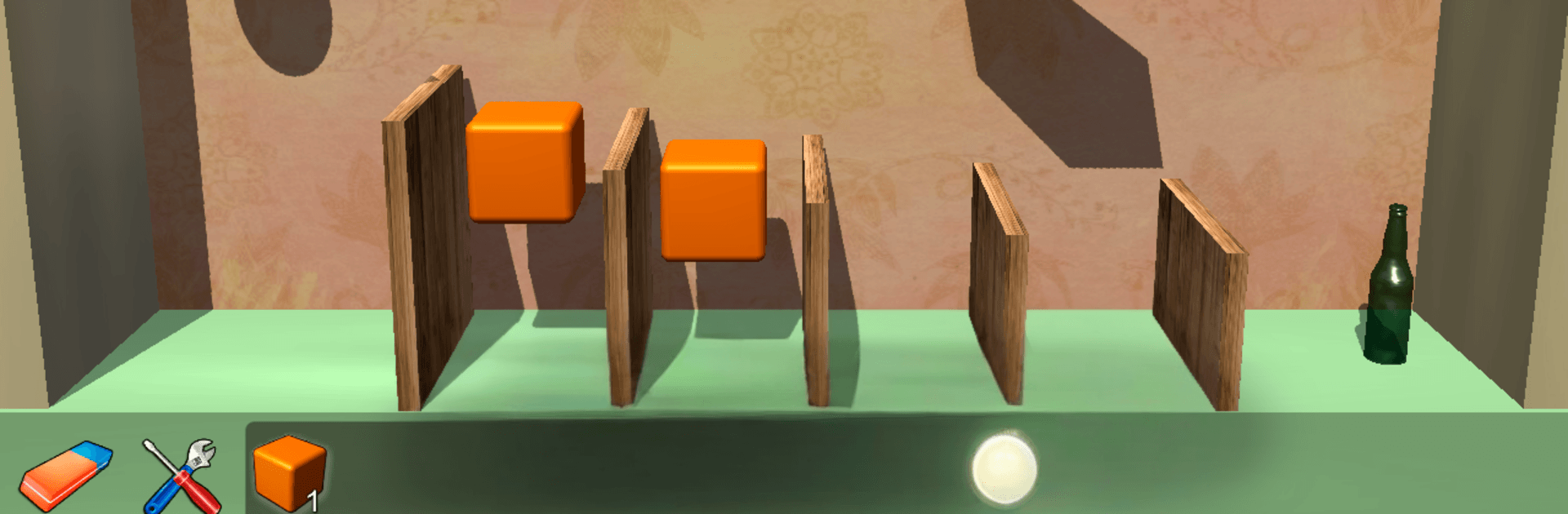
Cubic Lab 3D: Puzzle pieces & Physics Jigsaw

Cubic Lab 3D: Puzzle pieces & Physics Jigsaw

Puzzle

| Acuario Games

Play on PC with BlueStacks or from our cloud

  • Overview
  • Game Features
  • How to Play

Page Modified On: August 20, 2026

Play Cubic Lab 3D: Puzzle pieces & Physics Jigsaw on PC or Mac

Cubic Lab 3D: Puzzle pieces & Physics Jigsaw brings the Puzzle genre to life, and throws up exciting challenges for gamers. Developed by Acuario Games, this Android game is best experienced on BlueStacks, the World’s #1 app player for PC and Mac users.

About the Game

Cubic Lab 3D: Puzzle pieces & Physics Jigsaw hands you a workbench full of parts and asks one simple thing: can you build a contraption that shatters every last bottle? This Puzzle game leans into real-world physics, so every lever you place and domino you line up matters. It’s a relaxed, brain-tickling sandbox where you experiment in 3D, try bold ideas, and tweak until your chain reaction finally clicks—nice and satisfying on BlueStacks, too.

Game Features

  • Build chain reactions: Combine levers, balls, ramps, and dominoes to create clever sequences that end with a perfect smash.
  • Realistic 3D physics: Every swing, bounce, and topple behaves naturally, rewarding smart placement and tight timing.
  • Clear goal, flexible solutions: The target is simple—break the bottles—but there are countless ways to pull it off.
  • Design your own maze: Arrange elements to craft winding paths, sneaky drops, and offbeat routes that keep you experimenting.
  • Intuitive controls: Pick up, rotate, and set pieces down with smooth handling that makes tinkering feel effortless.
  • Helpful Old Inventor: Stuck on a setup? Ask the Old Inventor for a nudge and get gentle hints without giving away the fun.
  • Clean, immersive look: Crisp models, soft lighting, and a calm workshop vibe keep your focus on building cool mechanisms.

Start playing Cubic Lab 3D: Puzzle pieces & Physics Jigsaw on BlueStacks and get a smoother, more comfortable PC or Mac setup.


Game Features

Enhancements

  • Macros
  • Multi Instance
  • Multi Instance Sync
  • Script
  • Enhancements
Macros

Macros

Automate the predictable in Cubic Lab 3D: Puzzle pieces & Physics Jigsaw and transform your gameplay with Macros. Get access to inventive Macros in the BlueStacks Macro Community
Multi Instance

Multi Instance

Play Cubic Lab 3D: Puzzle pieces & Physics Jigsaw on one window. And chat with your friend on the other. Press CTRL + Shift + 8 to open the Multi-Instance Manager. And start creating fresh instances or clone an existing one.
Multi Instance Sync

Multi Instance Sync

Play Cubic Lab 3D: Puzzle pieces & Physics Jigsaw with the power of Multi-Instance Sync. Replicate what you are doing on the main instance on all other instances. Level up faster, play more.
Script

Script

Script your way to gaming glory in Cubic Lab 3D: Puzzle pieces & Physics Jigsaw with BlueStacks Script. Write and run a set of commands to automate repeated tasks. Trigger the command by assigning it to any key.
Read More

How to Download and Play Cubic Lab 3D: Puzzle pieces & Physics Jigsaw on PC or Mac

  • Download and install BlueStacks on your PC or Mac

  • Complete Google sign-in to access the Play Store, or do it later

  • Look for Cubic Lab 3D: Puzzle pieces & Physics Jigsaw in the search bar at the top right corner

  • Click to install Cubic Lab 3D: Puzzle pieces & Physics Jigsaw from the search results

  • Complete Google sign-in (if you skipped step 2) to install Cubic Lab 3D: Puzzle pieces & Physics Jigsaw

  • Click the Cubic Lab 3D: Puzzle pieces & Physics Jigsaw icon on the home screen to start playing

video
Watch Video

Minimum System Requirements

With BlueStacks 5, you can get started on a PC that fulfills the following requirements.

  • Operating System

    Microsoft Windows 7 or above, macOS 11 (Big Sur) or above

  • Processor

    Intel, AMD or Apple Silicon Processor

  • RAM

    at least 4GB

  • HDD

    10GB Free Disk Space

Note:

* You must be an Administrator on your PC. Up to date graphics drivers from Microsoft or the chipset vendor.

Cubic Lab 3D: Puzzle pieces & Physics Jigsaw - FAQs

  • How to play Cubic Lab 3D: Puzzle pieces & Physics Jigsaw on Windows PC & Mac?

    Play Cubic Lab 3D: Puzzle pieces & Physics Jigsaw on your PC or Mac by following these simple steps.

    • Click on 'Play Cubic Lab 3D: Puzzle pieces & Physics Jigsaw on PC’ to download BlueStacks
    • Install it and log-in to Google Play Store
    • Launch and play the game.
  • Why is BlueStacks the fastest and safest platform to play games on PC?

    BlueStacks respects your privacy and is always safe and secure to use. It does not carry any malware, spyware, or any sort of additional software that could harm your PC.

    It is engineered to optimize speed and performance for a seamless gaming experience.

  • What are Cubic Lab 3D: Puzzle pieces & Physics Jigsaw PC requirements?

    Minimum requirement to run Cubic Lab 3D: Puzzle pieces & Physics Jigsaw on your PC

    • OS: Microsoft Windows 7 or above MacOS 11 (Big Sur) or above
    • Processor: Intel, AMD or Apple Silicon Processor
    • RAM: Your PC must have at least 4GB of RAM. (Note that having 4GB or more disk space is not a substitute for RAM)
    • HDD: 10GB Free Disk Space.
    • You must be an Administrator on your PC.