Vandals
Vandals

Vandals

Puzzle

| ARTE Experience

Play on PC with BlueStacks or from our cloud

  • Overview
  • Game Features
  • How to Play

Page Modified On: January 02, 2026

Play Vandals on PC or Mac

Step into the World of Vandals, a thrilling Puzzle game from the house of ARTE Experience. Play this Android game on BlueStacks App Player and experience immersive gaming on PC or Mac.

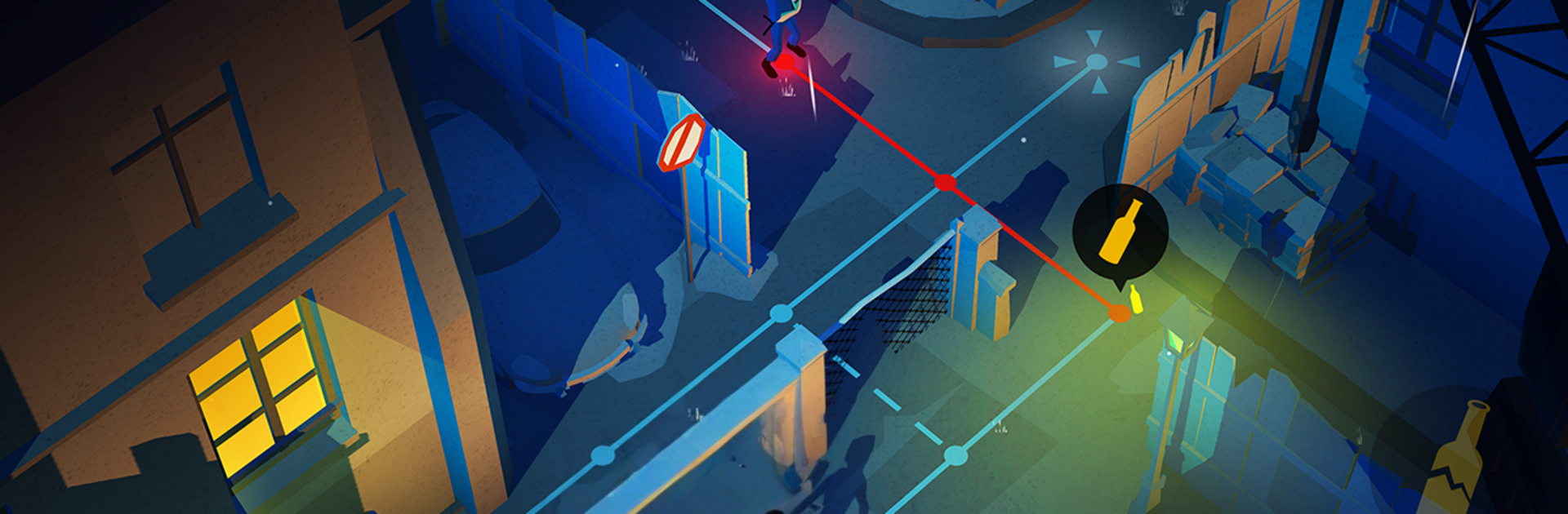
Vandals is a chilled but sneaky turn-based puzzler about slipping past patrols and leaving a tag before anyone spots it. Each level drops the player into a stylized version of a real city, then it becomes a little chess match with guards and sight lines. Plan a route, watch the patrol patterns, reach the wall, paint, then get out without raising the alarm. It starts simple and ramps up with trickier layouts and tighter timing, but it never feels unfair, just clever. The art is the hook. The game nods to real legends like Blek Le Rat, Keith Haring, Lady Pink, and Miss.Tic, and it actually lets players create their own pieces on the wall. The spray tools are easy to use and it is oddly satisfying to see a clean tag pop against a Paris tunnel or a Tokyo backstreet, then share it if that is the mood.

There is a good chunk of content too. Five cities with their own look, sixty levels to solve, achievements to chase, and short background notes about street art history since the 1960s that are quick to read but cool context. The soundtrack leans into moody, urban beats, the sort that makes waiting a turn feel tense, and headphones really do help. Portrait or landscape both work, with left or right-handed options if needed. On PC with BlueStacks it plays great on a bigger screen, and drawing tags with a mouse feels cleaner than on a phone. The whole thing is tidy, stylish, and methodical, like a pocket stealth puzzle with paint on its hands.

Make your gaming sessions memorable with precise controls that give you an edge in close combats and visuals that pop up, bringing every character to life.


Game Features

Enhancements

  • Macros
  • Multi Instance
  • Multi Instance Sync
  • Script
  • Enhancements
Macros

Macros

Automate the predictable in Vandals and transform your gameplay with Macros. Get access to inventive Macros in the BlueStacks Macro Community
Multi Instance

Multi Instance

Play Vandals on one window. And chat with your friend on the other. Press CTRL + Shift + 8 to open the Multi-Instance Manager. And start creating fresh instances or clone an existing one.
Multi Instance Sync

Multi Instance Sync

Play Vandals with the power of Multi-Instance Sync. Replicate what you are doing on the main instance on all other instances. Level up faster, play more.
Script

Script

Script your way to gaming glory in Vandals with BlueStacks Script. Write and run a set of commands to automate repeated tasks. Trigger the command by assigning it to any key.
Read More

How to Download and Play Vandals on PC or Mac

  • Download and install BlueStacks on your PC or Mac

  • Complete Google sign-in to access the Play Store, or do it later

  • Look for Vandals in the search bar at the top right corner

  • Click to install Vandals from the search results

  • Complete Google sign-in (if you skipped step 2) to install Vandals

  • Click the Vandals icon on the home screen to start playing

video
Watch Video

Minimum System Requirements

With BlueStacks 5, you can get started on a PC that fulfills the following requirements.

  • Operating System

    Microsoft Windows 7 or above, macOS 11 (Big Sur) or above

  • Processor

    Intel, AMD or Apple Silicon Processor

  • RAM

    at least 4GB

  • HDD

    10GB Free Disk Space

Note:

* You must be an Administrator on your PC. Up to date graphics drivers from Microsoft or the chipset vendor.

Vandals - FAQs

  • How to play Vandals on Windows PC & Mac?

    Play Vandals on your PC or Mac by following these simple steps.

    • Click on 'Play Vandals on PC’ to download BlueStacks
    • Install it and log-in to Google Play Store
    • Launch and play the game.
  • Why is BlueStacks the fastest and safest platform to play games on PC?

    BlueStacks respects your privacy and is always safe and secure to use. It does not carry any malware, spyware, or any sort of additional software that could harm your PC.

    It is engineered to optimize speed and performance for a seamless gaming experience.

  • What are Vandals PC requirements?

    Minimum requirement to run Vandals on your PC

    • OS: Microsoft Windows 7 or above MacOS 11 (Big Sur) or above
    • Processor: Intel, AMD or Apple Silicon Processor
    • RAM: Your PC must have at least 4GB of RAM. (Note that having 4GB or more disk space is not a substitute for RAM)
    • HDD: 10GB Free Disk Space.
    • You must be an Administrator on your PC.