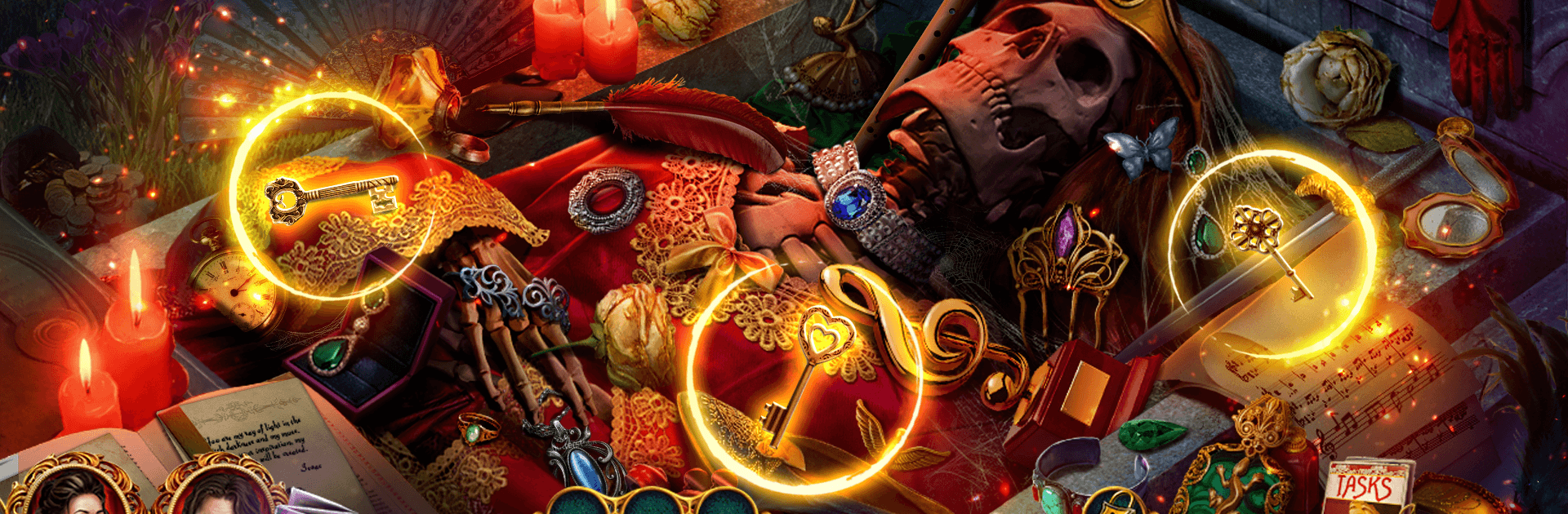
Dark Romance 9 f2p
Dark Romance 9 f2p

Dark Romance 9 f2p

Puzzle

| Do Games Limited

Play on PC with BlueStacks or from our cloud

  • Overview
  • Game Features
  • How to Play

Page Modified On: May 25, 2026

Play Dark Romance 9 f2p on PC or Mac

Explore a whole new adventure with Dark Romance 9 f2p, a Puzzle game created by Do Games Limited. Experience great gameplay with BlueStacks, the most popular gaming platform to play Android games on your PC or Mac.

About the Game
Dark Romance 9 f2p is a story-driven Puzzle adventure set in a haunted opera house where a romantic proposal collides with a chilling obsession. One moment you’re planning the perfect night; the next, Christine vanishes behind a velvet curtain, whisked away by a masked figure with unfinished business. Expect classic hidden object scenes, clever brain teasers, and a moody atmosphere that keeps you guessing. Prefer playing on a bigger screen? It runs smoothly with BlueStacks so you can enjoy the spectacle with crisp detail.

Game Features
– Haunting love story: Track the Phantom through an abandoned opera house that blurs the line between the living and the dead, and uncover what he truly wants with Christine.
– Seek-and-find challenges: Search richly detailed scenes for well-hidden items, using your wits and careful observation to piece together clues.
– Clever mini-games: Break up the investigation with logic puzzles and brain teasers that range from quick, satisfying solves to head-scratchers.
– Supernatural standoffs: Outmaneuver hostile spirits, dodge traps, and use what you find to push deeper into the theater’s cursed wings.
– Bonus chapter: After the main case, tackle a separate story where you’re racing to save your daughter from a ritual that’s stolen her voice.
– Collectibles and achievements: Keep an eye out—each location hides special items and secrets that fill out your collection and reward your curiosity.
– Free-to-play quest: Enjoy the full mystery at no cost, with optional hints available if you’d rather nudge the story forward than puzzle it out.

Get ready for a buttery smooth, high-performance gaming action only on BlueStacks.

Game Features

Enhancements

  • Macros
  • Multi Instance
  • Multi Instance Sync
  • Script
  • Enhancements
Macros

Macros

Automate the predictable in Dark Romance 9 f2p and transform your gameplay with Macros. Get access to inventive Macros in the BlueStacks Macro Community
Multi Instance

Multi Instance

Play Dark Romance 9 f2p on one window. And chat with your friend on the other. Press CTRL + Shift + 8 to open the Multi-Instance Manager. And start creating fresh instances or clone an existing one.
Multi Instance Sync

Multi Instance Sync

Play Dark Romance 9 f2p with the power of Multi-Instance Sync. Replicate what you are doing on the main instance on all other instances. Level up faster, play more.
Script

Script

Script your way to gaming glory in Dark Romance 9 f2p with BlueStacks Script. Write and run a set of commands to automate repeated tasks. Trigger the command by assigning it to any key.
Read More

How to Download and Play Dark Romance 9 f2p on PC or Mac

  • Download and install BlueStacks on your PC or Mac

  • Complete Google sign-in to access the Play Store, or do it later

  • Look for Dark Romance 9 f2p in the search bar at the top right corner

  • Click to install Dark Romance 9 f2p from the search results

  • Complete Google sign-in (if you skipped step 2) to install Dark Romance 9 f2p

  • Click the Dark Romance 9 f2p icon on the home screen to start playing

video
Watch Video

Minimum System Requirements

With BlueStacks 5, you can get started on a PC that fulfills the following requirements.

  • Operating System

    Microsoft Windows 7 or above, macOS 11 (Big Sur) or above

  • Processor

    Intel, AMD or Apple Silicon Processor

  • RAM

    at least 4GB

  • HDD

    10GB Free Disk Space

Note:

* You must be an Administrator on your PC. Up to date graphics drivers from Microsoft or the chipset vendor.

Dark Romance 9 f2p - FAQs

  • How to play Dark Romance 9 f2p on Windows PC & Mac?

    Play Dark Romance 9 f2p on your PC or Mac by following these simple steps.

    • Click on 'Play Dark Romance 9 f2p on PC’ to download BlueStacks
    • Install it and log-in to Google Play Store
    • Launch and play the game.
  • Why is BlueStacks the fastest and safest platform to play games on PC?

    BlueStacks respects your privacy and is always safe and secure to use. It does not carry any malware, spyware, or any sort of additional software that could harm your PC.

    It is engineered to optimize speed and performance for a seamless gaming experience.

  • What are Dark Romance 9 f2p PC requirements?

    Minimum requirement to run Dark Romance 9 f2p on your PC

    • OS: Microsoft Windows 7 or above MacOS 11 (Big Sur) or above
    • Processor: Intel, AMD or Apple Silicon Processor
    • RAM: Your PC must have at least 4GB of RAM. (Note that having 4GB or more disk space is not a substitute for RAM)
    • HDD: 10GB Free Disk Space.
    • You must be an Administrator on your PC.