Diamond Color Sort - Gems Art

Diamond Color Sort - Gems Art

Puzzle

| NimbleMind Network Inc.

Play on PC with BlueStacks or from our cloud

  • Overview
  • Game Features
  • How to Play

Page Modified On: July 14, 2026

Play Diamond Color Sort - Gems Art on PC or Mac

Diamond Color Sort – Gems Art by NimbleMind Network Inc. has plenty to keep you busy. BlueStacks lets you play it on PC or Mac with more screen space, better control, and fewer mobile limits.

About the Game

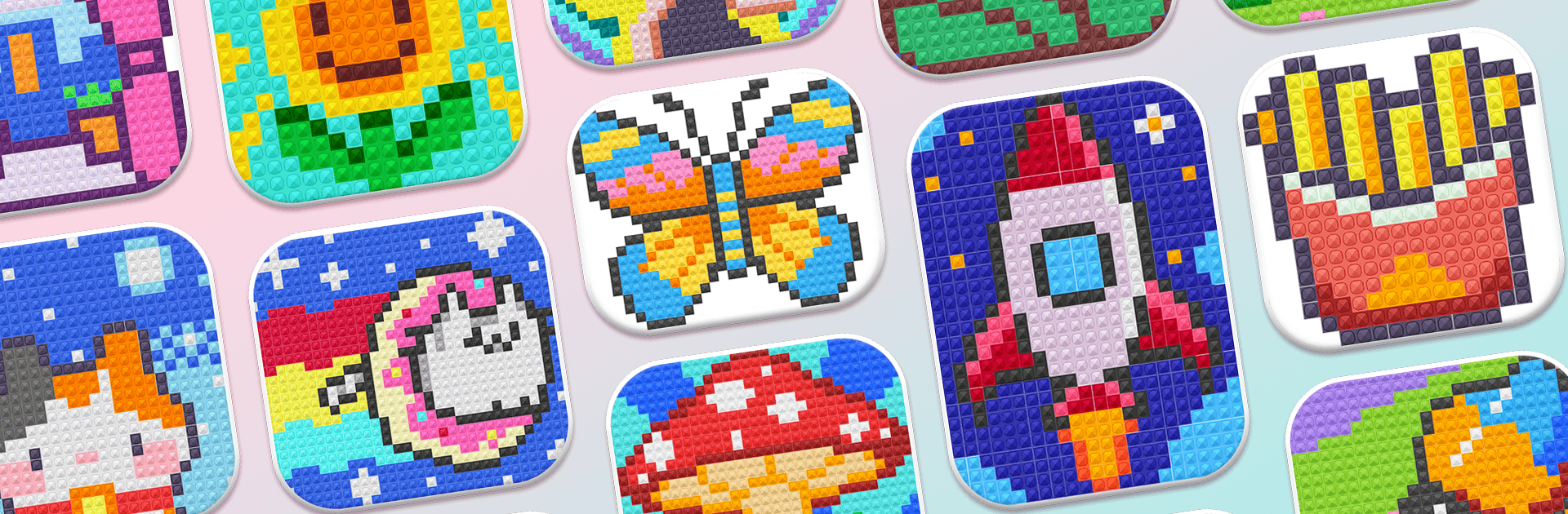
Diamond Color Sort – Gems Art is a chill Puzzle you can drop into whenever you want a quick, satisfying brain break. Match gem colors, place them onto pixel-style boards, and watch little mosaics come to life one shiny tile at a time. It’s calm and cozy, but there’s just enough strategy to keep your mind engaged—and if you like playing on a bigger screen, it works nicely with BlueStacks.

Game Features

  • Color-sorting meets pixel art: Sort gems by shade, then fit them into the right spots to complete detailed, glittery pictures.
  • Hundreds of cozy boards: Work through loads of hand-crafted designs that range from tiny, cute scenes to fuller, more intricate artworks.
  • Satisfying gem placement: Crisp visuals and smooth animations make every drop and snap feel good, from the first tile to the final click.
  • Smart shelf system: Use the shelf to stage pieces, juggle tricky colors, and plan moves without cluttering your board.
  • Helpful boosters: Stuck on a tough corner? Tools like the Star Wand, Brush, and Magnet help tidy the grid or place gems with a tap.
  • Gentle challenge curve: Early levels teach the basics, then the layouts grow a little trickier so your planning and color recognition keep improving.
  • Collections and themes: Fill out sets and explore different looks—there’s always another gallery-style group to polish off.
  • Relaxing, no-pressure play: No timers, just a steady rhythm that’s great for unwinding while still scratching that puzzle itch.
  • Smooth, pick-up-and-play control: Quick taps, clean feedback, and a layout that feels natural whether you’ve got a minute or an hour.

Start your journey now. Download the game on BlueStacks, invite your friends, and march on a new adventure.


Game Features

Enhancements

  • Macros
  • Multi Instance
  • Multi Instance Sync
  • Script
  • Enhancements
Macros

Macros

Automate the predictable in Diamond Color Sort - Gems Art and transform your gameplay with Macros. Get access to inventive Macros in the BlueStacks Macro Community
Multi Instance

Multi Instance

Play Diamond Color Sort - Gems Art on one window. And chat with your friend on the other. Press CTRL + Shift + 8 to open the Multi-Instance Manager. And start creating fresh instances or clone an existing one.
Multi Instance Sync

Multi Instance Sync

Play Diamond Color Sort - Gems Art with the power of Multi-Instance Sync. Replicate what you are doing on the main instance on all other instances. Level up faster, play more.
Script

Script

Script your way to gaming glory in Diamond Color Sort - Gems Art with BlueStacks Script. Write and run a set of commands to automate repeated tasks. Trigger the command by assigning it to any key.
Read More

How to Download and Play Diamond Color Sort - Gems Art on PC or Mac

  • Download and install BlueStacks on your PC or Mac

  • Complete Google sign-in to access the Play Store, or do it later

  • Look for Diamond Color Sort - Gems Art in the search bar at the top right corner

  • Click to install Diamond Color Sort - Gems Art from the search results

  • Complete Google sign-in (if you skipped step 2) to install Diamond Color Sort - Gems Art

  • Click the Diamond Color Sort - Gems Art icon on the home screen to start playing

video
Watch Video

Minimum System Requirements

With BlueStacks 5, you can get started on a PC that fulfills the following requirements.

  • Operating System

    Microsoft Windows 7 or above, macOS 11 (Big Sur) or above

  • Processor

    Intel, AMD or Apple Silicon Processor

  • RAM

    at least 4GB

  • HDD

    10GB Free Disk Space

Note:

* You must be an Administrator on your PC. Up to date graphics drivers from Microsoft or the chipset vendor.

Diamond Color Sort - Gems Art - FAQs

  • How to play Diamond Color Sort - Gems Art on Windows PC & Mac?

    Play Diamond Color Sort - Gems Art on your PC or Mac by following these simple steps.

    • Click on 'Play Diamond Color Sort - Gems Art on PC’ to download BlueStacks
    • Install it and log-in to Google Play Store
    • Launch and play the game.
  • Why is BlueStacks the fastest and safest platform to play games on PC?

    BlueStacks respects your privacy and is always safe and secure to use. It does not carry any malware, spyware, or any sort of additional software that could harm your PC.

    It is engineered to optimize speed and performance for a seamless gaming experience.

  • What are Diamond Color Sort - Gems Art PC requirements?

    Minimum requirement to run Diamond Color Sort - Gems Art on your PC

    • OS: Microsoft Windows 7 or above MacOS 11 (Big Sur) or above
    • Processor: Intel, AMD or Apple Silicon Processor
    • RAM: Your PC must have at least 4GB of RAM. (Note that having 4GB or more disk space is not a substitute for RAM)
    • HDD: 10GB Free Disk Space.
    • You must be an Administrator on your PC.