Draw n Road
Draw n Road

Draw n Road

Puzzle

| JY GAME

Play on PC with BlueStacks or from our cloud

  • Overview
  • Game Features
  • How to Play

Page Modified On: August 22, 2025

Play Draw n Road on PC or Mac

Explore a whole new adventure with Draw n Road, a Puzzle game created by JY GAME. Experience great gameplay with BlueStacks, the most popular gaming platform to play Android games on your PC or Mac.

About the Game

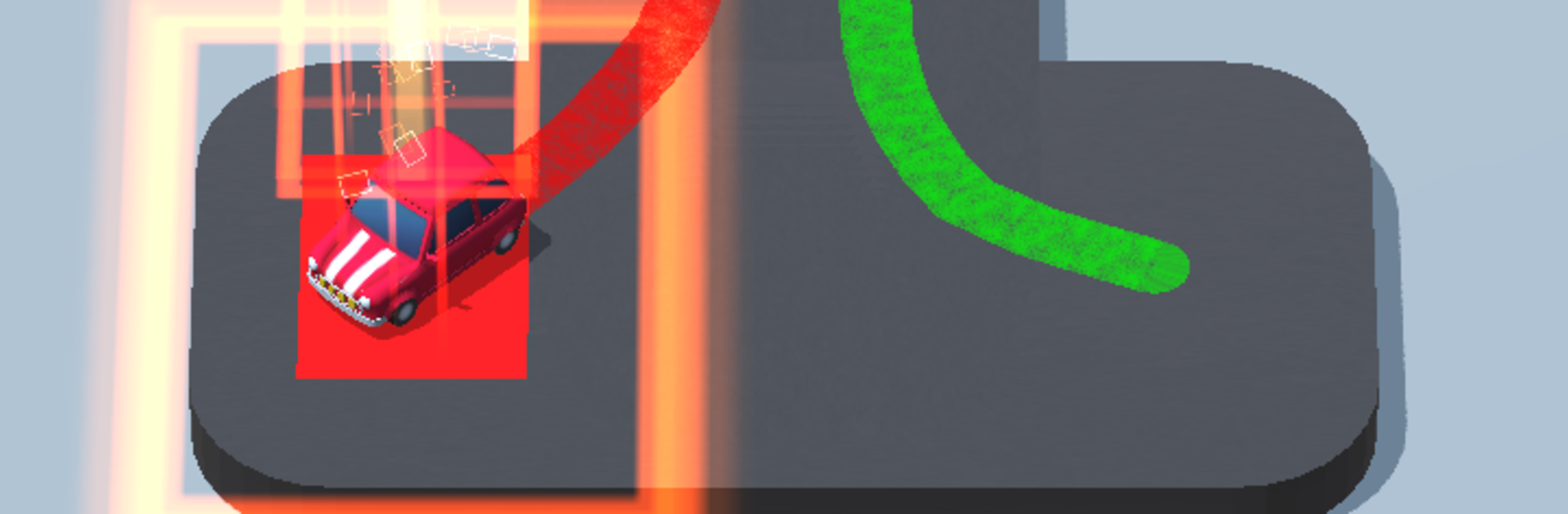
Draw n Road from JY GAME puts a creative spin on the classic car puzzle genre. You’re handed the wheel—or more accurately, the pen—and challenged to map out the perfect route to get each car to its own parking spot. Every level is like a mini brain teaser: you draw the path, watch the cars drive, and see if your strategy actually pays off. Expect a mix of trial, error, and some seriously satisfying “aha!” moments. If you’re up for clever puzzles with a hands-on twist, there’s plenty here to keep you entertained.

Game Features

  • Unique Path Drawing
    Sketch your own roads right on the screen for every car—you get to decide the route, style, and creative detours. Wild scribble or careful design? It’s all up to you.

  • Challenging Obstacles
    It’s not just about lines and cars. Plenty of obstacles—think tight corners, crowded lots, and unexpected bumps—keep things tricky as you plan a safe path.

  • Crash-Avoidance Action
    Be alert! If your paths cross in the wrong way, cars will collide and it’s back to the drawing board. Every level ups the need for smart thinking and sharp timing.

  • Parking Perfection
    Each vehicle has its own designated parking area, so you’ve got to juggle multiple routes at once without mixing things up.

  • Loads of Puzzles
    There’s a wide range of parking challenges to solve, with levels that get more tangled and crowded as you go.

  • Smooth Experience on BlueStacks
    If you’re using BlueStacks, it’s easy to draw and tweak your routes using your mouse for that extra bit of control.

Whether you just want a quick puzzle while you relax or a new way to flex your strategy skills, Draw n Road keeps things fresh at every turn.

Get ready for a buttery smooth, high-performance gaming action only on BlueStacks.

Game Features

Enhancements

  • Macros
  • Multi Instance
  • Multi Instance Sync
  • Script
  • Enhancements
Macros

Macros

Automate the predictable in Draw n Road and transform your gameplay with Macros. Get access to inventive Macros in the BlueStacks Macro Community
Multi Instance

Multi Instance

Play Draw n Road on one window. And chat with your friend on the other. Press CTRL + Shift + 8 to open the Multi-Instance Manager. And start creating fresh instances or clone an existing one.
Multi Instance Sync

Multi Instance Sync

Play Draw n Road with the power of Multi-Instance Sync. Replicate what you are doing on the main instance on all other instances. Level up faster, play more.
Script

Script

Script your way to gaming glory in Draw n Road with BlueStacks Script. Write and run a set of commands to automate repeated tasks. Trigger the command by assigning it to any key.
Read More

How to Download and Play Draw n Road on PC or Mac

  • Download and install BlueStacks on your PC or Mac

  • Complete Google sign-in to access the Play Store, or do it later

  • Look for Draw n Road in the search bar at the top right corner

  • Click to install Draw n Road from the search results

  • Complete Google sign-in (if you skipped step 2) to install Draw n Road

  • Click the Draw n Road icon on the home screen to start playing

video
Watch Video

Minimum System Requirements

With BlueStacks 5, you can get started on a PC that fulfills the following requirements.

  • Operating System

    Microsoft Windows 7 or above, macOS 11 (Big Sur) or above

  • Processor

    Intel, AMD or Apple Silicon Processor

  • RAM

    at least 4GB

  • HDD

    10GB Free Disk Space

Note:

* You must be an Administrator on your PC. Up to date graphics drivers from Microsoft or the chipset vendor.

Draw n Road - FAQs

  • How to play Draw n Road on Windows PC & Mac?

    Play Draw n Road on your PC or Mac by following these simple steps.

    • Click on 'Play Draw n Road on PC’ to download BlueStacks
    • Install it and log-in to Google Play Store
    • Launch and play the game.
  • Why is BlueStacks the fastest and safest platform to play games on PC?

    BlueStacks respects your privacy and is always safe and secure to use. It does not carry any malware, spyware, or any sort of additional software that could harm your PC.

    It is engineered to optimize speed and performance for a seamless gaming experience.

  • What are Draw n Road PC requirements?

    Minimum requirement to run Draw n Road on your PC

    • OS: Microsoft Windows 7 or above MacOS 11 (Big Sur) or above
    • Processor: Intel, AMD or Apple Silicon Processor
    • RAM: Your PC must have at least 4GB of RAM. (Note that having 4GB or more disk space is not a substitute for RAM)
    • HDD: 10GB Free Disk Space.
    • You must be an Administrator on your PC.