EscapeGame: Marrakech

EscapeGame: Marrakech

Puzzle

| Jammsworks Inc.

Play on PC with BlueStacks or from our cloud

  • Overview
  • Game Features
  • How to Play

Page Modified On: October 23, 2026

Play EscapeGame: Marrakech on PC or Mac

Bring your A-game to EscapeGame: Marrakech, the Puzzle game sensation from Jammsworks Inc.. Give your gameplay the much-needed boost with precise game controls, high FPS graphics, and top-tier features on your PC or Mac with BlueStacks.

About the Game

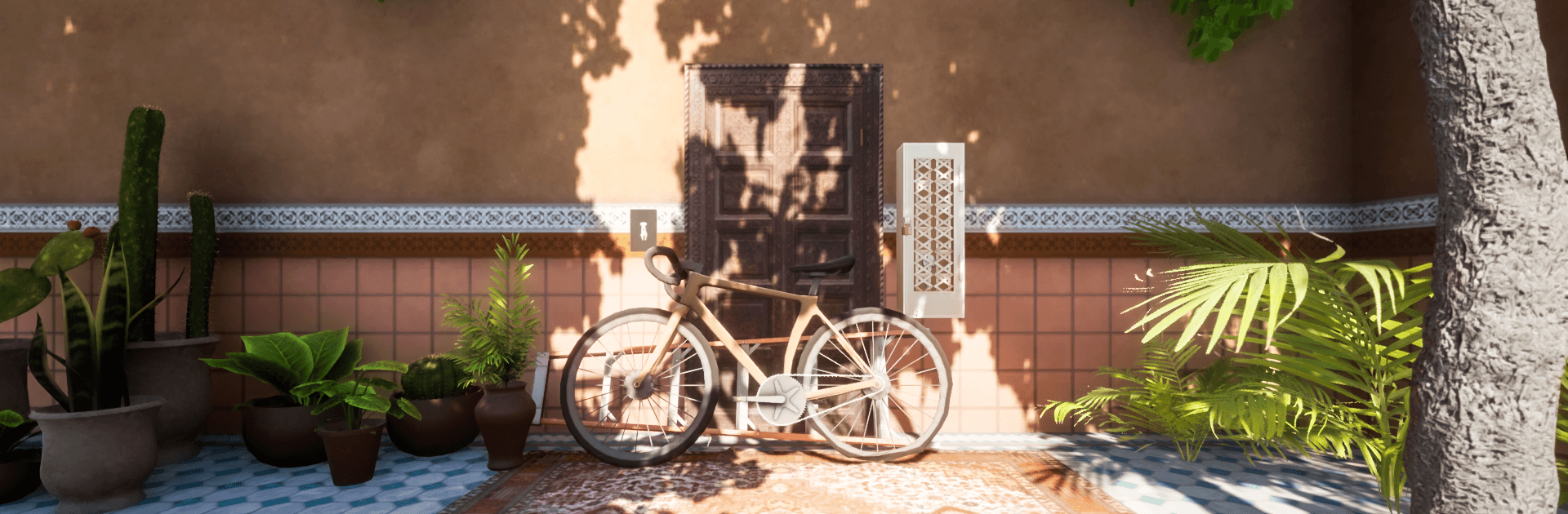
EscapeGame: Marrakech drops you into a sunlit riad tucked inside the old city, where locked doors and clever mechanisms hide in plain sight. It’s a Puzzle experience that’s calm, tactile, and quietly satisfying—poke around courtyards, peer into tiled rooms, and piece together clues until everything clicks. Prefer a bigger view? It plays nicely on BlueStacks, too.

Game Features

  • Handcrafted Riad Setting: Wander a serene Moroccan mansion with a courtyard, cool tiles, and a tranquil pool, all packed with secrets to uncover.
  • Gentle Challenge Curve: Early puzzles ease you in, then grow trickier in a way that feels fair and logical rather than punishing.
  • Simple Point-and-Tap Play: Search scenes with taps, interact with objects, and open up new spots as you progress—no clunky tutorials needed.
  • Multi-Angle Exploration: Switch viewpoints to catch details you’d miss head-on, from hidden switches to tucked-away codes.
  • Zoom and Inspect Items: Pop items open for a closer look to spot fine engravings, numbers, or components you can’t see at first glance.
  • Drag-and-Use Tools: Apply keys, levers, and other finds by dragging them into place, making each solution feel hands-on.
  • Smart Item Combos: Merge compatible objects to build what you need—sometimes the answer is two steps, not one.
  • Built-In Hints: Nudge yourself forward with optional hints when you’re stuck, then jump right back into solving.
  • Auto-Save, Zero Stress: Your progress is saved automatically, perfect for quick sessions and easy returns.
  • On-Screen Notes: Open a side note pad with a quick swipe to jot down symbols or steps—no paper required.
  • Family-Friendly Charm: Cute characters and a warm tone make it approachable for younger players yet engaging for all ages.
  • BlueStacks Support: Want comfy, click-friendly play on a larger display? It runs smoothly on BlueStacks without fuss.

Start your journey now. Download the game on BlueStacks, invite your friends, and march on a new adventure.


Game Features

Enhancements

  • Macros
  • Multi Instance
  • Multi Instance Sync
  • Script
  • Enhancements
Macros

Macros

Automate the predictable in EscapeGame: Marrakech and transform your gameplay with Macros. Get access to inventive Macros in the BlueStacks Macro Community
Multi Instance

Multi Instance

Play EscapeGame: Marrakech on one window. And chat with your friend on the other. Press CTRL + Shift + 8 to open the Multi-Instance Manager. And start creating fresh instances or clone an existing one.
Multi Instance Sync

Multi Instance Sync

Play EscapeGame: Marrakech with the power of Multi-Instance Sync. Replicate what you are doing on the main instance on all other instances. Level up faster, play more.
Script

Script

Script your way to gaming glory in EscapeGame: Marrakech with BlueStacks Script. Write and run a set of commands to automate repeated tasks. Trigger the command by assigning it to any key.
Read More

How to Download and Play EscapeGame: Marrakech on PC or Mac

  • Download and install BlueStacks on your PC or Mac

  • Complete Google sign-in to access the Play Store, or do it later

  • Look for EscapeGame: Marrakech in the search bar at the top right corner

  • Click to install EscapeGame: Marrakech from the search results

  • Complete Google sign-in (if you skipped step 2) to install EscapeGame: Marrakech

  • Click the EscapeGame: Marrakech icon on the home screen to start playing

video
Watch Video

Minimum System Requirements

With BlueStacks 5, you can get started on a PC that fulfills the following requirements.

  • Operating System

    Microsoft Windows 7 or above, macOS 11 (Big Sur) or above

  • Processor

    Intel, AMD or Apple Silicon Processor

  • RAM

    at least 4GB

  • HDD

    10GB Free Disk Space

Note:

* You must be an Administrator on your PC. Up to date graphics drivers from Microsoft or the chipset vendor.

EscapeGame: Marrakech - FAQs

  • How to play EscapeGame: Marrakech on Windows PC & Mac?

    Play EscapeGame: Marrakech on your PC or Mac by following these simple steps.

    • Click on 'Play EscapeGame: Marrakech on PC’ to download BlueStacks
    • Install it and log-in to Google Play Store
    • Launch and play the game.
  • Why is BlueStacks the fastest and safest platform to play games on PC?

    BlueStacks respects your privacy and is always safe and secure to use. It does not carry any malware, spyware, or any sort of additional software that could harm your PC.

    It is engineered to optimize speed and performance for a seamless gaming experience.

  • What are EscapeGame: Marrakech PC requirements?

    Minimum requirement to run EscapeGame: Marrakech on your PC

    • OS: Microsoft Windows 7 or above MacOS 11 (Big Sur) or above
    • Processor: Intel, AMD or Apple Silicon Processor
    • RAM: Your PC must have at least 4GB of RAM. (Note that having 4GB or more disk space is not a substitute for RAM)
    • HDD: 10GB Free Disk Space.
    • You must be an Administrator on your PC.