Grimwood Secrets: Cursed F2P

Grimwood Secrets: Cursed F2P

Puzzle

| Do Games Limited

Play on PC with BlueStacks or from our cloud

  • Overview
  • Game Features
  • How to Play

Page Modified On: October 12, 2026

Play Grimwood Secrets: Cursed F2P on PC or Mac

Step into the World of Grimwood Secrets: Cursed F2P, a thrilling Puzzle game from the house of Do Games Limited. Play this Android game on BlueStacks App Player and experience immersive gaming on PC or Mac.

About the Game

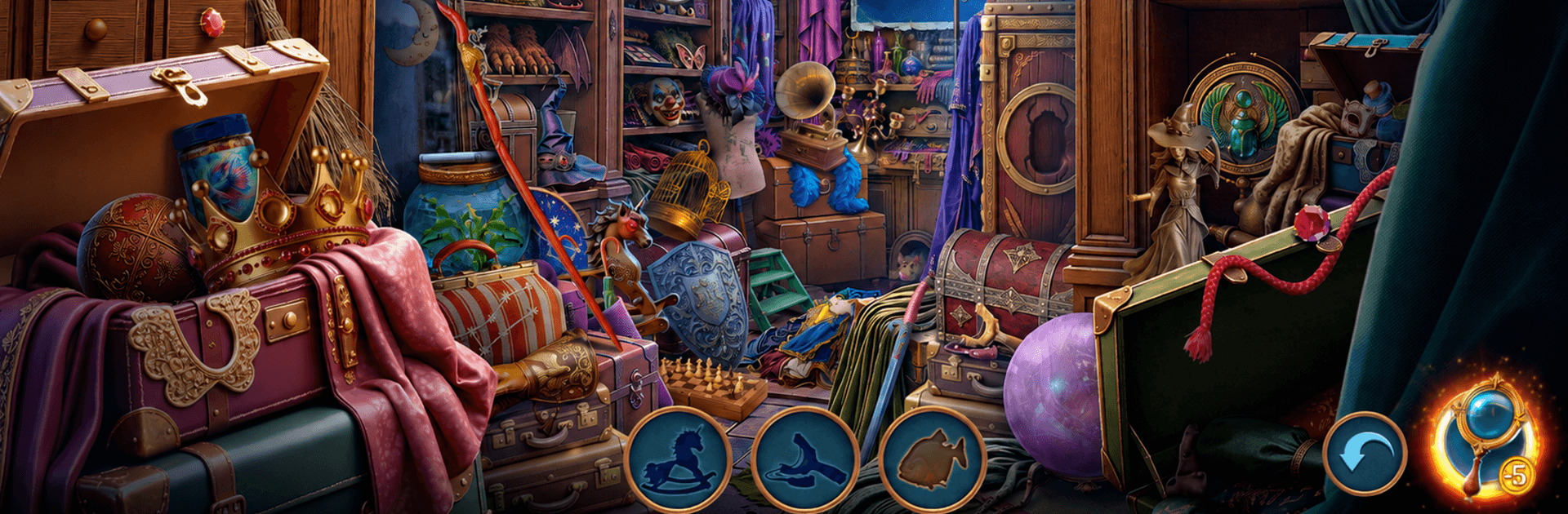
Grimwood Secrets: Cursed F2P is a story-driven Puzzle adventure set in a locked manor where every shadow hides a lead. You play as Mabel Grimwood, a young witch whose family gathering goes sideways when a priceless relic disappears and a long-held veil between worlds starts to fray. Expect tense searches, tricky logic moments, and choices that actually matter — and if you like a bigger view, it feels right at home on BlueStacks.

Game Features

  • A castle locked till dawn: Explore a sprawling manor packed with secret corridors, creaking towers, forgotten crypts, and rooms stuffed with bizarre heirlooms.
  • A suspect who doesn’t add up: Ezra, a monster hunter caught inside the estate, looks guilty on paper — but the family’s tangled history might say otherwise.
  • Seek and uncover: Search richly detailed scenes, collect enchanted trinkets, and connect small clues that flip your understanding of the case.
  • Riddles and mini-games: Decode sigils, fix arcane mechanisms, and restore strange artifacts to crack open new paths and hidden chambers.
  • Magic meets forensics: Use witchcraft tools to sense traces, dispel curses, and log paranormal evidence that ordinary sleuthing would miss.
  • The Heart of Union thread: Track items tied to the stolen relic and piece together why it was taken — and who benefits if the barrier breaks.
  • Suspects with secrets: Interrogate relatives and rivals, compare alibis, and watch motives shift as new evidence surfaces.
  • Choices with consequences: Decide the fate of monsters and the future of the hidden world before sunrise forces everyone’s hand.

Start your journey now. Download the game on BlueStacks, invite your friends, and march on a new adventure.


Game Features

Enhancements

  • Macros
  • Multi Instance
  • Multi Instance Sync
  • Script
  • Enhancements
Macros

Macros

Automate the predictable in Grimwood Secrets: Cursed F2P and transform your gameplay with Macros. Get access to inventive Macros in the BlueStacks Macro Community
Multi Instance

Multi Instance

Play Grimwood Secrets: Cursed F2P on one window. And chat with your friend on the other. Press CTRL + Shift + 8 to open the Multi-Instance Manager. And start creating fresh instances or clone an existing one.
Multi Instance Sync

Multi Instance Sync

Play Grimwood Secrets: Cursed F2P with the power of Multi-Instance Sync. Replicate what you are doing on the main instance on all other instances. Level up faster, play more.
Script

Script

Script your way to gaming glory in Grimwood Secrets: Cursed F2P with BlueStacks Script. Write and run a set of commands to automate repeated tasks. Trigger the command by assigning it to any key.
Read More

How to Download and Play Grimwood Secrets: Cursed F2P on PC or Mac

  • Download and install BlueStacks on your PC or Mac

  • Complete Google sign-in to access the Play Store, or do it later

  • Look for Grimwood Secrets: Cursed F2P in the search bar at the top right corner

  • Click to install Grimwood Secrets: Cursed F2P from the search results

  • Complete Google sign-in (if you skipped step 2) to install Grimwood Secrets: Cursed F2P

  • Click the Grimwood Secrets: Cursed F2P icon on the home screen to start playing

video
Watch Video

Minimum System Requirements

With BlueStacks 5, you can get started on a PC that fulfills the following requirements.

  • Operating System

    Microsoft Windows 7 or above, macOS 11 (Big Sur) or above

  • Processor

    Intel, AMD or Apple Silicon Processor

  • RAM

    at least 4GB

  • HDD

    10GB Free Disk Space

Note:

* You must be an Administrator on your PC. Up to date graphics drivers from Microsoft or the chipset vendor.

Grimwood Secrets: Cursed F2P - FAQs

  • How to play Grimwood Secrets: Cursed F2P on Windows PC & Mac?

    Play Grimwood Secrets: Cursed F2P on your PC or Mac by following these simple steps.

    • Click on 'Play Grimwood Secrets: Cursed F2P on PC’ to download BlueStacks
    • Install it and log-in to Google Play Store
    • Launch and play the game.
  • Why is BlueStacks the fastest and safest platform to play games on PC?

    BlueStacks respects your privacy and is always safe and secure to use. It does not carry any malware, spyware, or any sort of additional software that could harm your PC.

    It is engineered to optimize speed and performance for a seamless gaming experience.

  • What are Grimwood Secrets: Cursed F2P PC requirements?

    Minimum requirement to run Grimwood Secrets: Cursed F2P on your PC

    • OS: Microsoft Windows 7 or above MacOS 11 (Big Sur) or above
    • Processor: Intel, AMD or Apple Silicon Processor
    • RAM: Your PC must have at least 4GB of RAM. (Note that having 4GB or more disk space is not a substitute for RAM)
    • HDD: 10GB Free Disk Space.
    • You must be an Administrator on your PC.