Enchanted Stories 2: Extra f2p

Enchanted Stories 2: Extra f2p

Puzzle

| Do Games Limited

Play on PC with BlueStacks or from our cloud

  • Overview
  • Game Features
  • How to Play

Page Modified On: September 18, 2026

Play Enchanted Stories 2: Extra f2p on PC or Mac

Bring your A-game to Enchanted Stories 2: Extra f2p, the Puzzle game sensation from Do Games Limited. Give your gameplay the much-needed boost with precise game controls, high FPS graphics, and top-tier features on your PC or Mac with BlueStacks.

About the Game

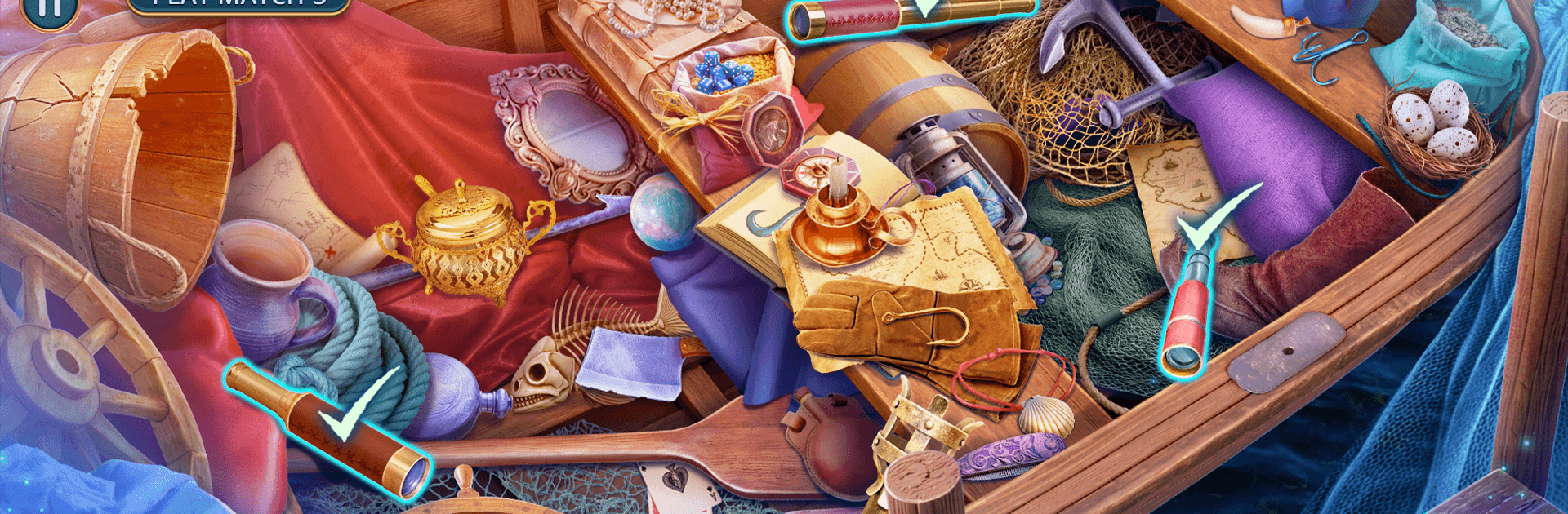
Enchanted Stories 2: Extra f2p is a story-driven Puzzle adventure set in the shadow-shadowed streets of Castelia, where disappearances at the port point to something older—and darker—stirring beneath the city. You’ll follow Felicia and Diego as they chase cryptic clues, sift through hidden-object scenes, and question what the Brotherhood of Midnight is really after. Prefer a bigger canvas for all that searching and pointing? It plays smoothly on BlueStacks.

Game Features

  • Two Leads, Two Angles: Swap between Felicia’s pattern-spotting and Diego’s street smarts to split up leads, compare notes, and keep the investigation moving.
  • Hidden-Object Sleuthing: Scour cluttered docks, candlelit workshops, and forgotten tunnels for key items, with varied search styles that reward a sharp eye.
  • Explore Castelia’s Underbelly: Wander alleys and sealed passages, uncovering shortcuts, secret rooms, and the history the city tried to bury.
  • Investigate a Shadowy Brotherhood: Track coded letters and quiet exchanges to expose the motives, methods, and masks behind the Brotherhood of Midnight.
  • Riddles, Locks, and Contraptions: Tinker with arcane mechanisms and clever mini-games that test observation, timing, and a little lateral thinking.
  • Choose Your Approach: Team up for high-stakes moments or split the pair to chase parallel clues, changing what you uncover first and how scenes play out.
  • Bonus Chapter, No Strings: This extra case adds fresh locations, tense encounters, and a moodier tone—designed to be fully playable as free-to-play content.
  • Atmosphere You Can Feel: Moody art, hushed soundscapes, and late-night city vibes build tension as the clock inches toward the ritual at midnight.

Ready to top the leaderboard? We bet you do. Let precise controls and sharp visuals optimized on BlueStacks lead you to victory.


Game Features

Enhancements

  • Macros
  • Multi Instance
  • Multi Instance Sync
  • Script
  • Enhancements
Macros

Macros

Automate the predictable in Enchanted Stories 2: Extra f2p and transform your gameplay with Macros. Get access to inventive Macros in the BlueStacks Macro Community
Multi Instance

Multi Instance

Play Enchanted Stories 2: Extra f2p on one window. And chat with your friend on the other. Press CTRL + Shift + 8 to open the Multi-Instance Manager. And start creating fresh instances or clone an existing one.
Multi Instance Sync

Multi Instance Sync

Play Enchanted Stories 2: Extra f2p with the power of Multi-Instance Sync. Replicate what you are doing on the main instance on all other instances. Level up faster, play more.
Script

Script

Script your way to gaming glory in Enchanted Stories 2: Extra f2p with BlueStacks Script. Write and run a set of commands to automate repeated tasks. Trigger the command by assigning it to any key.
Read More

How to Download and Play Enchanted Stories 2: Extra f2p on PC or Mac

  • Download and install BlueStacks on your PC or Mac

  • Complete Google sign-in to access the Play Store, or do it later

  • Look for Enchanted Stories 2: Extra f2p in the search bar at the top right corner

  • Click to install Enchanted Stories 2: Extra f2p from the search results

  • Complete Google sign-in (if you skipped step 2) to install Enchanted Stories 2: Extra f2p

  • Click the Enchanted Stories 2: Extra f2p icon on the home screen to start playing

video
Watch Video

Minimum System Requirements

With BlueStacks 5, you can get started on a PC that fulfills the following requirements.

  • Operating System

    Microsoft Windows 7 or above, macOS 11 (Big Sur) or above

  • Processor

    Intel, AMD or Apple Silicon Processor

  • RAM

    at least 4GB

  • HDD

    10GB Free Disk Space

Note:

* You must be an Administrator on your PC. Up to date graphics drivers from Microsoft or the chipset vendor.

Enchanted Stories 2: Extra f2p - FAQs

  • How to play Enchanted Stories 2: Extra f2p on Windows PC & Mac?

    Play Enchanted Stories 2: Extra f2p on your PC or Mac by following these simple steps.

    • Click on 'Play Enchanted Stories 2: Extra f2p on PC’ to download BlueStacks
    • Install it and log-in to Google Play Store
    • Launch and play the game.
  • Why is BlueStacks the fastest and safest platform to play games on PC?

    BlueStacks respects your privacy and is always safe and secure to use. It does not carry any malware, spyware, or any sort of additional software that could harm your PC.

    It is engineered to optimize speed and performance for a seamless gaming experience.

  • What are Enchanted Stories 2: Extra f2p PC requirements?

    Minimum requirement to run Enchanted Stories 2: Extra f2p on your PC

    • OS: Microsoft Windows 7 or above MacOS 11 (Big Sur) or above
    • Processor: Intel, AMD or Apple Silicon Processor
    • RAM: Your PC must have at least 4GB of RAM. (Note that having 4GB or more disk space is not a substitute for RAM)
    • HDD: 10GB Free Disk Space.
    • You must be an Administrator on your PC.