Hoggy 2
Hoggy 2

Hoggy 2

Puzzle

| Raptisoft

Play on PC with BlueStacks or from our cloud

  • Overview
  • Game Features
  • How to Play

Page Modified On: December 22, 2025

Play Hoggy 2 on PC or Mac

Step into the World of Hoggy 2, a thrilling Puzzle game from the house of Raptisoft. Play this Android game on BlueStacks App Player and experience immersive gaming on PC or Mac.

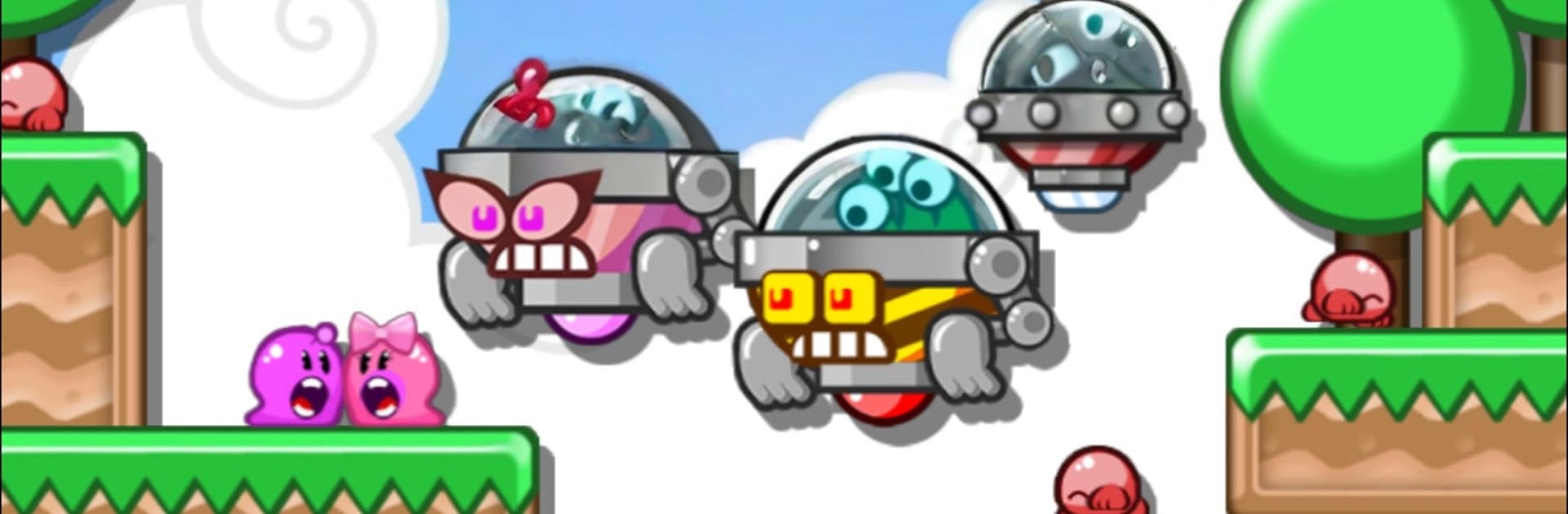
Hoggy 2 is a cheerful puzzle-platformer where two gooey heroes, Hoggy and Hogatha, try to rescue their kids from some very smug Moon Men. The trick is simple and weird in a good way. jump, and the slime sticks to the ceiling. Fall, and you are back on the floor. That gravity flip is the whole hook, and the game keeps twisting it in clever ways across a ton of hand made stages. Levels are short and punchy, full of little keys to grab and blocks to bump around, and many rooms have more than one way to solve them, which nudges players to replay for secrets and stars without feeling fussy. It feels bright, clean, and a bit old school, but not crusty.

Progress builds toward getting enough keys to shoot up to the moon, where boss encounters are quirky rather than button-mashy. After the main quest, there is a huge community side to it. players can browse a constant stream of user levels, or make their own with a surprisingly deep editor, then earn Karma from people who like them to unlock new bits. On PC with BlueStacks, the snap of flipping gravity on a keyboard feels great, and the editor benefits from a mouse a lot. Ads show up between some screens and are not aggressive, and there is a single purchase to remove them if that is annoying. The whole thing rewards tinkering, timing, and a little stubborn streak when a room looks impossible at first glance.

Make your gaming sessions memorable with precise controls that give you an edge in close combats and visuals that pop up, bringing every character to life.


Game Features

Enhancements

  • Macros
  • Multi Instance
  • Multi Instance Sync
  • Script
  • Enhancements
Macros

Macros

Automate the predictable in Hoggy 2 and transform your gameplay with Macros. Get access to inventive Macros in the BlueStacks Macro Community
Multi Instance

Multi Instance

Play Hoggy 2 on one window. And chat with your friend on the other. Press CTRL + Shift + 8 to open the Multi-Instance Manager. And start creating fresh instances or clone an existing one.
Multi Instance Sync

Multi Instance Sync

Play Hoggy 2 with the power of Multi-Instance Sync. Replicate what you are doing on the main instance on all other instances. Level up faster, play more.
Script

Script

Script your way to gaming glory in Hoggy 2 with BlueStacks Script. Write and run a set of commands to automate repeated tasks. Trigger the command by assigning it to any key.
Read More

How to Download and Play Hoggy 2 on PC or Mac

  • Download and install BlueStacks on your PC or Mac

  • Complete Google sign-in to access the Play Store, or do it later

  • Look for Hoggy 2 in the search bar at the top right corner

  • Click to install Hoggy 2 from the search results

  • Complete Google sign-in (if you skipped step 2) to install Hoggy 2

  • Click the Hoggy 2 icon on the home screen to start playing

video
Watch Video

Minimum System Requirements

With BlueStacks 5, you can get started on a PC that fulfills the following requirements.

  • Operating System

    Microsoft Windows 7 or above, macOS 11 (Big Sur) or above

  • Processor

    Intel, AMD or Apple Silicon Processor

  • RAM

    at least 4GB

  • HDD

    10GB Free Disk Space

Note:

* You must be an Administrator on your PC. Up to date graphics drivers from Microsoft or the chipset vendor.

Hoggy 2 - FAQs

  • How to play Hoggy 2 on Windows PC & Mac?

    Play Hoggy 2 on your PC or Mac by following these simple steps.

    • Click on 'Play Hoggy 2 on PC’ to download BlueStacks
    • Install it and log-in to Google Play Store
    • Launch and play the game.
  • Why is BlueStacks the fastest and safest platform to play games on PC?

    BlueStacks respects your privacy and is always safe and secure to use. It does not carry any malware, spyware, or any sort of additional software that could harm your PC.

    It is engineered to optimize speed and performance for a seamless gaming experience.

  • What are Hoggy 2 PC requirements?

    Minimum requirement to run Hoggy 2 on your PC

    • OS: Microsoft Windows 7 or above MacOS 11 (Big Sur) or above
    • Processor: Intel, AMD or Apple Silicon Processor
    • RAM: Your PC must have at least 4GB of RAM. (Note that having 4GB or more disk space is not a substitute for RAM)
    • HDD: 10GB Free Disk Space.
    • You must be an Administrator on your PC.