Mahjong Master: Tile Match

Mahjong Master: Tile Match

Puzzle

| Star Waves

Play on PC with BlueStacks or from our cloud

  • Overview
  • Game Features
  • How to Play

Page Modified On: May 11, 2026

Play Mahjong Master: Tile Match on PC or Mac

From the innovators and creators at Star Waves, Mahjong Master: Tile Match is another fun addition to the World of Puzzle games. Go beyond your mobile screen and play it bigger and better on your PC or Mac. An immersive experience awaits you.

About the Game

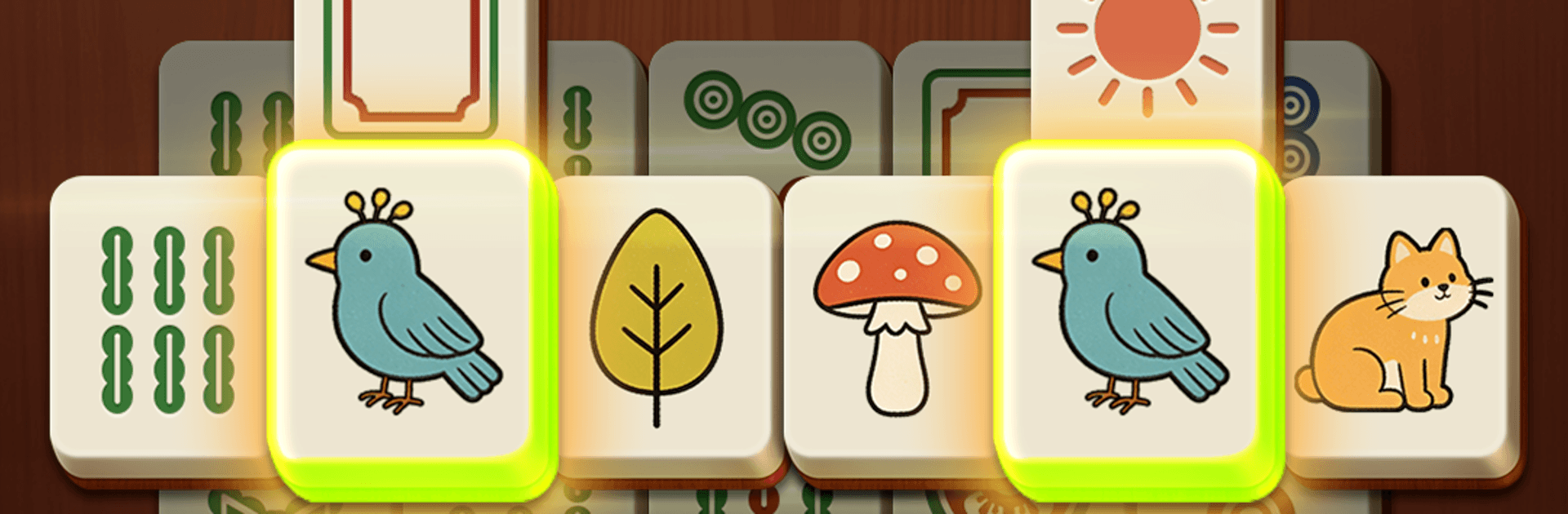
Mahjong Master: Tile Match from Star Waves brings the calm of classic mahjong to a clean, modern Puzzle experience. Match pairs, peel back layered layouts, and enjoy that “one more board” rhythm without stress or fuss. It’s easy on the eyes, friendly to new players, and still sneaks in plenty of clever moments for puzzle fans.

Prefer a bigger screen sometimes? It also plays smoothly on BlueStacks if you want that roomy view.

Game Features

  • Comfort-first design: Large, crisp tiles, warm wood tones, and an uncluttered interface make it simple to see, tap, and relax for as long as you like.

  • Classic rules, modern polish: Match only tiles that are open and visible, with layered stacks adding strategy and a satisfying sense of progress.

  • Fresh layouts, all the time: Explore a huge collection of handcrafted boards—some familiar, some delightfully surprising—so nothing feels repetitive.

  • A challenge that grows: Thousands of levels ramp up gradually, letting you settle in before things get trickier.

  • Zero rush, all focus: No countdowns or pressure. Take your time, plan a few moves ahead, and enjoy the quiet groove.

  • Handy helpers when you need them: Use Hint, Undo, and Shuffle to get unstuck without breaking the flow.

  • Smooth and rewarding feel: Clean animations, combo streaks, and clear scoring feedback keep every match satisfying.

  • Play anywhere, no signal needed: Full offline support and optimization for phones and tablets make it easy to fit a few rounds into any moment.

  • Gentle brain workout: Sharpen memory and concentration while you unwind, whether you’re a newcomer or a seasoned tile-matcher.

  • Easy for all ages: Straightforward tap controls and readable visuals make it especially welcoming for seniors and casual players alike.

Ready to top the leaderboard? We bet you do. Let precise controls and sharp visuals optimized on BlueStacks lead you to victory.


Game Features

Enhancements

  • Macros
  • Multi Instance
  • Multi Instance Sync
  • Script
  • Enhancements
Macros

Macros

Automate the predictable in Mahjong Master: Tile Match and transform your gameplay with Macros. Get access to inventive Macros in the BlueStacks Macro Community
Multi Instance

Multi Instance

Play Mahjong Master: Tile Match on one window. And chat with your friend on the other. Press CTRL + Shift + 8 to open the Multi-Instance Manager. And start creating fresh instances or clone an existing one.
Multi Instance Sync

Multi Instance Sync

Play Mahjong Master: Tile Match with the power of Multi-Instance Sync. Replicate what you are doing on the main instance on all other instances. Level up faster, play more.
Script

Script

Script your way to gaming glory in Mahjong Master: Tile Match with BlueStacks Script. Write and run a set of commands to automate repeated tasks. Trigger the command by assigning it to any key.
Read More

How to Download and Play Mahjong Master: Tile Match on PC or Mac

  • Download and install BlueStacks on your PC or Mac

  • Complete Google sign-in to access the Play Store, or do it later

  • Look for Mahjong Master: Tile Match in the search bar at the top right corner

  • Click to install Mahjong Master: Tile Match from the search results

  • Complete Google sign-in (if you skipped step 2) to install Mahjong Master: Tile Match

  • Click the Mahjong Master: Tile Match icon on the home screen to start playing

video
Watch Video

Minimum System Requirements

With BlueStacks 5, you can get started on a PC that fulfills the following requirements.

  • Operating System

    Microsoft Windows 7 or above, macOS 11 (Big Sur) or above

  • Processor

    Intel, AMD or Apple Silicon Processor

  • RAM

    at least 4GB

  • HDD

    10GB Free Disk Space

Note:

* You must be an Administrator on your PC. Up to date graphics drivers from Microsoft or the chipset vendor.

Mahjong Master: Tile Match - FAQs

  • How to play Mahjong Master: Tile Match on Windows PC & Mac?

    Play Mahjong Master: Tile Match on your PC or Mac by following these simple steps.

    • Click on 'Play Mahjong Master: Tile Match on PC’ to download BlueStacks
    • Install it and log-in to Google Play Store
    • Launch and play the game.
  • Why is BlueStacks the fastest and safest platform to play games on PC?

    BlueStacks respects your privacy and is always safe and secure to use. It does not carry any malware, spyware, or any sort of additional software that could harm your PC.

    It is engineered to optimize speed and performance for a seamless gaming experience.

  • What are Mahjong Master: Tile Match PC requirements?

    Minimum requirement to run Mahjong Master: Tile Match on your PC

    • OS: Microsoft Windows 7 or above MacOS 11 (Big Sur) or above
    • Processor: Intel, AMD or Apple Silicon Processor
    • RAM: Your PC must have at least 4GB of RAM. (Note that having 4GB or more disk space is not a substitute for RAM)
    • HDD: 10GB Free Disk Space.
    • You must be an Administrator on your PC.