Maze Puzzle Game
Maze Puzzle Game

Maze Puzzle Game

Puzzle

| EivaaGames

Play on PC with BlueStacks or from our cloud

  • Overview
  • Game Features
  • How to Play

Page Modified On: April 13, 2026

Play Maze Puzzle Game on PC or Mac

Bring your A-game to Maze Puzzle Game, the Puzzle game sensation from EivaaGames. Give your gameplay the much-needed boost with precise game controls, high FPS graphics, and top-tier features on your PC or Mac with BlueStacks.

About the Game

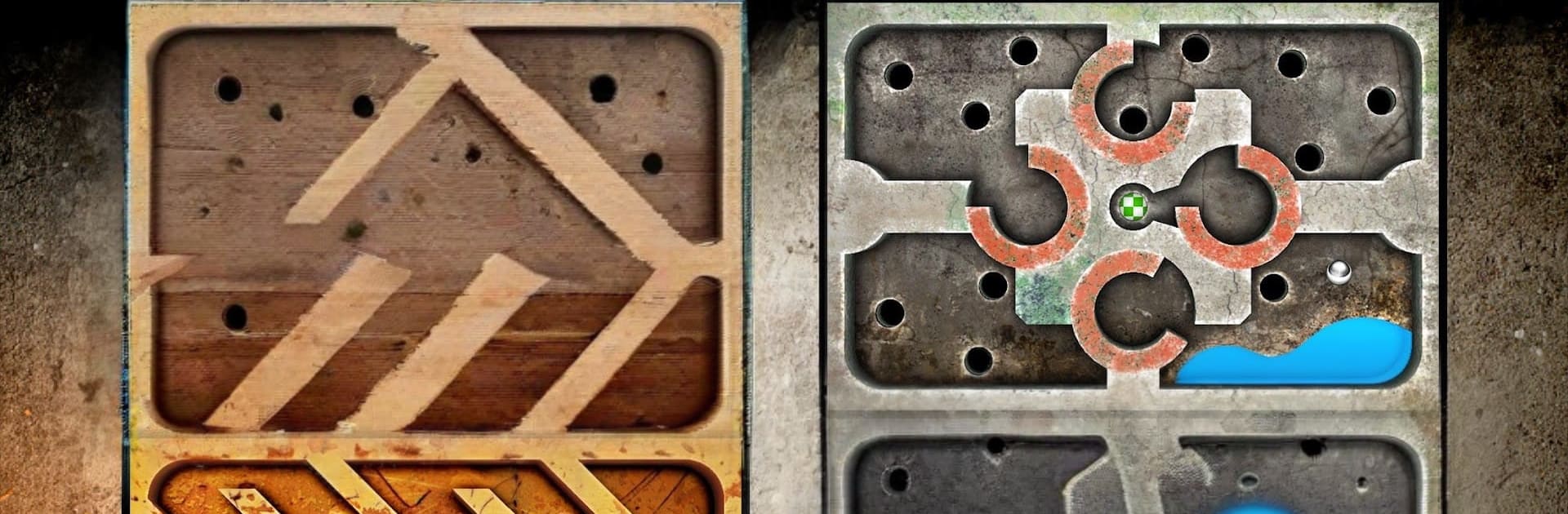
Maze Puzzle Game from EivaaGames brings the old-school wooden labyrinth to your phone with a clean, modern feel. Tilt to guide a marble through twisty corridors, sneak past traps, and stick the landing at the goal. It looks simple, but the timing, balance, and tiny corrections you make along the way turn it into a satisfying Puzzle challenge you’ll keep retrying for a better run.

Game Features

  • Tilt-to-Steer Controls: Gently angle your device to nudge the ball exactly where you want it. It’s responsive and intuitive, so you’re playing within seconds.

  • 75 Handcrafted Mazes: Work through a full set of unique layouts—from relaxed warmups to tense, precision-heavy paths that ask for steady hands.

  • Realistic Physics: The marble feels weighty and believable. Momentum matters, so small taps, smooth arcs, and quick saves make all the difference.

  • Traps, Holes, and Narrow Paths: Thread the needle through risky spots, skirt around gaps, and keep your cool when the maze throws curveballs.

  • Smart Calibration: Hold your device the way you naturally play and calibrate once. It adapts to you, not the other way around.

  • 15 Balls to Choose From: Swap styles to match your mood. Different looks, same tight control.

  • Chase Your Best Time: Replay levels to shave seconds, learn cleaner lines, and perfect tricky sections without pressure.

  • Play on a Bigger Screen: Prefer a desktop setup? You can also enjoy Maze Puzzle Game on PC with BlueStacks while keeping the same responsive feel.

Start your journey now. Download the game on BlueStacks, invite your friends, and march on a new adventure.


Game Features

Enhancements

  • Macros
  • Multi Instance
  • Multi Instance Sync
  • Script
  • Enhancements
Macros

Macros

Automate the predictable in Maze Puzzle Game and transform your gameplay with Macros. Get access to inventive Macros in the BlueStacks Macro Community
Multi Instance

Multi Instance

Play Maze Puzzle Game on one window. And chat with your friend on the other. Press CTRL + Shift + 8 to open the Multi-Instance Manager. And start creating fresh instances or clone an existing one.
Multi Instance Sync

Multi Instance Sync

Play Maze Puzzle Game with the power of Multi-Instance Sync. Replicate what you are doing on the main instance on all other instances. Level up faster, play more.
Script

Script

Script your way to gaming glory in Maze Puzzle Game with BlueStacks Script. Write and run a set of commands to automate repeated tasks. Trigger the command by assigning it to any key.
Read More

How to Download and Play Maze Puzzle Game on PC or Mac

  • Download and install BlueStacks on your PC or Mac

  • Complete Google sign-in to access the Play Store, or do it later

  • Look for Maze Puzzle Game in the search bar at the top right corner

  • Click to install Maze Puzzle Game from the search results

  • Complete Google sign-in (if you skipped step 2) to install Maze Puzzle Game

  • Click the Maze Puzzle Game icon on the home screen to start playing

video
Watch Video

Minimum System Requirements

With BlueStacks 5, you can get started on a PC that fulfills the following requirements.

  • Operating System

    Microsoft Windows 7 or above, macOS 11 (Big Sur) or above

  • Processor

    Intel, AMD or Apple Silicon Processor

  • RAM

    at least 4GB

  • HDD

    10GB Free Disk Space

Note:

* You must be an Administrator on your PC. Up to date graphics drivers from Microsoft or the chipset vendor.

Maze Puzzle Game - FAQs

  • How to play Maze Puzzle Game on Windows PC & Mac?

    Play Maze Puzzle Game on your PC or Mac by following these simple steps.

    • Click on 'Play Maze Puzzle Game on PC’ to download BlueStacks
    • Install it and log-in to Google Play Store
    • Launch and play the game.
  • Why is BlueStacks the fastest and safest platform to play games on PC?

    BlueStacks respects your privacy and is always safe and secure to use. It does not carry any malware, spyware, or any sort of additional software that could harm your PC.

    It is engineered to optimize speed and performance for a seamless gaming experience.

  • What are Maze Puzzle Game PC requirements?

    Minimum requirement to run Maze Puzzle Game on your PC

    • OS: Microsoft Windows 7 or above MacOS 11 (Big Sur) or above
    • Processor: Intel, AMD or Apple Silicon Processor
    • RAM: Your PC must have at least 4GB of RAM. (Note that having 4GB or more disk space is not a substitute for RAM)
    • HDD: 10GB Free Disk Space.
    • You must be an Administrator on your PC.