Merge Dragons!
Merge Dragons!

Merge Dragons!

Puzzle

| Gram Games Limited

BlueStacks Verified

Play on PC with BlueStacks or from our cloud

  • Overview
  • Tips & Tricks
  • Game Features
  • How to Play

Page Modified On: August 07, 2026

Play Merge Dragons! on PC or Mac

Merge Dragons! is a Puzzle game developed by Gram Games Limited. BlueStacks app player is the best platform to play this Android game on your PC or Mac for an immersive gaming experience.

About the Game

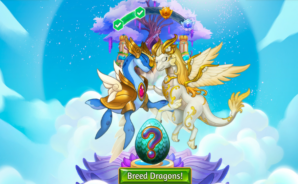
Merge Dragons! throws you into a magical world made up of dragons and other mystical objects. But in this world, the Zomblins have cast a curse that shrouds the land in deep fog and darkness. You are tasked with healing the world by merging every element next to you. From dragon eggs to ancient trees to fallen stars to mythical creatures, you can merge everything.

The game lets you hatch dragon eggs and evolve them into mighty beasts that remain as your loyal companions. Lead them into the battlefield to crush the Zomblins and restore balance by devising effective plans and strategies. 

Game Features

  • Unique Dragon Breeds: Merge Dragons! features numerous dragons with unique looks, personalities, and other special abilities that you raise. You can also claim new limited-edition dragons to enhance your squad depth.
  • Numerous Puzzles & Quests: Merge Dragons! challenges players with more than 180 hand-crafted puzzle levels and almost 900 quests that can keep players busy and rewarded.
  • Dragon Camp: You can build your own home base from the ground up and style it with unique decorations. The game requires you to complete puzzles to push back the evil fog from your camp.
  • Co-op Battles: The game lets you visit your friends’ camps, send gifts, and share strategies. You can also join a Den to team up with other players and participate in themed events to claim rewards. 

How to Play? 

Download Merge Dragons! for free from the Google Play Store using the BlueStacks app player.

Game Features

Game controls

  • Tap Spots

Enhancements

  • Macros
  • Multi Instance
  • Multi Instance Sync
  • Script
  • Game controls
  • Enhancements
Tap Spots
Macros

Macros

Automate the predictable in Merge Dragons! and transform your gameplay with Macros. Get access to inventive Macros in the BlueStacks Macro Community
Multi Instance

Multi Instance

Play Merge Dragons! on one window. And chat with your friend on the other. Press CTRL + Shift + 8 to open the Multi-Instance Manager. And start creating fresh instances or clone an existing one.
Multi Instance Sync

Multi Instance Sync

Play Merge Dragons! with the power of Multi-Instance Sync. Replicate what you are doing on the main instance on all other instances. Level up faster, play more.
Script

Script

Script your way to gaming glory in Merge Dragons! with BlueStacks Script. Write and run a set of commands to automate repeated tasks. Trigger the command by assigning it to any key.
Read More

How to Download and Play Merge Dragons! on PC or Mac

  • Download and install BlueStacks on your PC or Mac

  • Complete Google sign-in to access the Play Store, or do it later

  • Look for Merge Dragons! in the search bar at the top right corner

  • Click to install Merge Dragons! from the search results

  • Complete Google sign-in (if you skipped step 2) to install Merge Dragons!

  • Click the Merge Dragons! icon on the home screen to start playing

video
Watch Video

Minimum System Requirements

With BlueStacks 5, you can get started on a PC that fulfills the following requirements.

  • Operating System

    Microsoft Windows 7 or above, macOS 11 (Big Sur) or above

  • Processor

    Intel, AMD or Apple Silicon Processor

  • RAM

    at least 4GB

  • HDD

    10GB Free Disk Space

Note:

* You must be an Administrator on your PC. Up to date graphics drivers from Microsoft or the chipset vendor.

Merge Dragons! - FAQs

  • How to play Merge Dragons! on Windows PC & Mac?

    Play Merge Dragons! on your PC or Mac by following these simple steps.

    • Click on 'Play Merge Dragons! on PC’ to download BlueStacks
    • Install it and log-in to Google Play Store
    • Launch and play the game.
  • Why is BlueStacks the fastest and safest platform to play games on PC?

    BlueStacks respects your privacy and is always safe and secure to use. It does not carry any malware, spyware, or any sort of additional software that could harm your PC.

    It is engineered to optimize speed and performance for a seamless gaming experience.

  • What are Merge Dragons! PC requirements?

    Minimum requirement to run Merge Dragons! on your PC

    • OS: Microsoft Windows 7 or above MacOS 11 (Big Sur) or above
    • Processor: Intel, AMD or Apple Silicon Processor
    • RAM: Your PC must have at least 4GB of RAM. (Note that having 4GB or more disk space is not a substitute for RAM)
    • HDD: 10GB Free Disk Space.
    • You must be an Administrator on your PC.