Mind Echoes 3: Broken Vow f2p

Mind Echoes 3: Broken Vow f2p

Puzzle

| Do Games Limited

Play on PC with BlueStacks or from our cloud

  • Overview
  • Game Features
  • How to Play

Page Modified On: August 03, 2026

Play Mind Echoes 3: Broken Vow f2p on PC or Mac

Explore a whole new adventure with Mind Echoes 3: Broken Vow f2p, a Puzzle game created by Do Games Limited. Experience great gameplay with BlueStacks, the most popular gaming platform to play Android games on your PC or Mac.

About the Game

Mind Echoes 3: Broken Vow f2p drops you into a stormy, slow-burn ghost story with a Puzzle core. You play as Mark, a real estate agent pulled to the crumbling Graven Manor by a letter from his wife, Samantha. What starts as a simple visit turns into a hunt through shadowed halls, fading memories, and a wedding-night tragedy that never truly ended.

Game Features

  • Haunted Manor Exploration: Pick through ruined rooms, creaking staircases, and tucked-away studies. Expect secret panels, strange mechanisms, and portraits that don’t quite sit still.
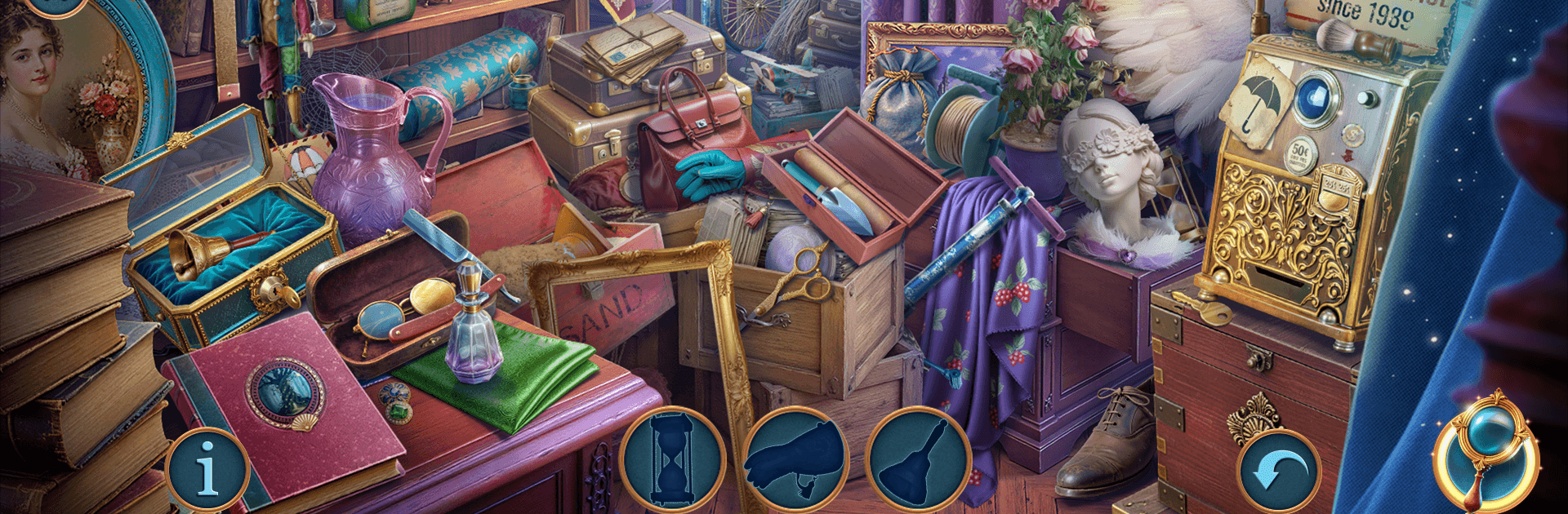
  • Story-First Hidden Object Scenes: Search richly cluttered spaces for key items, then use what you find to unlock new areas and nudge the investigation forward.
  • Smart Puzzles, Not Just Searches: Tinker with locks, repair odd contraptions, and crack mystical riddles that tie directly to the manor’s history.
  • Echoes of the Past: Reconstruct broken timelines and restore fragments of memory to learn what really happened to Lydia—and why the house won’t let go.
  • A Web of Suspicions: Follow leads that point to forbidden rituals and a loyal servant with secrets of his own. Each clue shifts the picture a little more.
  • Creepy, Moody Atmosphere: Thunder, whispers, candlelight—everything’s tuned for a tense, investigative vibe without jump-scare overload.
  • Play Your Way: Prefer a relaxed search or a tougher challenge? Adjust how you get hints and focus on what you enjoy most.
  • Smooth on Any Screen: Play on mobile, or use BlueStacks for comfortable mouse precision and a bigger view when you want to comb through those tricky scenes.

Start playing Mind Echoes 3: Broken Vow f2p on BlueStacks and get a smoother, more comfortable PC or Mac setup.


Game Features

Enhancements

  • Macros
  • Multi Instance
  • Multi Instance Sync
  • Script
  • Enhancements
Macros

Macros

Automate the predictable in Mind Echoes 3: Broken Vow f2p and transform your gameplay with Macros. Get access to inventive Macros in the BlueStacks Macro Community
Multi Instance

Multi Instance

Play Mind Echoes 3: Broken Vow f2p on one window. And chat with your friend on the other. Press CTRL + Shift + 8 to open the Multi-Instance Manager. And start creating fresh instances or clone an existing one.
Multi Instance Sync

Multi Instance Sync

Play Mind Echoes 3: Broken Vow f2p with the power of Multi-Instance Sync. Replicate what you are doing on the main instance on all other instances. Level up faster, play more.
Script

Script

Script your way to gaming glory in Mind Echoes 3: Broken Vow f2p with BlueStacks Script. Write and run a set of commands to automate repeated tasks. Trigger the command by assigning it to any key.
Read More

How to Download and Play Mind Echoes 3: Broken Vow f2p on PC or Mac

  • Download and install BlueStacks on your PC or Mac

  • Complete Google sign-in to access the Play Store, or do it later

  • Look for Mind Echoes 3: Broken Vow f2p in the search bar at the top right corner

  • Click to install Mind Echoes 3: Broken Vow f2p from the search results

  • Complete Google sign-in (if you skipped step 2) to install Mind Echoes 3: Broken Vow f2p

  • Click the Mind Echoes 3: Broken Vow f2p icon on the home screen to start playing

video
Watch Video

Minimum System Requirements

With BlueStacks 5, you can get started on a PC that fulfills the following requirements.

  • Operating System

    Microsoft Windows 7 or above, macOS 11 (Big Sur) or above

  • Processor

    Intel, AMD or Apple Silicon Processor

  • RAM

    at least 4GB

  • HDD

    10GB Free Disk Space

Note:

* You must be an Administrator on your PC. Up to date graphics drivers from Microsoft or the chipset vendor.

Mind Echoes 3: Broken Vow f2p - FAQs

  • How to play Mind Echoes 3: Broken Vow f2p on Windows PC & Mac?

    Play Mind Echoes 3: Broken Vow f2p on your PC or Mac by following these simple steps.

    • Click on 'Play Mind Echoes 3: Broken Vow f2p on PC’ to download BlueStacks
    • Install it and log-in to Google Play Store
    • Launch and play the game.
  • Why is BlueStacks the fastest and safest platform to play games on PC?

    BlueStacks respects your privacy and is always safe and secure to use. It does not carry any malware, spyware, or any sort of additional software that could harm your PC.

    It is engineered to optimize speed and performance for a seamless gaming experience.

  • What are Mind Echoes 3: Broken Vow f2p PC requirements?

    Minimum requirement to run Mind Echoes 3: Broken Vow f2p on your PC

    • OS: Microsoft Windows 7 or above MacOS 11 (Big Sur) or above
    • Processor: Intel, AMD or Apple Silicon Processor
    • RAM: Your PC must have at least 4GB of RAM. (Note that having 4GB or more disk space is not a substitute for RAM)
    • HDD: 10GB Free Disk Space.
    • You must be an Administrator on your PC.