My Mini Town
My Mini Town

My Mini Town

Puzzle

| zhang chen chen

Play on PC with BlueStacks or from our cloud

  • Overview
  • Game Features
  • How to Play

Page Modified On: October 13, 2025

Play My Mini Town on PC or Mac

Join millions to experience My Mini Town, an exciting Puzzle game from zhang chen chen. With BlueStacks App Player, you are always a step ahead of your opponent, ready to outplay them with faster gameplay and better control with the mouse and keyboard on your PC or Mac.

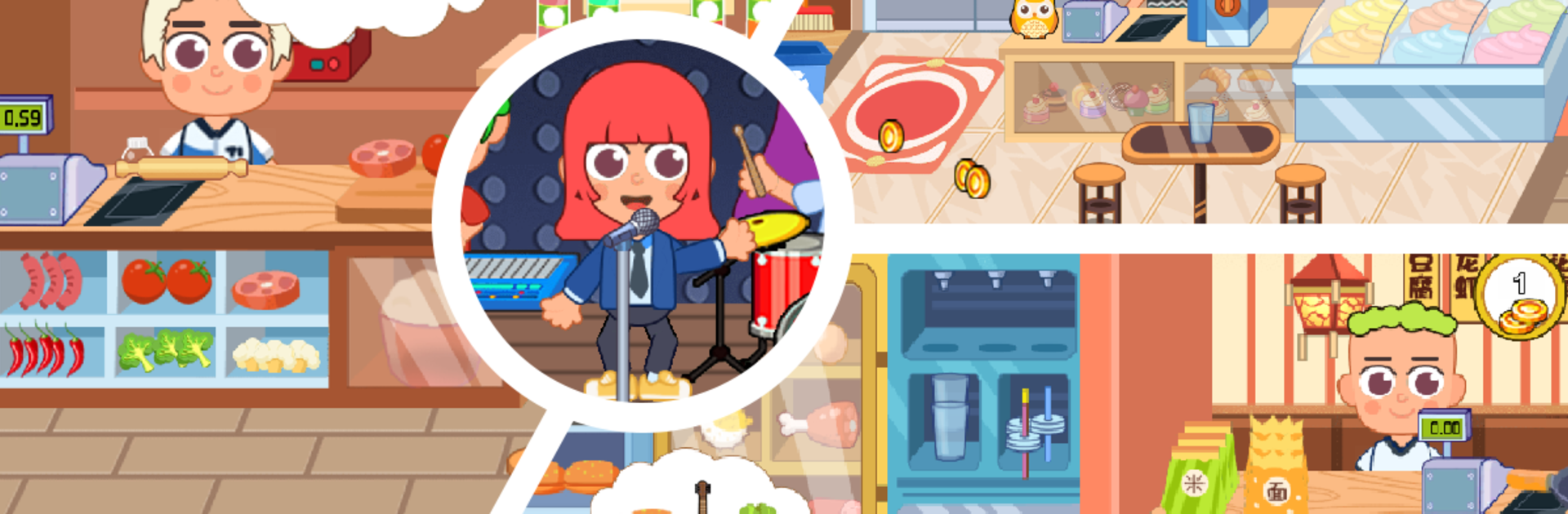
My Mini Town is a relaxed pretend-play game where the player builds little stories out of everyday places. There are more than ten scenes to hop between, like school, hospital, office, airport and a few others, each one packed with small objects to tap and drag. Before anyone heads to class, characters can be dressed up with outfits, shoes, backpacks, even new hair. At the school playground someone might get hurt, then the hospital scene kicks in with thermometers, bandages, and that tiny relief when the patient smiles again. The canteen lets the player cook simple lunches, lay out trays, and deal with small mix-ups when someone grabs the wrong food. It swings through joy, anger, sorrow, happiness, the whole mix, which makes the little moments feel alive.

There are no timers or pressure. It is about poking things, discovering reactions, and stitching together a story that makes sense to the player. The airport has check-in beeps and luggage scanners, the office has printers and desks to tidy, school has lockers and a classroom that fills up with clutter if nobody cleans. Controls are just tap and drag, easy to understand, and on PC with BlueStacks the mouse makes sorting items and setting scenes feel cleaner on a big screen. It aims young, but anyone who likes cozy, open-ended play will get it, there is not deep progression here, just a bunch of cute interactions waiting to be found.

Make your gaming sessions memorable with precise controls that give you an edge in close combats and visuals that pop up, bringing every character to life.


Game Features

Enhancements

  • Macros
  • Multi Instance
  • Multi Instance Sync
  • Script
  • Enhancements
Macros

Macros

Automate the predictable in My Mini Town and transform your gameplay with Macros. Get access to inventive Macros in the BlueStacks Macro Community
Multi Instance

Multi Instance

Play My Mini Town on one window. And chat with your friend on the other. Press CTRL + Shift + 8 to open the Multi-Instance Manager. And start creating fresh instances or clone an existing one.
Multi Instance Sync

Multi Instance Sync

Play My Mini Town with the power of Multi-Instance Sync. Replicate what you are doing on the main instance on all other instances. Level up faster, play more.
Script

Script

Script your way to gaming glory in My Mini Town with BlueStacks Script. Write and run a set of commands to automate repeated tasks. Trigger the command by assigning it to any key.
Read More

How to Download and Play My Mini Town on PC or Mac

  • Download and install BlueStacks on your PC or Mac

  • Complete Google sign-in to access the Play Store, or do it later

  • Look for My Mini Town in the search bar at the top right corner

  • Click to install My Mini Town from the search results

  • Complete Google sign-in (if you skipped step 2) to install My Mini Town

  • Click the My Mini Town icon on the home screen to start playing

video
Watch Video

Minimum System Requirements

With BlueStacks 5, you can get started on a PC that fulfills the following requirements.

  • Operating System

    Microsoft Windows 7 or above, macOS 11 (Big Sur) or above

  • Processor

    Intel, AMD or Apple Silicon Processor

  • RAM

    at least 4GB

  • HDD

    10GB Free Disk Space

Note:

* You must be an Administrator on your PC. Up to date graphics drivers from Microsoft or the chipset vendor.

My Mini Town - FAQs

  • How to play My Mini Town on Windows PC & Mac?

    Play My Mini Town on your PC or Mac by following these simple steps.

    • Click on 'Play My Mini Town on PC’ to download BlueStacks
    • Install it and log-in to Google Play Store
    • Launch and play the game.
  • Why is BlueStacks the fastest and safest platform to play games on PC?

    BlueStacks respects your privacy and is always safe and secure to use. It does not carry any malware, spyware, or any sort of additional software that could harm your PC.

    It is engineered to optimize speed and performance for a seamless gaming experience.

  • What are My Mini Town PC requirements?

    Minimum requirement to run My Mini Town on your PC

    • OS: Microsoft Windows 7 or above MacOS 11 (Big Sur) or above
    • Processor: Intel, AMD or Apple Silicon Processor
    • RAM: Your PC must have at least 4GB of RAM. (Note that having 4GB or more disk space is not a substitute for RAM)
    • HDD: 10GB Free Disk Space.
    • You must be an Administrator on your PC.