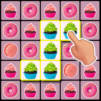
Pet Connect: Tile Puzzle Match

Pet Connect: Tile Puzzle Match

Puzzle

| Wizigon

Play on PC with BlueStacks or from our cloud

  • Overview
  • Game Features
  • How to Play

Page Modified On: January 08, 2026

Play Pet Connect: Tile Puzzle Match on PC or Mac

Explore a whole new adventure with Pet Connect: Tile Puzzle Match, a Puzzle game created by Wizigon. Experience great gameplay with BlueStacks, the most popular gaming platform to play Android games on your PC or Mac.

Pet Connect: Tile Puzzle Match is one of those chill connect games where the goal is simple but the board still pokes the brain. It uses the classic Onet rule set: match two identical tiles by drawing a path that turns at most three times, clear everything before the timer runs out. The board gives that nice clicky pop each time a pair disappears, and when a chain opens up it feels tidy and smooth, almost like cleaning a messy drawer faster than expected. Early stages are super light, then the layouts start blocking lines and the clock pushes a little, so it becomes a neat little focus test without being stressful. There is a hint button for when the last pair seems invisible, and longer routes bump the score a bit, so there is some reason to plan smarter paths.

What stands out is the tile variety. It is not just cute pets, although there are plenty of those. One run might be pandas and cats, the next is fruits, cakes, toys, clothes, vehicles, plants, even seasonal or oddball sets like Halloween or military. It keeps the board fresh. It also works offline, so it is a decent go-to when waiting around. On PC with BlueStacks, the bigger screen helps spot lines fast and mouse clicks feel more precise than swiping, so clearing later levels feels less fiddly and more about quick pattern reading than wrestling controls.

Start your journey now. Download the game on BlueStacks, invite your friends, and march on a new adventure.


Game Features

Enhancements

  • Macros
  • Multi Instance
  • Multi Instance Sync
  • Script
  • Enhancements
Macros

Macros

Automate the predictable in Pet Connect: Tile Puzzle Match and transform your gameplay with Macros. Get access to inventive Macros in the BlueStacks Macro Community
Multi Instance

Multi Instance

Play Pet Connect: Tile Puzzle Match on one window. And chat with your friend on the other. Press CTRL + Shift + 8 to open the Multi-Instance Manager. And start creating fresh instances or clone an existing one.
Multi Instance Sync

Multi Instance Sync

Play Pet Connect: Tile Puzzle Match with the power of Multi-Instance Sync. Replicate what you are doing on the main instance on all other instances. Level up faster, play more.
Script

Script

Script your way to gaming glory in Pet Connect: Tile Puzzle Match with BlueStacks Script. Write and run a set of commands to automate repeated tasks. Trigger the command by assigning it to any key.
Read More

How to Download and Play Pet Connect: Tile Puzzle Match on PC or Mac

  • Download and install BlueStacks on your PC or Mac

  • Complete Google sign-in to access the Play Store, or do it later

  • Look for Pet Connect: Tile Puzzle Match in the search bar at the top right corner

  • Click to install Pet Connect: Tile Puzzle Match from the search results

  • Complete Google sign-in (if you skipped step 2) to install Pet Connect: Tile Puzzle Match

  • Click the Pet Connect: Tile Puzzle Match icon on the home screen to start playing

video
Watch Video

Minimum System Requirements

With BlueStacks 5, you can get started on a PC that fulfills the following requirements.

  • Operating System

    Microsoft Windows 7 or above, macOS 11 (Big Sur) or above

  • Processor

    Intel, AMD or Apple Silicon Processor

  • RAM

    at least 4GB

  • HDD

    10GB Free Disk Space

Note:

* You must be an Administrator on your PC. Up to date graphics drivers from Microsoft or the chipset vendor.

Pet Connect: Tile Puzzle Match - FAQs

  • How to play Pet Connect: Tile Puzzle Match on Windows PC & Mac?

    Play Pet Connect: Tile Puzzle Match on your PC or Mac by following these simple steps.

    • Click on 'Play Pet Connect: Tile Puzzle Match on PC’ to download BlueStacks
    • Install it and log-in to Google Play Store
    • Launch and play the game.
  • Why is BlueStacks the fastest and safest platform to play games on PC?

    BlueStacks respects your privacy and is always safe and secure to use. It does not carry any malware, spyware, or any sort of additional software that could harm your PC.

    It is engineered to optimize speed and performance for a seamless gaming experience.

  • What are Pet Connect: Tile Puzzle Match PC requirements?

    Minimum requirement to run Pet Connect: Tile Puzzle Match on your PC

    • OS: Microsoft Windows 7 or above MacOS 11 (Big Sur) or above
    • Processor: Intel, AMD or Apple Silicon Processor
    • RAM: Your PC must have at least 4GB of RAM. (Note that having 4GB or more disk space is not a substitute for RAM)
    • HDD: 10GB Free Disk Space.
    • You must be an Administrator on your PC.