SoM1 - The Book of Spells

SoM1 - The Book of Spells

Puzzle

| Green Sauce Games

Play on PC with BlueStacks or from our cloud

  • Overview
  • Game Features
  • How to Play

Page Modified On: November 10, 2025

Play SoM1 - The Book of Spells on PC or Mac

Step into the World of SoM1 – The Book of Spells, a thrilling Puzzle game from the house of Green Sauce Games. Play this Android game on BlueStacks App Player and experience immersive gaming on PC or Mac.

About the Game

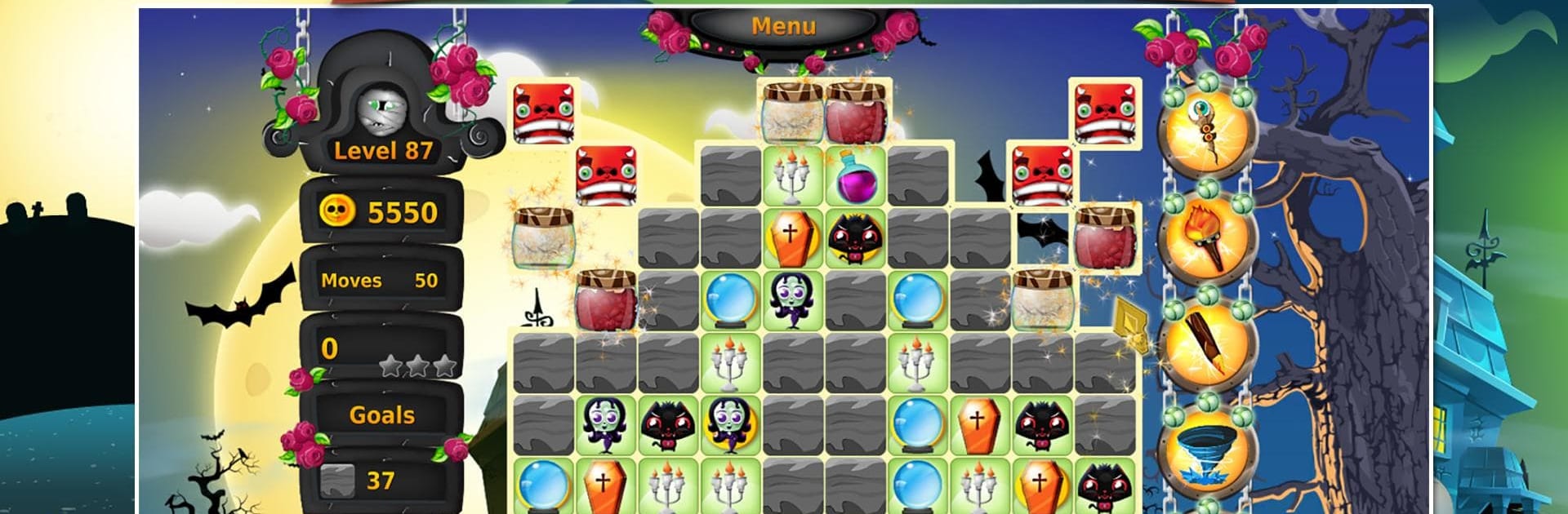
SoM1 – The Book of Spells is a cozy, story-driven Puzzle adventure where every match helps a young witch-in-training find her way. Victoria’s parents have been snatched by a wicked sorceress, and the only way to reach them is to study magic, one spell at a time. Expect colorful boards, gentle music, and a steady stream of satisfying challenges that feel fair and rewarding.

Game Features

  • Story-first match-3: Follow Victoria’s journey as she learns magic and tracks down her parents, with each chapter adding new twists to the boards.
  • The Book of Spells: Use the ancient tome to unlock helpful abilities and learn how different spell effects change the way you plan matches.
  • Loads of handcrafted levels: Tackle a big set of unique puzzles that keep things fresh with varied goals and clever layouts.
  • Power-ups you can upgrade: Collect coins and strengthen your favorite boosters so tough stages feel a little less tough.
  • Challenge mode: Want a sharper test? Switch over and prove your skills against trickier objectives and tighter limits.
  • Friendly pacing and vibe: Relaxing music and a vibrant, magical world make it easy to play “one more level” without stress.
  • Stars, scores, and replay value: Chase higher scores, earn every star, and come back to perfect stages you love.
  • Collectible items: Pick up special artifacts along the way to mark your progress and uncover bits of lore.
  • Play where you like: Prefer a bigger screen and mouse controls? You can run it on your PC with BlueStacks while keeping that mobile feel.
  • Made by Green Sauce Games: A polished, approachable Puzzle experience built with charm and attention to detail.

Start your journey now. Download the game on BlueStacks, invite your friends, and march on a new adventure.


Game Features

Enhancements

  • Macros
  • Multi Instance
  • Multi Instance Sync
  • Script
  • Enhancements
Macros

Macros

Automate the predictable in SoM1 - The Book of Spells and transform your gameplay with Macros. Get access to inventive Macros in the BlueStacks Macro Community
Multi Instance

Multi Instance

Play SoM1 - The Book of Spells on one window. And chat with your friend on the other. Press CTRL + Shift + 8 to open the Multi-Instance Manager. And start creating fresh instances or clone an existing one.
Multi Instance Sync

Multi Instance Sync

Play SoM1 - The Book of Spells with the power of Multi-Instance Sync. Replicate what you are doing on the main instance on all other instances. Level up faster, play more.
Script

Script

Script your way to gaming glory in SoM1 - The Book of Spells with BlueStacks Script. Write and run a set of commands to automate repeated tasks. Trigger the command by assigning it to any key.
Read More

How to Download and Play SoM1 - The Book of Spells on PC or Mac

  • Download and install BlueStacks on your PC or Mac

  • Complete Google sign-in to access the Play Store, or do it later

  • Look for SoM1 - The Book of Spells in the search bar at the top right corner

  • Click to install SoM1 - The Book of Spells from the search results

  • Complete Google sign-in (if you skipped step 2) to install SoM1 - The Book of Spells

  • Click the SoM1 - The Book of Spells icon on the home screen to start playing

video
Watch Video

Minimum System Requirements

With BlueStacks 5, you can get started on a PC that fulfills the following requirements.

  • Operating System

    Microsoft Windows 7 or above, macOS 11 (Big Sur) or above

  • Processor

    Intel, AMD or Apple Silicon Processor

  • RAM

    at least 4GB

  • HDD

    10GB Free Disk Space

Note:

* You must be an Administrator on your PC. Up to date graphics drivers from Microsoft or the chipset vendor.

SoM1 - The Book of Spells - FAQs

  • How to play SoM1 - The Book of Spells on Windows PC & Mac?

    Play SoM1 - The Book of Spells on your PC or Mac by following these simple steps.

    • Click on 'Play SoM1 - The Book of Spells on PC’ to download BlueStacks
    • Install it and log-in to Google Play Store
    • Launch and play the game.
  • Why is BlueStacks the fastest and safest platform to play games on PC?

    BlueStacks respects your privacy and is always safe and secure to use. It does not carry any malware, spyware, or any sort of additional software that could harm your PC.

    It is engineered to optimize speed and performance for a seamless gaming experience.

  • What are SoM1 - The Book of Spells PC requirements?

    Minimum requirement to run SoM1 - The Book of Spells on your PC

    • OS: Microsoft Windows 7 or above MacOS 11 (Big Sur) or above
    • Processor: Intel, AMD or Apple Silicon Processor
    • RAM: Your PC must have at least 4GB of RAM. (Note that having 4GB or more disk space is not a substitute for RAM)
    • HDD: 10GB Free Disk Space.
    • You must be an Administrator on your PC.