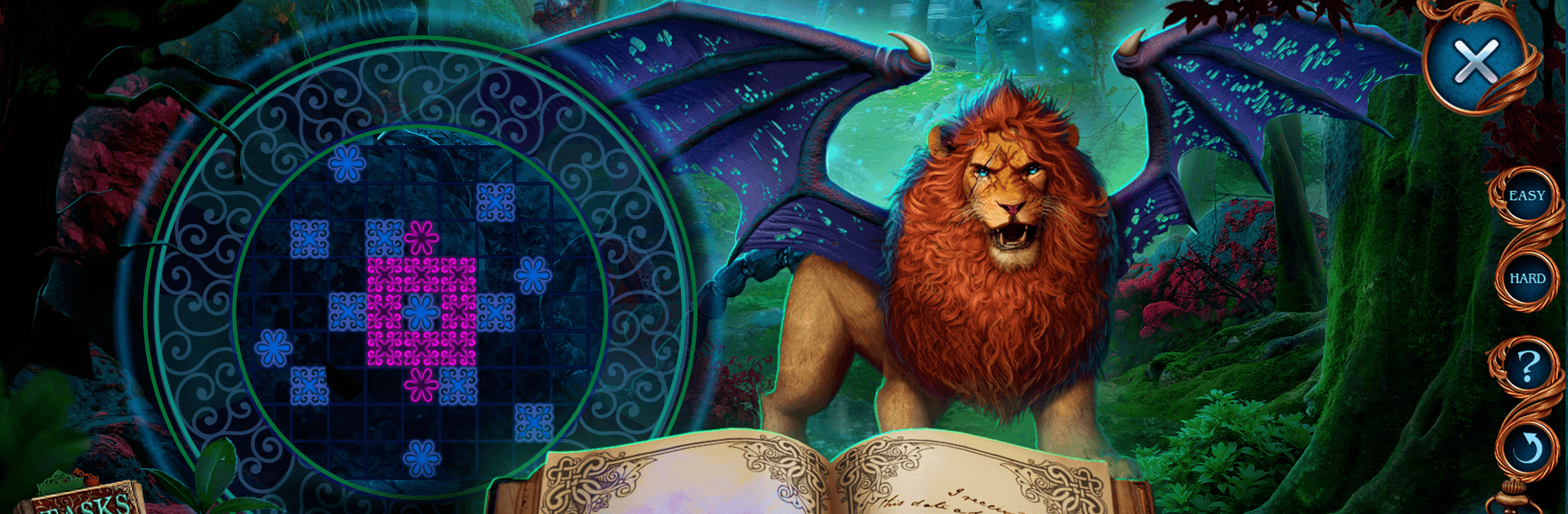
Spirit Legends: The Aeon Heart

Spirit Legends: The Aeon Heart

Puzzle

| Do Games Limited

Play on PC with BlueStacks or from our cloud

  • Overview
  • Game Features
  • How to Play

Page Modified On: July 14, 2026

Play Spirit Legends: The Aeon Heart on PC or Mac

Step into the World of Spirit Legends: The Aeon Heart, a thrilling Puzzle game from the house of Do Games Limited. Play this Android game on BlueStacks App Player and experience immersive gaming on PC or Mac.

About the Game

Spirit Legends: The Aeon Heart is a story-driven hidden-object Puzzle adventure where science and sorcery keep crashing into each other. Fresh off a successful artificial heart transplant, you head to your uncle’s lab for a quick checkup—and walk straight into a kidnapping. A secret Order wants to stamp out tech they don’t understand, and they’re using mythical creatures to do it. With a living Bestiary in hand, you’ll track clues, calm dangerous beasts, and figure out who’s really pulling the strings.

Game Features

  • Heart-powered hero: Your new artificial heart isn’t just backstory—it’s the reason you’re being hunted, and it fuels a rescue that feels personal from the start.
  • Tame the untamed: Use a powerful Bestiary to befriend and pacify fantastical creatures, then turn their unique abilities to your advantage.
  • Hidden-object scenes with flair: Search richly detailed locations, uncover cleverly tucked-away items, and interact with the environment to piece everything together.
  • Brainy mini-games: Tackle a mix of logic, mechanical, and pattern-based puzzles. Replay your favorites any time and chase in-game achievements.
  • Bonus chapter: Face a menacing presence and protect the spirits of nature in an extra story packed with fresh scenes and challenges.
  • Collect, spend, tinker: Hunt for potions, morphing inventions, and copper coins, then use your finds in the laboratory to unlock cool extras.
  • Built-in strategy guide: Stuck on a scene or puzzle? Pop open the guide for a gentle nudge or a full walkthrough when you need it.
  • Play your way: Try the opening portion for free, then unlock the complete adventure with an in-app purchase.
  • Easy on the eyes: Prefer a larger view and precise pointing? It feels right at home on BlueStacks.

Start playing Spirit Legends: The Aeon Heart on BlueStacks and get a smoother, more comfortable PC or Mac setup.


Game Features

Enhancements

  • Macros
  • Multi Instance
  • Multi Instance Sync
  • Script
  • Enhancements
Macros

Macros

Automate the predictable in Spirit Legends: The Aeon Heart and transform your gameplay with Macros. Get access to inventive Macros in the BlueStacks Macro Community
Multi Instance

Multi Instance

Play Spirit Legends: The Aeon Heart on one window. And chat with your friend on the other. Press CTRL + Shift + 8 to open the Multi-Instance Manager. And start creating fresh instances or clone an existing one.
Multi Instance Sync

Multi Instance Sync

Play Spirit Legends: The Aeon Heart with the power of Multi-Instance Sync. Replicate what you are doing on the main instance on all other instances. Level up faster, play more.
Script

Script

Script your way to gaming glory in Spirit Legends: The Aeon Heart with BlueStacks Script. Write and run a set of commands to automate repeated tasks. Trigger the command by assigning it to any key.
Read More

How to Download and Play Spirit Legends: The Aeon Heart on PC or Mac

  • Download and install BlueStacks on your PC or Mac

  • Complete Google sign-in to access the Play Store, or do it later

  • Look for Spirit Legends: The Aeon Heart in the search bar at the top right corner

  • Click to install Spirit Legends: The Aeon Heart from the search results

  • Complete Google sign-in (if you skipped step 2) to install Spirit Legends: The Aeon Heart

  • Click the Spirit Legends: The Aeon Heart icon on the home screen to start playing

video
Watch Video

Minimum System Requirements

With BlueStacks 5, you can get started on a PC that fulfills the following requirements.

  • Operating System

    Microsoft Windows 7 or above, macOS 11 (Big Sur) or above

  • Processor

    Intel, AMD or Apple Silicon Processor

  • RAM

    at least 4GB

  • HDD

    10GB Free Disk Space

Note:

* You must be an Administrator on your PC. Up to date graphics drivers from Microsoft or the chipset vendor.

Spirit Legends: The Aeon Heart - FAQs

  • How to play Spirit Legends: The Aeon Heart on Windows PC & Mac?

    Play Spirit Legends: The Aeon Heart on your PC or Mac by following these simple steps.

    • Click on 'Play Spirit Legends: The Aeon Heart on PC’ to download BlueStacks
    • Install it and log-in to Google Play Store
    • Launch and play the game.
  • Why is BlueStacks the fastest and safest platform to play games on PC?

    BlueStacks respects your privacy and is always safe and secure to use. It does not carry any malware, spyware, or any sort of additional software that could harm your PC.

    It is engineered to optimize speed and performance for a seamless gaming experience.

  • What are Spirit Legends: The Aeon Heart PC requirements?

    Minimum requirement to run Spirit Legends: The Aeon Heart on your PC

    • OS: Microsoft Windows 7 or above MacOS 11 (Big Sur) or above
    • Processor: Intel, AMD or Apple Silicon Processor
    • RAM: Your PC must have at least 4GB of RAM. (Note that having 4GB or more disk space is not a substitute for RAM)
    • HDD: 10GB Free Disk Space.
    • You must be an Administrator on your PC.