Wild Story: Secrets f2p

Wild Story: Secrets f2p

Puzzle

| Do Games Limited

Play on PC with BlueStacks or from our cloud

  • Overview
  • Game Features
  • How to Play

Page Modified On: July 14, 2026

Play Wild Story: Secrets f2p on PC or Mac

Step into the World of Wild Story: Secrets f2p, a thrilling Puzzle game from the house of Do Games Limited. Play this Android game on BlueStacks App Player and experience immersive gaming on PC or Mac.

About the Game

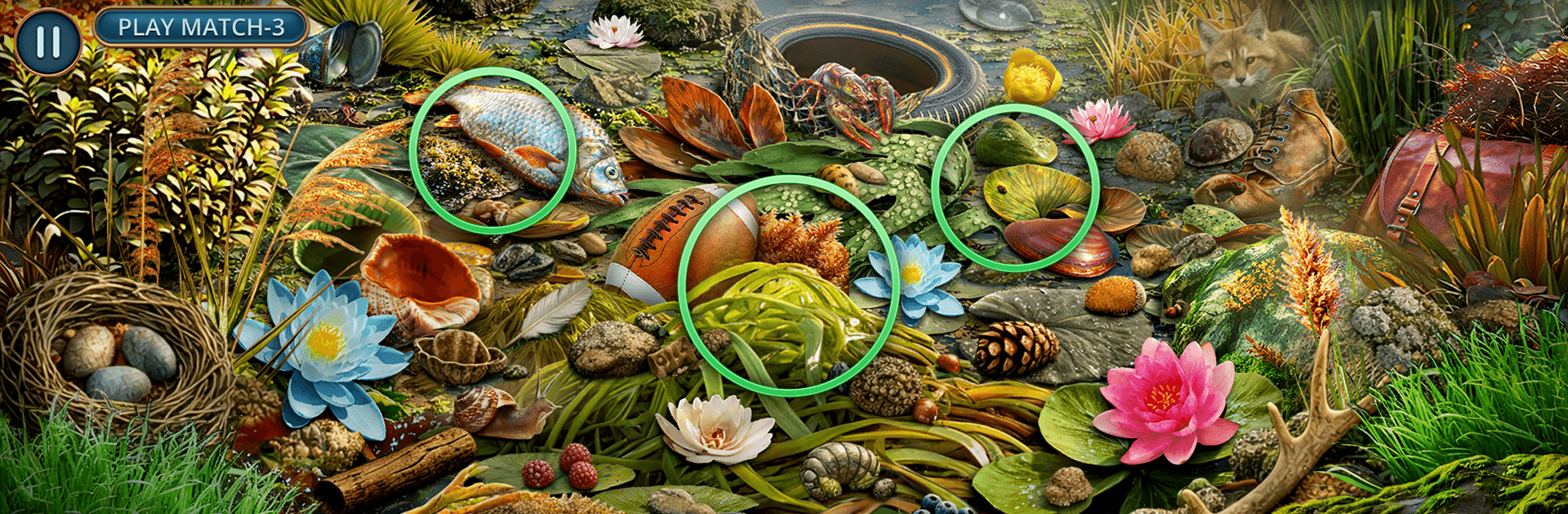
Wild Story: Secrets f2p is a Puzzle adventure that drops you into the boots of Alex Green, a ranger returning to a reserve reshaped by wildfire. Animals are spooked, gear’s gone missing, and shady camps keep popping up where they shouldn’t. Expect story-driven hidden-object scenes, smart environmental puzzles, and a mystery that pulls you from watchtowers to riverbanks in search of the truth. Prefer a bigger screen and mouse? It plays nicely on BlueStacks.

Game Features

  • Character-Driven Case: Team up with fellow ranger Leah Marlow as you piece together what really happened after the blaze—and why Nolan Shepard from the geology crew looks nervous whenever the topic shifts to “field discoveries.”

  • Seek-and-Find Gameplay: Hunt for clues in cabins, towers, overgrown trails, and rocky shores. Each scene blends classic hidden-object searches with context from the investigation, so every item you spot actually matters.

  • Track the Poachers: Follow footprints, broken snares, and scattered notes to expose illegal camps. Connect evidence across locations to close in on the culprits exploiting the chaos.

  • Wildlife Care and Restoration: Patch up injured animals, collect samples, and investigate odd pollution in the river. Your fieldwork helps the land heal while pushing the mystery forward.

  • Tools and Light Puzzles: Fix busted gear, open blocked paths, and piece together maps and codes. Small, satisfying challenges keep momentum without bogging you down.

  • Locations Worth Getting Lost In: Patrol observation points at dawn, wade through ash-dusted clearings, and comb mossy riverbanks. Each area feels lived-in—and scarred by the recent fire.

  • Echoes of an Older World: Unearth signs of an ancient tribe once dismissed as rumor. The deeper you dig, the clearer it gets: someone else wants those secrets, too, and they’re not playing fair.

Start your journey now. Download the game on BlueStacks, invite your friends, and march on a new adventure.


Game Features

Enhancements

  • Macros
  • Multi Instance
  • Multi Instance Sync
  • Script
  • Enhancements
Macros

Macros

Automate the predictable in Wild Story: Secrets f2p and transform your gameplay with Macros. Get access to inventive Macros in the BlueStacks Macro Community
Multi Instance

Multi Instance

Play Wild Story: Secrets f2p on one window. And chat with your friend on the other. Press CTRL + Shift + 8 to open the Multi-Instance Manager. And start creating fresh instances or clone an existing one.
Multi Instance Sync

Multi Instance Sync

Play Wild Story: Secrets f2p with the power of Multi-Instance Sync. Replicate what you are doing on the main instance on all other instances. Level up faster, play more.
Script

Script

Script your way to gaming glory in Wild Story: Secrets f2p with BlueStacks Script. Write and run a set of commands to automate repeated tasks. Trigger the command by assigning it to any key.
Read More

How to Download and Play Wild Story: Secrets f2p on PC or Mac

  • Download and install BlueStacks on your PC or Mac

  • Complete Google sign-in to access the Play Store, or do it later

  • Look for Wild Story: Secrets f2p in the search bar at the top right corner

  • Click to install Wild Story: Secrets f2p from the search results

  • Complete Google sign-in (if you skipped step 2) to install Wild Story: Secrets f2p

  • Click the Wild Story: Secrets f2p icon on the home screen to start playing

video
Watch Video

Minimum System Requirements

With BlueStacks 5, you can get started on a PC that fulfills the following requirements.

  • Operating System

    Microsoft Windows 7 or above, macOS 11 (Big Sur) or above

  • Processor

    Intel, AMD or Apple Silicon Processor

  • RAM

    at least 4GB

  • HDD

    10GB Free Disk Space

Note:

* You must be an Administrator on your PC. Up to date graphics drivers from Microsoft or the chipset vendor.

Wild Story: Secrets f2p - FAQs

  • How to play Wild Story: Secrets f2p on Windows PC & Mac?

    Play Wild Story: Secrets f2p on your PC or Mac by following these simple steps.

    • Click on 'Play Wild Story: Secrets f2p on PC’ to download BlueStacks
    • Install it and log-in to Google Play Store
    • Launch and play the game.
  • Why is BlueStacks the fastest and safest platform to play games on PC?

    BlueStacks respects your privacy and is always safe and secure to use. It does not carry any malware, spyware, or any sort of additional software that could harm your PC.

    It is engineered to optimize speed and performance for a seamless gaming experience.

  • What are Wild Story: Secrets f2p PC requirements?

    Minimum requirement to run Wild Story: Secrets f2p on your PC

    • OS: Microsoft Windows 7 or above MacOS 11 (Big Sur) or above
    • Processor: Intel, AMD or Apple Silicon Processor
    • RAM: Your PC must have at least 4GB of RAM. (Note that having 4GB or more disk space is not a substitute for RAM)
    • HDD: 10GB Free Disk Space.
    • You must be an Administrator on your PC.