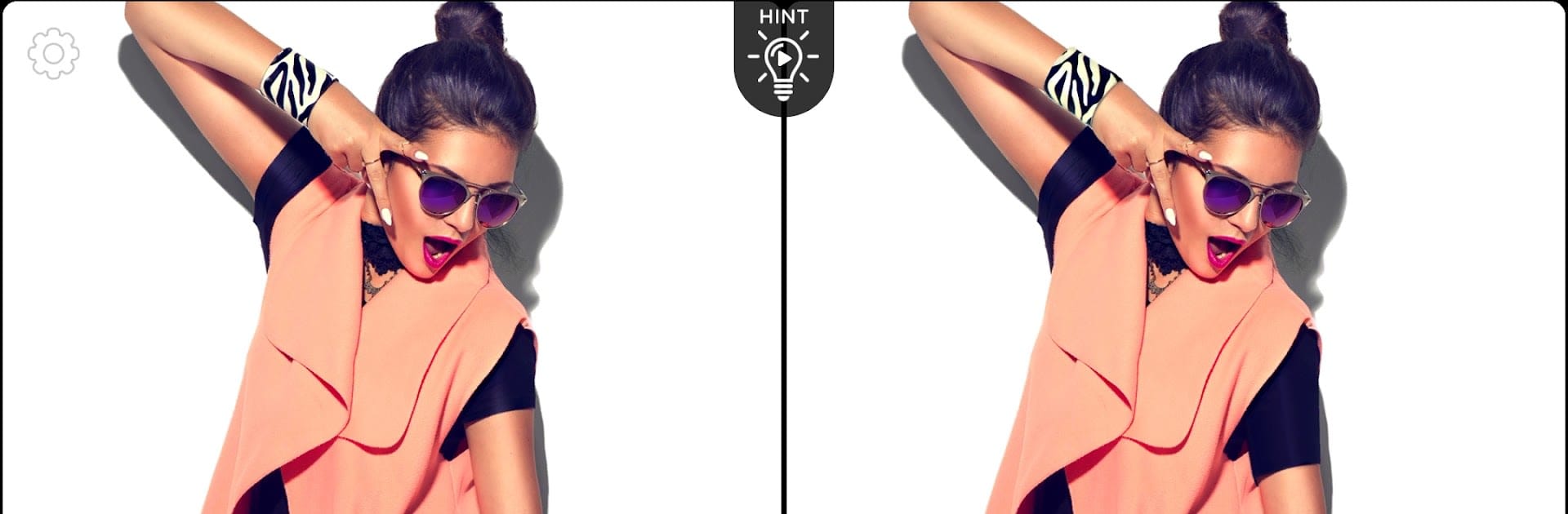
Spot The Difference: Fashion

Spot The Difference: Fashion

Puzzle

| CASUAL AZUR GAMES

Play on PC with BlueStacks or from our cloud

  • Overview
  • Game Features
  • How to Play

Page Modified On: September 25, 2026

Play Spot The Difference: Fashion on PC or Mac

Spot The Difference: Fashion by CASUAL AZUR GAMES has plenty to keep you busy. BlueStacks lets you play it on PC or Mac with more screen space, better control, and fewer mobile limits.

About the Game

Spot The Difference: Fashion turns the classic “find what’s changed” idea into a stylish little obsession. You’ll scan side‑by‑side fashion photos—runway, street style, beauty shots—and pick out what’s off. It’s a relaxed Puzzle experience with just enough challenge to keep your eyes sharp and your brain happily busy. Prefer a bigger view? It also plays nicely on PC with BlueStacks.

Game Features

  • Fashion-forward scenes: Compare chic images filled with glossy textures, accessories, and tiny visual tricks that love to hide in plain sight.
  • Five-to-find challenge: Every pair of pictures has exactly five differences waiting to be spotted, from subtle color shifts to sneaky accessory swaps.
  • Helpful hints: Stuck on that last tiny detail? Tap a hint to highlight a clue and keep your streak going without the stress.
  • Clean, simple controls: Tap the difference—done. The interface stays out of your way so you can focus on the hunt.
  • Tons of levels: Keep scrolling through fresh sets of photos so there’s always another stylish puzzle ready when you are.
  • Gradual difficulty: Start with easy wins, then tackle trickier sets that test memory, attention, and patience.
  • Quick sessions or long sits: Jump in for a minute or settle in for a longer run—each round fits your schedule.
  • Satisfying visuals: Crisp images and polished details make every “got it!” moment feel extra rewarding.

Get ready for a buttery smooth, high-performance gaming action only on BlueStacks.

Game Features

Enhancements

  • Macros
  • Multi Instance
  • Multi Instance Sync
  • Script
  • Enhancements
Macros

Macros

Automate the predictable in Spot The Difference: Fashion and transform your gameplay with Macros. Get access to inventive Macros in the BlueStacks Macro Community
Multi Instance

Multi Instance

Play Spot The Difference: Fashion on one window. And chat with your friend on the other. Press CTRL + Shift + 8 to open the Multi-Instance Manager. And start creating fresh instances or clone an existing one.
Multi Instance Sync

Multi Instance Sync

Play Spot The Difference: Fashion with the power of Multi-Instance Sync. Replicate what you are doing on the main instance on all other instances. Level up faster, play more.
Script

Script

Script your way to gaming glory in Spot The Difference: Fashion with BlueStacks Script. Write and run a set of commands to automate repeated tasks. Trigger the command by assigning it to any key.
Read More

How to Download and Play Spot The Difference: Fashion on PC or Mac

  • Download and install BlueStacks on your PC or Mac

  • Complete Google sign-in to access the Play Store, or do it later

  • Look for Spot The Difference: Fashion in the search bar at the top right corner

  • Click to install Spot The Difference: Fashion from the search results

  • Complete Google sign-in (if you skipped step 2) to install Spot The Difference: Fashion

  • Click the Spot The Difference: Fashion icon on the home screen to start playing

video
Watch Video

Minimum System Requirements

With BlueStacks 5, you can get started on a PC that fulfills the following requirements.

  • Operating System

    Microsoft Windows 7 or above, macOS 11 (Big Sur) or above

  • Processor

    Intel, AMD or Apple Silicon Processor

  • RAM

    at least 4GB

  • HDD

    10GB Free Disk Space

Note:

* You must be an Administrator on your PC. Up to date graphics drivers from Microsoft or the chipset vendor.

Spot The Difference: Fashion - FAQs

  • How to play Spot The Difference: Fashion on Windows PC & Mac?

    Play Spot The Difference: Fashion on your PC or Mac by following these simple steps.

    • Click on 'Play Spot The Difference: Fashion on PC’ to download BlueStacks
    • Install it and log-in to Google Play Store
    • Launch and play the game.
  • Why is BlueStacks the fastest and safest platform to play games on PC?

    BlueStacks respects your privacy and is always safe and secure to use. It does not carry any malware, spyware, or any sort of additional software that could harm your PC.

    It is engineered to optimize speed and performance for a seamless gaming experience.

  • What are Spot The Difference: Fashion PC requirements?

    Minimum requirement to run Spot The Difference: Fashion on your PC

    • OS: Microsoft Windows 7 or above MacOS 11 (Big Sur) or above
    • Processor: Intel, AMD or Apple Silicon Processor
    • RAM: Your PC must have at least 4GB of RAM. (Note that having 4GB or more disk space is not a substitute for RAM)
    • HDD: 10GB Free Disk Space.
    • You must be an Administrator on your PC.