Tiny Room Stories Eclipse

Tiny Room Stories Eclipse

Puzzle

| Kiary Games ltd

Play on PC with BlueStacks or from our cloud

  • Overview
  • Game Features
  • How to Play

Page Modified On: June 17, 2026

Play Tiny Room Stories Eclipse on PC or Mac

Explore a whole new adventure with Tiny Room Stories Eclipse, a Puzzle game created by Kiary Games ltd. Experience great gameplay with BlueStacks, the most popular gaming platform to play Android games on your PC or Mac.

About the Game
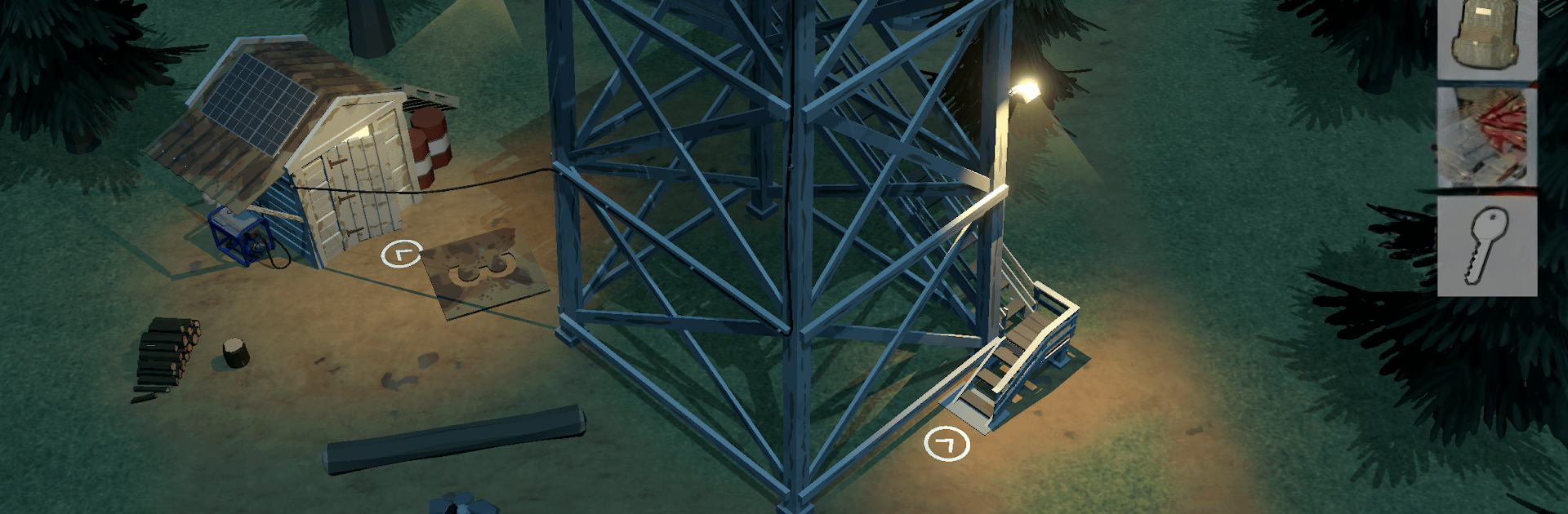
Tiny Room Stories Eclipse is a moody, story-first Puzzle adventure where every small scene hides a bigger secret. You’re a former soldier hoping for quiet shifts at a lonely fire lookout—until strange disappearances, fenced-off zones, and hush‑hush facilities start showing up around the forest. Rotate tiny 3D scenes, poke at every lever and panel, and follow the clues through a slow-burn mystery that keeps tightening with each room you crack open.

Game Features
– Rotating 3D Scenes — Spin and inspect compact dioramas from every angle to spot codes, panels, and sneaky compartments others might miss.
– Escape-Room Style Puzzles — Tackle mechanical gadgets, logic locks, and layered riddles that feel hand-built, not generic.
– Point-and-Click Feel — Clean tap-to-interact controls give that classic adventure vibe while keeping everything quick and readable.
– Story-Driven Mystery — From watchtowers to shadowy bunkers, each location pushes the investigation forward and raises new questions.
– Interactive Environments — Nothing is just set dressing; drawers, switches, notes, and tools all play a part in solving the next step.
– Varied Locations — Wander forest paths, climb lookout towers, rummage through abandoned buildings, and pry into underground facilities.
– Play Anywhere — Designed for one-handed play and works offline, perfect for short breaks or late-night sessions.
– Subtle on PC — Prefer a bigger view and precise clicks? Running Tiny Room Stories Eclipse on BlueStacks makes it easy to explore each scene comfortably.

Get ready for a buttery smooth, high-performance gaming action only on BlueStacks.

Game Features

Enhancements

  • Macros
  • Multi Instance
  • Multi Instance Sync
  • Script
  • Enhancements
Macros

Macros

Automate the predictable in Tiny Room Stories Eclipse and transform your gameplay with Macros. Get access to inventive Macros in the BlueStacks Macro Community
Multi Instance

Multi Instance

Play Tiny Room Stories Eclipse on one window. And chat with your friend on the other. Press CTRL + Shift + 8 to open the Multi-Instance Manager. And start creating fresh instances or clone an existing one.
Multi Instance Sync

Multi Instance Sync

Play Tiny Room Stories Eclipse with the power of Multi-Instance Sync. Replicate what you are doing on the main instance on all other instances. Level up faster, play more.
Script

Script

Script your way to gaming glory in Tiny Room Stories Eclipse with BlueStacks Script. Write and run a set of commands to automate repeated tasks. Trigger the command by assigning it to any key.
Read More

How to Download and Play Tiny Room Stories Eclipse on PC or Mac

  • Download and install BlueStacks on your PC or Mac

  • Complete Google sign-in to access the Play Store, or do it later

  • Look for Tiny Room Stories Eclipse in the search bar at the top right corner

  • Click to install Tiny Room Stories Eclipse from the search results

  • Complete Google sign-in (if you skipped step 2) to install Tiny Room Stories Eclipse

  • Click the Tiny Room Stories Eclipse icon on the home screen to start playing

video
Watch Video

Minimum System Requirements

With BlueStacks 5, you can get started on a PC that fulfills the following requirements.

  • Operating System

    Microsoft Windows 7 or above, macOS 11 (Big Sur) or above

  • Processor

    Intel, AMD or Apple Silicon Processor

  • RAM

    at least 4GB

  • HDD

    10GB Free Disk Space

Note:

* You must be an Administrator on your PC. Up to date graphics drivers from Microsoft or the chipset vendor.

Tiny Room Stories Eclipse - FAQs

  • How to play Tiny Room Stories Eclipse on Windows PC & Mac?

    Play Tiny Room Stories Eclipse on your PC or Mac by following these simple steps.

    • Click on 'Play Tiny Room Stories Eclipse on PC’ to download BlueStacks
    • Install it and log-in to Google Play Store
    • Launch and play the game.
  • Why is BlueStacks the fastest and safest platform to play games on PC?

    BlueStacks respects your privacy and is always safe and secure to use. It does not carry any malware, spyware, or any sort of additional software that could harm your PC.

    It is engineered to optimize speed and performance for a seamless gaming experience.

  • What are Tiny Room Stories Eclipse PC requirements?

    Minimum requirement to run Tiny Room Stories Eclipse on your PC

    • OS: Microsoft Windows 7 or above MacOS 11 (Big Sur) or above
    • Processor: Intel, AMD or Apple Silicon Processor
    • RAM: Your PC must have at least 4GB of RAM. (Note that having 4GB or more disk space is not a substitute for RAM)
    • HDD: 10GB Free Disk Space.
    • You must be an Administrator on your PC.