TRT Piksel Boyama
TRT Piksel Boyama

TRT Piksel Boyama

Puzzle

| Türkiye Radyo ve Televizyon Kurumu

Play on PC with BlueStacks or from our cloud

  • Overview
  • Game Features
  • How to Play

Page Modified On: August 31, 2026

Play TRT Piksel Boyama on PC or Mac

Step into the World of TRT Piksel Boyama, a thrilling Puzzle game from the house of Türkiye Radyo ve Televizyon Kurumu. Play this Android game on BlueStacks App Player and experience immersive gaming on PC or Mac.

About the Game

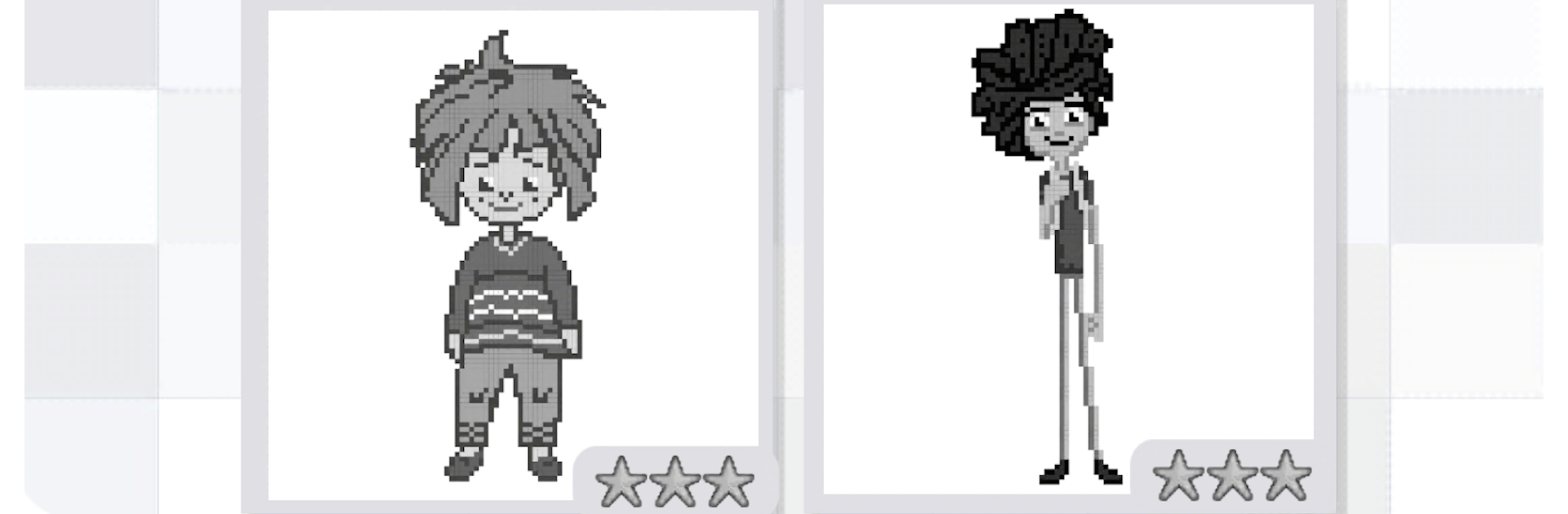
TRT Piksel Boyama turns color-by-number into a calm, creative break that actually feels productive. Pick a picture, follow the numbers, and fill in tiny squares to reveal bright, blocky art—yes, including familiar TRT Çocuk heroes and cute scenes. It’s a Puzzle experience that helps kids (and honestly, adults) slow down, focus, and create something they can be proud of. Want a bigger canvas? It also runs smoothly on PC with BlueStacks.

Game Features

  • Color-by-Number Made Easy: Choose an image and match each tiny pixel to its color number—watch the picture come to life, square by square.
  • Zoom-In Clarity: Pinch in for a closer look to spot small numbers with ease, so there’s zero guesswork and no frustration.
  • Progress That Stays: Take a break anytime—your work is saved so you can jump back in later right where you left off.
  • Art You Can Keep: Finished masterpieces are stored on your device; print them out and turn your space into a mini gallery.
  • Designed for Ages 6+: Gently supports visual perception, hand–eye coordination, and attention through relaxed, repeatable play.
  • Parent–Child Co-Play: Built for coloring together—chat about colors, pick pictures as a team, and make the process part of family time.
  • Ad-Free and Calm: No ads, no pop-ups, just a clean, kid-safe space focused on coloring and creativity.
  • Expert-Guided Approach: Developed with input from educators and child-development specialists to encourage healthy, mindful play.
  • Privacy-First Design: Doesn’t collect or share personal information, and creations stay private unless you choose otherwise.
  • Great on BlueStacks: Enjoy crisp controls and a roomy view when you color on your computer.

BlueStacks gives you more room to focus on the game and less time adjusting around mobile limitations.


Game Features

Enhancements

  • Macros
  • Multi Instance
  • Multi Instance Sync
  • Script
  • Enhancements
Macros

Macros

Automate the predictable in TRT Piksel Boyama and transform your gameplay with Macros. Get access to inventive Macros in the BlueStacks Macro Community
Multi Instance

Multi Instance

Play TRT Piksel Boyama on one window. And chat with your friend on the other. Press CTRL + Shift + 8 to open the Multi-Instance Manager. And start creating fresh instances or clone an existing one.
Multi Instance Sync

Multi Instance Sync

Play TRT Piksel Boyama with the power of Multi-Instance Sync. Replicate what you are doing on the main instance on all other instances. Level up faster, play more.
Script

Script

Script your way to gaming glory in TRT Piksel Boyama with BlueStacks Script. Write and run a set of commands to automate repeated tasks. Trigger the command by assigning it to any key.
Read More

How to Download and Play TRT Piksel Boyama on PC or Mac

  • Download and install BlueStacks on your PC or Mac

  • Complete Google sign-in to access the Play Store, or do it later

  • Look for TRT Piksel Boyama in the search bar at the top right corner

  • Click to install TRT Piksel Boyama from the search results

  • Complete Google sign-in (if you skipped step 2) to install TRT Piksel Boyama

  • Click the TRT Piksel Boyama icon on the home screen to start playing

video
Watch Video

Minimum System Requirements

With BlueStacks 5, you can get started on a PC that fulfills the following requirements.

  • Operating System

    Microsoft Windows 7 or above, macOS 11 (Big Sur) or above

  • Processor

    Intel, AMD or Apple Silicon Processor

  • RAM

    at least 4GB

  • HDD

    10GB Free Disk Space

Note:

* You must be an Administrator on your PC. Up to date graphics drivers from Microsoft or the chipset vendor.

TRT Piksel Boyama - FAQs

  • How to play TRT Piksel Boyama on Windows PC & Mac?

    Play TRT Piksel Boyama on your PC or Mac by following these simple steps.

    • Click on 'Play TRT Piksel Boyama on PC’ to download BlueStacks
    • Install it and log-in to Google Play Store
    • Launch and play the game.
  • Why is BlueStacks the fastest and safest platform to play games on PC?

    BlueStacks respects your privacy and is always safe and secure to use. It does not carry any malware, spyware, or any sort of additional software that could harm your PC.

    It is engineered to optimize speed and performance for a seamless gaming experience.

  • What are TRT Piksel Boyama PC requirements?

    Minimum requirement to run TRT Piksel Boyama on your PC

    • OS: Microsoft Windows 7 or above MacOS 11 (Big Sur) or above
    • Processor: Intel, AMD or Apple Silicon Processor
    • RAM: Your PC must have at least 4GB of RAM. (Note that having 4GB or more disk space is not a substitute for RAM)
    • HDD: 10GB Free Disk Space.
    • You must be an Administrator on your PC.