Vulcan Pop Bubble Shooter

Vulcan Pop Bubble Shooter

Puzzle

| Bubble Shooter Artworks

Play on PC with BlueStacks or from our cloud

  • Overview
  • Game Features
  • How to Play

Page Modified On: December 15, 2025

Play Vulcan Pop Bubble Shooter on PC or Mac

Bring your A-game to Vulcan Pop Bubble Shooter, the Puzzle game sensation from Bubble Shooter Artworks. Give your gameplay the much-needed boost with precise game controls, high FPS graphics, and top-tier features on your PC or Mac with BlueStacks.

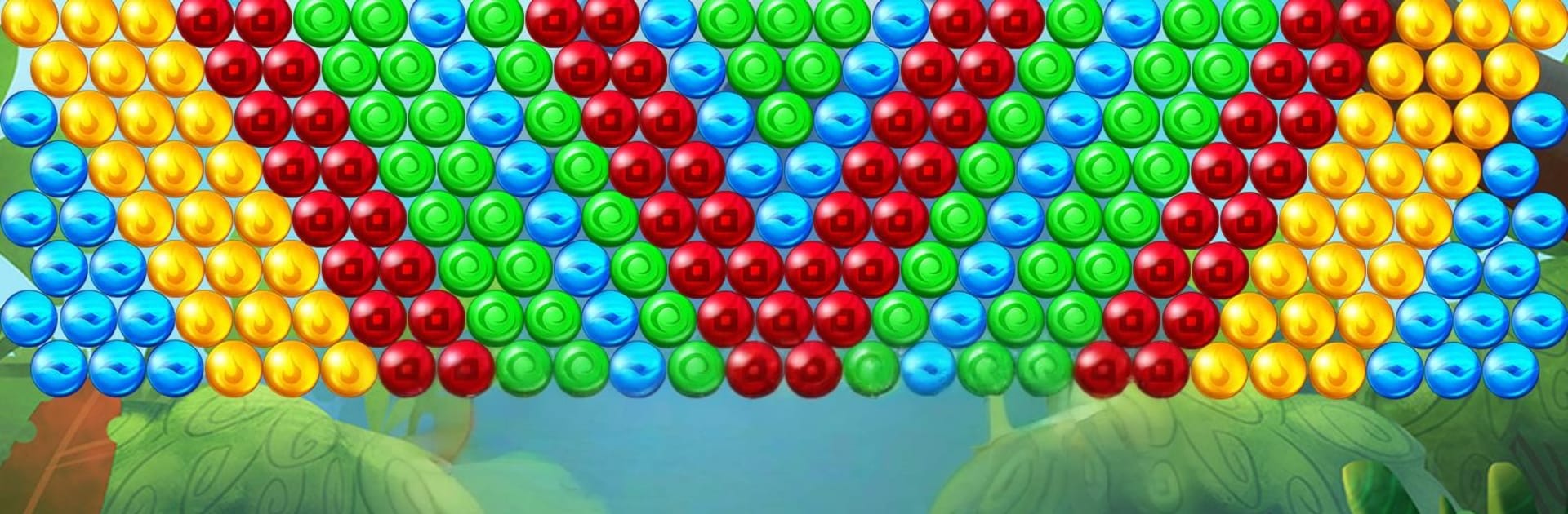
Vulcan Pop Bubble Shooter throws the player onto a bright volcanic island, part cozy forest, part restless crater. It is a classic match-three bubble popper with a clear goal: clear the board before the limited shots run out, otherwise the volcano wins. The aiming line is generous, bank shots feel clean, and there is a quick swap for the next bubble’s color so a bad draw does not ruin a run. Scoring is tied to speed and big collapses, and the game hands out stars when a level is done, which quietly invites a replay to squeeze out a cleaner route. Land seven accurate shots in a row and a Lava Fireball spawns that cuts straight through a column. Drop a large cluster and a Volcanic Bomb appears, opening up the grid in a very satisfying way. Later stages add multicolor wild bubbles and hard rock orbs that do not pop, so it shifts from simple clearing to small puzzle planning.

On PC through BlueStacks, the mouse makes lining up weird angles easier, and full screen helps track colors without squinting. It runs smoothly and offline, nice for short sessions or long ones that somehow stretch. There are hundreds of levels, cheerful colors, and a steady trickle of boosters, so it stays relaxed yet challenging without feeling mean.

Get ready for a buttery smooth, high-performance gaming action only on BlueStacks.

Game Features

Enhancements

  • Macros
  • Multi Instance
  • Multi Instance Sync
  • Script
  • Enhancements
Macros

Macros

Automate the predictable in Vulcan Pop Bubble Shooter and transform your gameplay with Macros. Get access to inventive Macros in the BlueStacks Macro Community
Multi Instance

Multi Instance

Play Vulcan Pop Bubble Shooter on one window. And chat with your friend on the other. Press CTRL + Shift + 8 to open the Multi-Instance Manager. And start creating fresh instances or clone an existing one.
Multi Instance Sync

Multi Instance Sync

Play Vulcan Pop Bubble Shooter with the power of Multi-Instance Sync. Replicate what you are doing on the main instance on all other instances. Level up faster, play more.
Script

Script

Script your way to gaming glory in Vulcan Pop Bubble Shooter with BlueStacks Script. Write and run a set of commands to automate repeated tasks. Trigger the command by assigning it to any key.
Read More

How to Download and Play Vulcan Pop Bubble Shooter on PC or Mac

  • Download and install BlueStacks on your PC or Mac

  • Complete Google sign-in to access the Play Store, or do it later

  • Look for Vulcan Pop Bubble Shooter in the search bar at the top right corner

  • Click to install Vulcan Pop Bubble Shooter from the search results

  • Complete Google sign-in (if you skipped step 2) to install Vulcan Pop Bubble Shooter

  • Click the Vulcan Pop Bubble Shooter icon on the home screen to start playing

video
Watch Video

Minimum System Requirements

With BlueStacks 5, you can get started on a PC that fulfills the following requirements.

  • Operating System

    Microsoft Windows 7 or above, macOS 11 (Big Sur) or above

  • Processor

    Intel, AMD or Apple Silicon Processor

  • RAM

    at least 4GB

  • HDD

    10GB Free Disk Space

Note:

* You must be an Administrator on your PC. Up to date graphics drivers from Microsoft or the chipset vendor.

Vulcan Pop Bubble Shooter - FAQs

  • How to play Vulcan Pop Bubble Shooter on Windows PC & Mac?

    Play Vulcan Pop Bubble Shooter on your PC or Mac by following these simple steps.

    • Click on 'Play Vulcan Pop Bubble Shooter on PC’ to download BlueStacks
    • Install it and log-in to Google Play Store
    • Launch and play the game.
  • Why is BlueStacks the fastest and safest platform to play games on PC?

    BlueStacks respects your privacy and is always safe and secure to use. It does not carry any malware, spyware, or any sort of additional software that could harm your PC.

    It is engineered to optimize speed and performance for a seamless gaming experience.

  • What are Vulcan Pop Bubble Shooter PC requirements?

    Minimum requirement to run Vulcan Pop Bubble Shooter on your PC

    • OS: Microsoft Windows 7 or above MacOS 11 (Big Sur) or above
    • Processor: Intel, AMD or Apple Silicon Processor
    • RAM: Your PC must have at least 4GB of RAM. (Note that having 4GB or more disk space is not a substitute for RAM)
    • HDD: 10GB Free Disk Space.
    • You must be an Administrator on your PC.