Words By Post
Words By Post

Words By Post

Puzzle

| Games By Post

Play on PC with BlueStacks or from our cloud

  • Overview
  • Game Features
  • How to Play

Page Modified On: October 19, 2026

Play Words By Post on PC or Mac

Play Words By Post by Games By Post on PC or Mac with BlueStacks. Use a bigger screen, mouse and keyboard controls, and smoother performance while you play.

About the Game

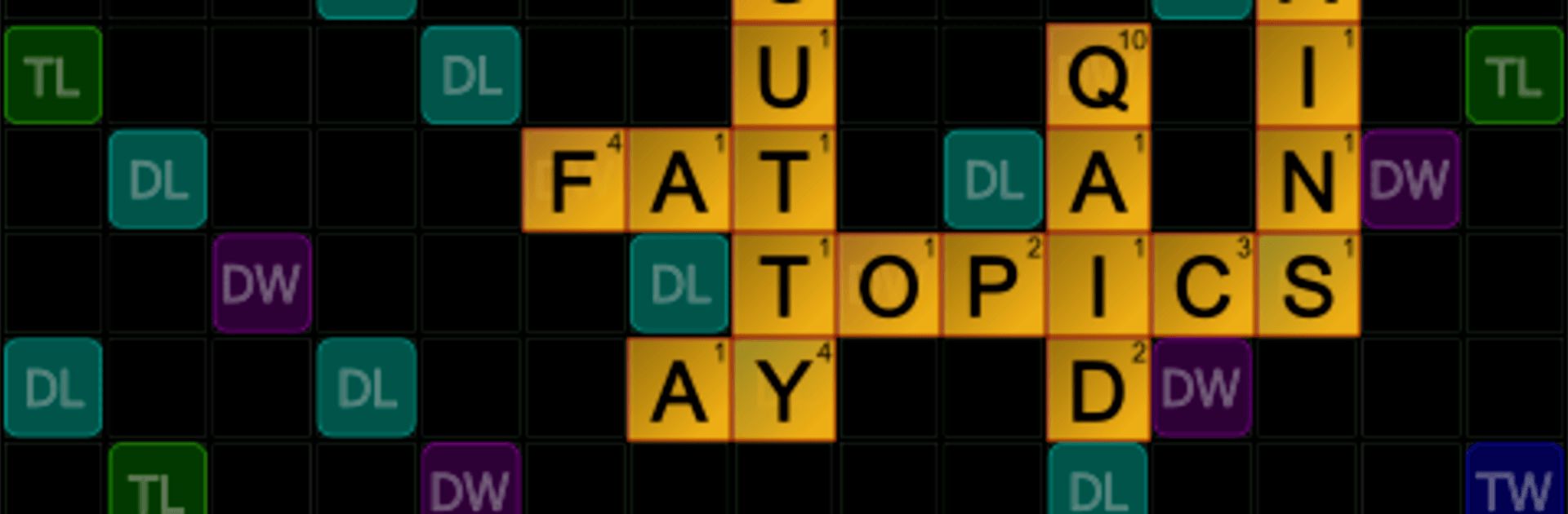
Words By Post is a relaxed, turn-based word builder that scratches that Puzzle itch without rushing you. Lay down tiles, outthink your opponent, and watch the score swing back and forth as you play when it’s convenient. Go casual with friends or test your skills in ranked matchups against players at your level. Prefer a bigger screen? It runs smoothly on BlueStacks too.

Game Features

  • Skill-based matchmaking: Get paired with opponents who play at a similar level, so every match feels fair, competitive, and genuinely fun.
  • Ranked play with Elo: Win ranked games to climb an Elo-style rating system that updates after every result, reflecting your true progress over time.
  • Live leaderboards: See where you stand against the best, track your ascent, and size up the competition at a glance.
  • Unlimited simultaneous games: Keep as many matches going as you like—perfect for quick turns throughout the day or deep sessions at night.
  • Turn alerts: Get handy notifications when it’s your move, so you never leave a game hanging (or forget that perfect word).
  • In-game chat: Share a quick “good one!” or trade friendly banter right on the match board—no extra apps needed.
  • Pass-and-play mode: Play locally on one device with a classic hand-off setup; each player’s rack stays hidden until it’s their turn.
  • Clean, classic board play: Build words, stack multipliers, and chase those satisfying high-scoring swings with smart tile placement.
  • Head-to-head history: Tap a player’s profile to view your all-time record and see how your rivalry has evolved.
  • Cross-platform friends: Challenge buddies across different devices, so your word battles can continue wherever everyone plays.

Ready to top the leaderboard? We bet you do. Let precise controls and sharp visuals optimized on BlueStacks lead you to victory.


Game Features

Enhancements

  • Macros
  • Multi Instance
  • Multi Instance Sync
  • Script
  • Enhancements
Macros

Macros

Automate the predictable in Words By Post and transform your gameplay with Macros. Get access to inventive Macros in the BlueStacks Macro Community
Multi Instance

Multi Instance

Play Words By Post on one window. And chat with your friend on the other. Press CTRL + Shift + 8 to open the Multi-Instance Manager. And start creating fresh instances or clone an existing one.
Multi Instance Sync

Multi Instance Sync

Play Words By Post with the power of Multi-Instance Sync. Replicate what you are doing on the main instance on all other instances. Level up faster, play more.
Script

Script

Script your way to gaming glory in Words By Post with BlueStacks Script. Write and run a set of commands to automate repeated tasks. Trigger the command by assigning it to any key.
Read More

How to Download and Play Words By Post on PC or Mac

  • Download and install BlueStacks on your PC or Mac

  • Complete Google sign-in to access the Play Store, or do it later

  • Look for Words By Post in the search bar at the top right corner

  • Click to install Words By Post from the search results

  • Complete Google sign-in (if you skipped step 2) to install Words By Post

  • Click the Words By Post icon on the home screen to start playing

video
Watch Video

Minimum System Requirements

With BlueStacks 5, you can get started on a PC that fulfills the following requirements.

  • Operating System

    Microsoft Windows 7 or above, macOS 11 (Big Sur) or above

  • Processor

    Intel, AMD or Apple Silicon Processor

  • RAM

    at least 4GB

  • HDD

    10GB Free Disk Space

Note:

* You must be an Administrator on your PC. Up to date graphics drivers from Microsoft or the chipset vendor.

Words By Post - FAQs

  • How to play Words By Post on Windows PC & Mac?

    Play Words By Post on your PC or Mac by following these simple steps.

    • Click on 'Play Words By Post on PC’ to download BlueStacks
    • Install it and log-in to Google Play Store
    • Launch and play the game.
  • Why is BlueStacks the fastest and safest platform to play games on PC?

    BlueStacks respects your privacy and is always safe and secure to use. It does not carry any malware, spyware, or any sort of additional software that could harm your PC.

    It is engineered to optimize speed and performance for a seamless gaming experience.

  • What are Words By Post PC requirements?

    Minimum requirement to run Words By Post on your PC

    • OS: Microsoft Windows 7 or above MacOS 11 (Big Sur) or above
    • Processor: Intel, AMD or Apple Silicon Processor
    • RAM: Your PC must have at least 4GB of RAM. (Note that having 4GB or more disk space is not a substitute for RAM)
    • HDD: 10GB Free Disk Space.
    • You must be an Administrator on your PC.