Boost Rider: Car Racing Games

Boost Rider: Car Racing Games

Racing

| Kolka Games

Play on PC with BlueStacks or from our cloud

  • Overview
  • Game Features
  • How to Play

Page Modified On: August 11, 2026

Play Boost Rider: Car Racing Games on PC or Mac

Explore a whole new adventure with Boost Rider: Car Racing Games, a Racing game created by Kolka Games. Experience great gameplay with BlueStacks, the most popular gaming platform to play Android games on your PC or Mac.

About the Game

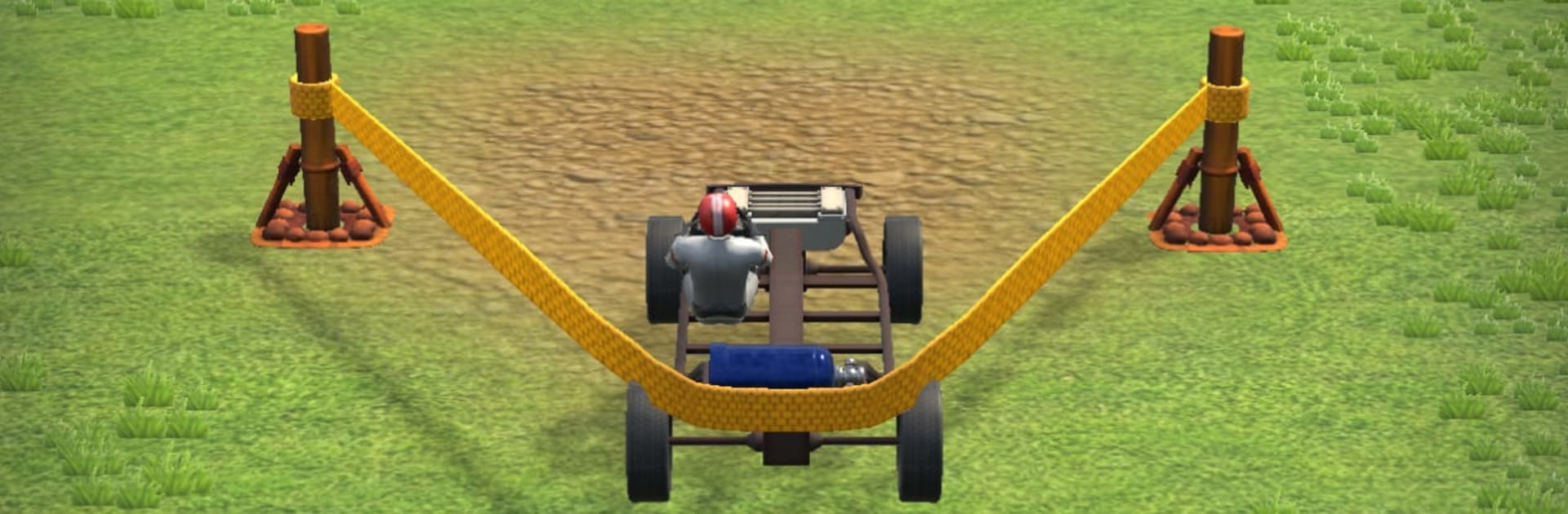
Boost Rider: Car Racing Games flips the usual Racing routine into a wild launch-and-fly challenge. You’re not gunning for first place on a track—you’re building a crazy-fast contraption, slinging it off a massive launcher, and trying to travel farther than your last attempt. It’s quick to pick up, physics-heavy, and packed with those “okay, one more run” moments.

Game Features

  • Build It Your Way: Swap frames, engines, wheels, and rocket boosters to shape how your ride accelerates, glides, lands, and survives hard hits. Every part choice changes the feel.

  • Aim, Launch, Repeat: Pull back the launcher, pick your angle, and let it rip. Nail the takeoff, then manage tilt and boost timing to keep your run alive.

  • Mid‑Air Control: Balance the car in flight, punch turbo at the perfect second, and sail over gaps and gnarly terrain like a pro.

  • Glorious Wrecks: Expect hilarious ragdoll chaos when you misjudge a landing. Parts fly, the driver tumbles, and somehow it’s still satisfying.

  • Meaningful Upgrades: Cash in after each attempt to improve the stats that matter—Top Speed, Boost Power, Aerodynamic Balance, Launch Force, and Fuel Capacity.

  • Not Your Usual Race: No rivals here. You’re racing gravity, weird obstacles, and your own best distance. Simple idea, tons of room for skill.

  • Quick Sessions: Runs are short, punchy, and perfect for breaks. Hop in, tweak a part, try a new angle, and chase a longer flight.

  • Easy Controls, Real Physics: Simple inputs make it approachable, while the physics give you plenty of depth to master.

  • Optional PC Play: Prefer a bigger view and crisp controls? You can play on PC with BlueStacks without changing the core pick-up-and-play feel.

Ready to top the leaderboard? We bet you do. Let precise controls and sharp visuals optimized on BlueStacks lead you to victory.


Game Features

Enhancements

  • Macros
  • Multi Instance
  • Multi Instance Sync
  • Script
  • Enhancements
Macros

Macros

Automate the predictable in Boost Rider: Car Racing Games and transform your gameplay with Macros. Get access to inventive Macros in the BlueStacks Macro Community
Multi Instance

Multi Instance

Play Boost Rider: Car Racing Games on one window. And chat with your friend on the other. Press CTRL + Shift + 8 to open the Multi-Instance Manager. And start creating fresh instances or clone an existing one.
Multi Instance Sync

Multi Instance Sync

Play Boost Rider: Car Racing Games with the power of Multi-Instance Sync. Replicate what you are doing on the main instance on all other instances. Level up faster, play more.
Script

Script

Script your way to gaming glory in Boost Rider: Car Racing Games with BlueStacks Script. Write and run a set of commands to automate repeated tasks. Trigger the command by assigning it to any key.
Read More

How to Download and Play Boost Rider: Car Racing Games on PC or Mac

  • Download and install BlueStacks on your PC or Mac

  • Complete Google sign-in to access the Play Store, or do it later

  • Look for Boost Rider: Car Racing Games in the search bar at the top right corner

  • Click to install Boost Rider: Car Racing Games from the search results

  • Complete Google sign-in (if you skipped step 2) to install Boost Rider: Car Racing Games

  • Click the Boost Rider: Car Racing Games icon on the home screen to start playing

video
Watch Video

Minimum System Requirements

With BlueStacks 5, you can get started on a PC that fulfills the following requirements.

  • Operating System

    Microsoft Windows 7 or above, macOS 11 (Big Sur) or above

  • Processor

    Intel, AMD or Apple Silicon Processor

  • RAM

    at least 4GB

  • HDD

    10GB Free Disk Space

Note:

* You must be an Administrator on your PC. Up to date graphics drivers from Microsoft or the chipset vendor.

Boost Rider: Car Racing Games - FAQs

  • How to play Boost Rider: Car Racing Games on Windows PC & Mac?

    Play Boost Rider: Car Racing Games on your PC or Mac by following these simple steps.

    • Click on 'Play Boost Rider: Car Racing Games on PC’ to download BlueStacks
    • Install it and log-in to Google Play Store
    • Launch and play the game.
  • Why is BlueStacks the fastest and safest platform to play games on PC?

    BlueStacks respects your privacy and is always safe and secure to use. It does not carry any malware, spyware, or any sort of additional software that could harm your PC.

    It is engineered to optimize speed and performance for a seamless gaming experience.

  • What are Boost Rider: Car Racing Games PC requirements?

    Minimum requirement to run Boost Rider: Car Racing Games on your PC

    • OS: Microsoft Windows 7 or above MacOS 11 (Big Sur) or above
    • Processor: Intel, AMD or Apple Silicon Processor
    • RAM: Your PC must have at least 4GB of RAM. (Note that having 4GB or more disk space is not a substitute for RAM)
    • HDD: 10GB Free Disk Space.
    • You must be an Administrator on your PC.