Car Driving City: StreetPro

Car Driving City: StreetPro

Racing

| BROWNE CURTIS HENRY

Play on PC with BlueStacks or from our cloud

  • Overview
  • Game Features
  • How to Play

Page Modified On: May 05, 2026

Play Car Driving City: StreetPro on PC or Mac

Join millions to experience Car Driving City: StreetPro, an exciting Racing game from BROWNE CURTIS HENRY. With BlueStacks App Player, you are always a step ahead of your opponent, ready to outplay them with faster gameplay and better control with the mouse and keyboard on your PC or Mac.

About the Game

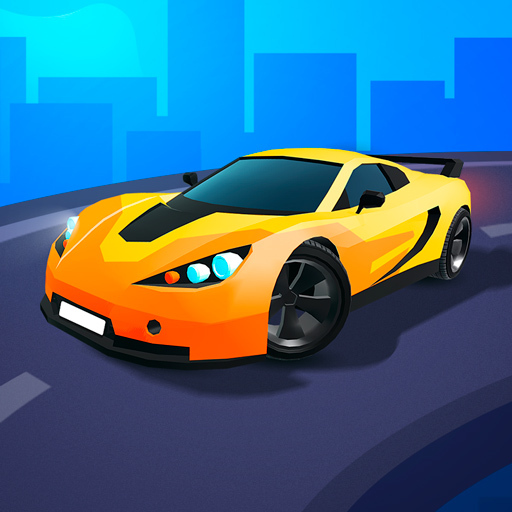
Car Driving City: StreetPro from BROWNE CURTIS HENRY drops you into a huge urban playground built for pure speed and smoky tires. It’s a Racing game where you pick your path—cruise, drift, or blast down straightaways—and shape a garage that actually feels like yours. If you like a bigger screen and keyboard control, it runs smoothly on PC with BlueStacks.

Game Features

  • Open-city freedom: Roam a sprawling city at your own pace, from wide boulevards to gritty backstreets. No hand-holding—just you, the map, and a lot of asphalt.
  • Authentic drift handling: Kick the rear out with throttle, balance the slide with counter-steer, and link corners like a pro. The physics make practice actually pay off.
  • Build and restore: Take a rough ride and turn it into a rocket. Rebuild, upgrade, and tune until it’s fast, reliable, and loud in all the right ways.
  • Deep tuning & style: Paint, wraps, nitro, wheels, brake calipers, turbos, gearing—dial in both the look and the lap time.
  • Drag rushes: Stage, launch, and chase sub-10-second runs. Nail your shift points and feel that brutal straight-line pull.
  • Day and night cruising: Sunny daytime sprints or neon-soaked midnight runs—the city feels different depending on when you roll out.
  • Iconic machines: Collect slick supercars and modern monsters, then tune each one to match how you like to drive.
  • Offline play: No connection? No problem. Keep racing, practicing drifts, and chasing personal bests anywhere.
  • Global challenges: Post your times and take on players worldwide in street events and leaderboards.

Make your gaming sessions memorable with precise controls that give you an edge in close combats and visuals that pop up, bringing every character to life.


Game Features

Enhancements

  • Macros
  • Multi Instance
  • Multi Instance Sync
  • Script
  • Enhancements
Macros

Macros

Automate the predictable in Car Driving City: StreetPro and transform your gameplay with Macros. Get access to inventive Macros in the BlueStacks Macro Community
Multi Instance

Multi Instance

Play Car Driving City: StreetPro on one window. And chat with your friend on the other. Press CTRL + Shift + 8 to open the Multi-Instance Manager. And start creating fresh instances or clone an existing one.
Multi Instance Sync

Multi Instance Sync

Play Car Driving City: StreetPro with the power of Multi-Instance Sync. Replicate what you are doing on the main instance on all other instances. Level up faster, play more.
Script

Script

Script your way to gaming glory in Car Driving City: StreetPro with BlueStacks Script. Write and run a set of commands to automate repeated tasks. Trigger the command by assigning it to any key.
Read More

How to Download and Play Car Driving City: StreetPro on PC or Mac

  • Download and install BlueStacks on your PC or Mac

  • Complete Google sign-in to access the Play Store, or do it later

  • Look for Car Driving City: StreetPro in the search bar at the top right corner

  • Click to install Car Driving City: StreetPro from the search results

  • Complete Google sign-in (if you skipped step 2) to install Car Driving City: StreetPro

  • Click the Car Driving City: StreetPro icon on the home screen to start playing

video
Watch Video

Minimum System Requirements

With BlueStacks 5, you can get started on a PC that fulfills the following requirements.

  • Operating System

    Microsoft Windows 7 or above, macOS 11 (Big Sur) or above

  • Processor

    Intel, AMD or Apple Silicon Processor

  • RAM

    at least 4GB

  • HDD

    10GB Free Disk Space

Note:

* You must be an Administrator on your PC. Up to date graphics drivers from Microsoft or the chipset vendor.

Car Driving City: StreetPro - FAQs

  • How to play Car Driving City: StreetPro on Windows PC & Mac?

    Play Car Driving City: StreetPro on your PC or Mac by following these simple steps.

    • Click on 'Play Car Driving City: StreetPro on PC’ to download BlueStacks
    • Install it and log-in to Google Play Store
    • Launch and play the game.
  • Why is BlueStacks the fastest and safest platform to play games on PC?

    BlueStacks respects your privacy and is always safe and secure to use. It does not carry any malware, spyware, or any sort of additional software that could harm your PC.

    It is engineered to optimize speed and performance for a seamless gaming experience.

  • What are Car Driving City: StreetPro PC requirements?

    Minimum requirement to run Car Driving City: StreetPro on your PC

    • OS: Microsoft Windows 7 or above MacOS 11 (Big Sur) or above
    • Processor: Intel, AMD or Apple Silicon Processor
    • RAM: Your PC must have at least 4GB of RAM. (Note that having 4GB or more disk space is not a substitute for RAM)
    • HDD: 10GB Free Disk Space.
    • You must be an Administrator on your PC.