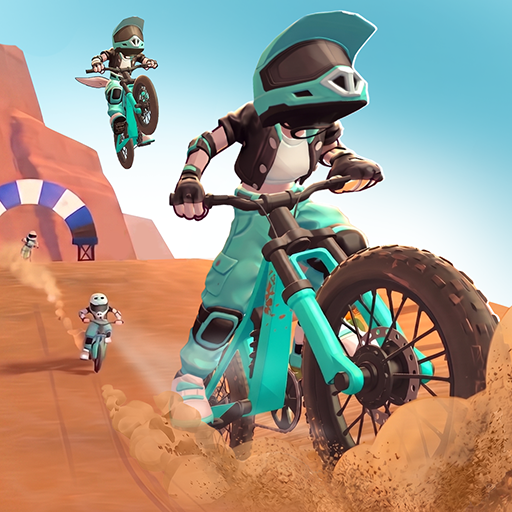
Crazy Hill Climb Racing 3D

Crazy Hill Climb Racing 3D

Racing

| Smart Cool Apps Arcade

Play on PC with BlueStacks or from our cloud

  • Overview
  • Game Features
  • How to Play

Page Modified On: June 29, 2026

Play Crazy Hill Climb Racing 3D on PC or Mac

Explore a whole new adventure with Crazy Hill Climb Racing 3D, a Racing game created by Smart Cool Apps Arcade. Experience great gameplay with BlueStacks, the most popular gaming platform to play Android games on your PC or Mac.

About the Game

Crazy Hill Climb Racing 3D is all about gutsy climbs, sketchy descents, and that tiny bit of throttle control that keeps you from tumbling. It’s a physics-driven off-road racer where every bump, dip, and flip matters—perfect for quick bursts or long sessions when you’re chasing a new best run. Expect a steady stream of unlocks, a garage full of oddball rides, and a whole lot of “one more try.”

Game Features

  • 3D Hills That Feel Alive: Tackle rugged deserts, icy slopes, jungle switchbacks, and even low‑gravity routes. Each landscape plays differently, so your approach has to change with the terrain.
  • Vehicles With Personality: Hop between compact cars, beefy trucks, nimble bikes, and oversized machines. They all handle in their own quirky way, which is half the fun.
  • Physics You Can Play With: Feather the gas, ride the brake, and balance midair to land clean. Keep an eye on your fuel and momentum or you’ll be rolling back down in a hurry.
  • Upgrades That Matter: Earn coins to power up engines, tires, suspension, and the tank. Better parts mean longer runs, bigger jumps, and tighter control when the road gets nasty.
  • Simple To Pick Up, Hard To Master: Tap-and-hold controls make it easy to start, but squeezing out perfect climbs and safe flips takes practice.
  • Built For Anytime Play: No connection needed, so you can grind out runs wherever you are—on a commute, a break, or a couch day.
  • Smooth And Snappy: Clean visuals and responsive handling keep the focus on the road ahead and the next ridge you swear you can clear.
  • Great On A Bigger Screen: Prefer a keyboard or gamepad feel? It plays nicely on BlueStacks so you can climb in comfort.

Get ready for a buttery smooth, high-performance gaming action only on BlueStacks.

Game Features

Enhancements

  • Macros
  • Multi Instance
  • Multi Instance Sync
  • Script
  • Enhancements
Macros

Macros

Automate the predictable in Crazy Hill Climb Racing 3D and transform your gameplay with Macros. Get access to inventive Macros in the BlueStacks Macro Community
Multi Instance

Multi Instance

Play Crazy Hill Climb Racing 3D on one window. And chat with your friend on the other. Press CTRL + Shift + 8 to open the Multi-Instance Manager. And start creating fresh instances or clone an existing one.
Multi Instance Sync

Multi Instance Sync

Play Crazy Hill Climb Racing 3D with the power of Multi-Instance Sync. Replicate what you are doing on the main instance on all other instances. Level up faster, play more.
Script

Script

Script your way to gaming glory in Crazy Hill Climb Racing 3D with BlueStacks Script. Write and run a set of commands to automate repeated tasks. Trigger the command by assigning it to any key.
Read More

How to Download and Play Crazy Hill Climb Racing 3D on PC or Mac

  • Download and install BlueStacks on your PC or Mac

  • Complete Google sign-in to access the Play Store, or do it later

  • Look for Crazy Hill Climb Racing 3D in the search bar at the top right corner

  • Click to install Crazy Hill Climb Racing 3D from the search results

  • Complete Google sign-in (if you skipped step 2) to install Crazy Hill Climb Racing 3D

  • Click the Crazy Hill Climb Racing 3D icon on the home screen to start playing

video
Watch Video

Minimum System Requirements

With BlueStacks 5, you can get started on a PC that fulfills the following requirements.

  • Operating System

    Microsoft Windows 7 or above, macOS 11 (Big Sur) or above

  • Processor

    Intel, AMD or Apple Silicon Processor

  • RAM

    at least 4GB

  • HDD

    10GB Free Disk Space

Note:

* You must be an Administrator on your PC. Up to date graphics drivers from Microsoft or the chipset vendor.

Crazy Hill Climb Racing 3D - FAQs

  • How to play Crazy Hill Climb Racing 3D on Windows PC & Mac?

    Play Crazy Hill Climb Racing 3D on your PC or Mac by following these simple steps.

    • Click on 'Play Crazy Hill Climb Racing 3D on PC’ to download BlueStacks
    • Install it and log-in to Google Play Store
    • Launch and play the game.
  • Why is BlueStacks the fastest and safest platform to play games on PC?

    BlueStacks respects your privacy and is always safe and secure to use. It does not carry any malware, spyware, or any sort of additional software that could harm your PC.

    It is engineered to optimize speed and performance for a seamless gaming experience.

  • What are Crazy Hill Climb Racing 3D PC requirements?

    Minimum requirement to run Crazy Hill Climb Racing 3D on your PC

    • OS: Microsoft Windows 7 or above MacOS 11 (Big Sur) or above
    • Processor: Intel, AMD or Apple Silicon Processor
    • RAM: Your PC must have at least 4GB of RAM. (Note that having 4GB or more disk space is not a substitute for RAM)
    • HDD: 10GB Free Disk Space.
    • You must be an Administrator on your PC.