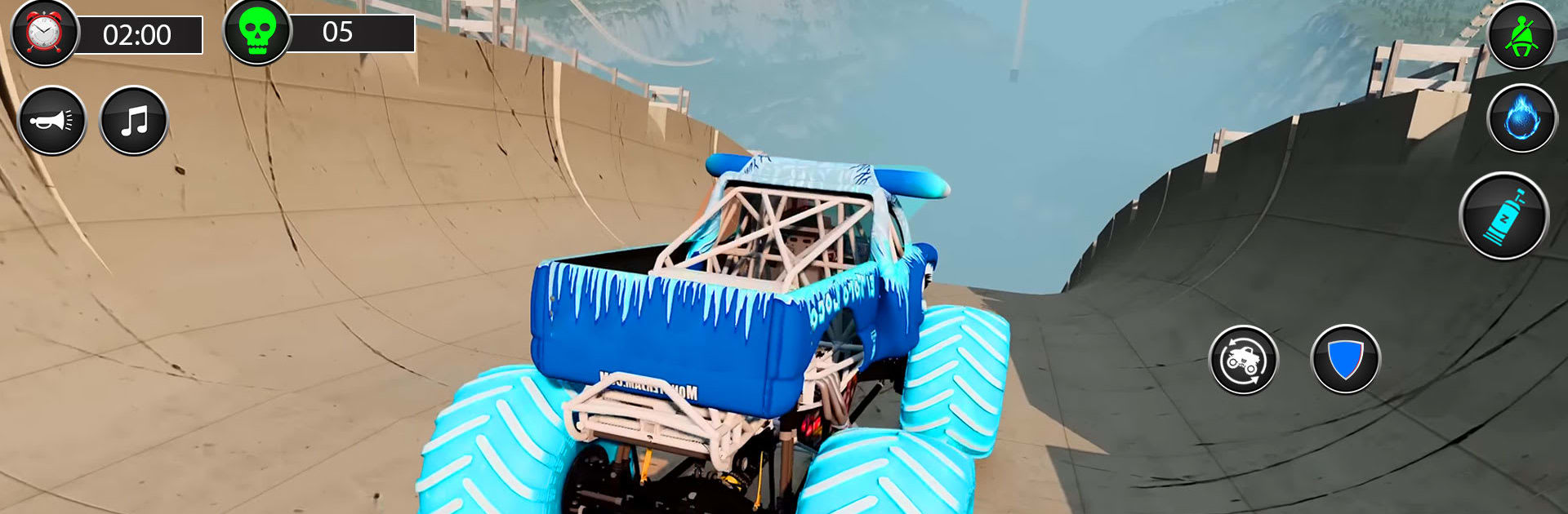
Crazy Monster Truck Derby Game

Crazy Monster Truck Derby Game

Racing

| Soft Creation Games

Play on PC with BlueStacks or from our cloud

  • Overview
  • Game Features
  • How to Play

Page Modified On: July 27, 2026

Play Crazy Monster Truck Derby Game on PC or Mac

Play Crazy Monster Truck Derby Game by Soft Creation Games on PC or Mac with BlueStacks. Use a bigger screen, mouse and keyboard controls, and smoother performance while you play.

About the Game

Crazy Monster Truck Derby Game throws you behind the wheel of hulking trucks and lets you cause glorious chaos. It’s a Racing blast that blends high-flying stunts with full-throttle smash-ups, so one moment you’re soaring off a mega ramp and the next you’re trading paint in a steel-crunching arena. Expect fast action, tight handling, and plenty of “did I just land that?” moments. Prefer playing on a bigger screen? It runs smoothly on BlueStacks, too.

Game Features

  • Two Core Modes: Jump into stunt runs for big air and tricky courses, or switch to demolition battles where the only rule is to outlast everything that hits you.
  • Mega Ramps & Wild Tracks: Tackle towering ramps, sharp angles, and “no way that’s possible” layouts that reward gutsy driving.
  • Smash-and-Survive Derby: Ram rivals, time your hits, and use the arena walls to your advantage—combat driving absolutely counts here.
  • Weighty, Real-Feel Physics: Trucks lean, land, and slide like the beasts they are, making every jump and collision feel satisfyingly physical.
  • Quick-to-Grasp Controls: Responsive steering and clean inputs keep the focus on timing, angles, and throttle control instead of fighting the UI.
  • Big, Bad Trucks: Choose from aggressive, custom-built machines with snarling grilles and thunderous engines that sound as mean as they look.
  • Dynamic Views & Effects: Swap camera angles, soak in dust trails and sparks, and stay locked on the action from the best seat in the house.
  • Gritty Audio: From turbo whines to metal-on-metal crunches, the sound design sells every landing, drift, and devastating hit.

Get ready for a buttery smooth, high-performance gaming action only on BlueStacks.

Game Features

Enhancements

  • Macros
  • Multi Instance
  • Multi Instance Sync
  • Script
  • Enhancements
Macros

Macros

Automate the predictable in Crazy Monster Truck Derby Game and transform your gameplay with Macros. Get access to inventive Macros in the BlueStacks Macro Community
Multi Instance

Multi Instance

Play Crazy Monster Truck Derby Game on one window. And chat with your friend on the other. Press CTRL + Shift + 8 to open the Multi-Instance Manager. And start creating fresh instances or clone an existing one.
Multi Instance Sync

Multi Instance Sync

Play Crazy Monster Truck Derby Game with the power of Multi-Instance Sync. Replicate what you are doing on the main instance on all other instances. Level up faster, play more.
Script

Script

Script your way to gaming glory in Crazy Monster Truck Derby Game with BlueStacks Script. Write and run a set of commands to automate repeated tasks. Trigger the command by assigning it to any key.
Read More

How to Download and Play Crazy Monster Truck Derby Game on PC or Mac

  • Download and install BlueStacks on your PC or Mac

  • Complete Google sign-in to access the Play Store, or do it later

  • Look for Crazy Monster Truck Derby Game in the search bar at the top right corner

  • Click to install Crazy Monster Truck Derby Game from the search results

  • Complete Google sign-in (if you skipped step 2) to install Crazy Monster Truck Derby Game

  • Click the Crazy Monster Truck Derby Game icon on the home screen to start playing

video
Watch Video

Minimum System Requirements

With BlueStacks 5, you can get started on a PC that fulfills the following requirements.

  • Operating System

    Microsoft Windows 7 or above, macOS 11 (Big Sur) or above

  • Processor

    Intel, AMD or Apple Silicon Processor

  • RAM

    at least 4GB

  • HDD

    10GB Free Disk Space

Note:

* You must be an Administrator on your PC. Up to date graphics drivers from Microsoft or the chipset vendor.

Crazy Monster Truck Derby Game - FAQs

  • How to play Crazy Monster Truck Derby Game on Windows PC & Mac?

    Play Crazy Monster Truck Derby Game on your PC or Mac by following these simple steps.

    • Click on 'Play Crazy Monster Truck Derby Game on PC’ to download BlueStacks
    • Install it and log-in to Google Play Store
    • Launch and play the game.
  • Why is BlueStacks the fastest and safest platform to play games on PC?

    BlueStacks respects your privacy and is always safe and secure to use. It does not carry any malware, spyware, or any sort of additional software that could harm your PC.

    It is engineered to optimize speed and performance for a seamless gaming experience.

  • What are Crazy Monster Truck Derby Game PC requirements?

    Minimum requirement to run Crazy Monster Truck Derby Game on your PC

    • OS: Microsoft Windows 7 or above MacOS 11 (Big Sur) or above
    • Processor: Intel, AMD or Apple Silicon Processor
    • RAM: Your PC must have at least 4GB of RAM. (Note that having 4GB or more disk space is not a substitute for RAM)
    • HDD: 10GB Free Disk Space.
    • You must be an Administrator on your PC.