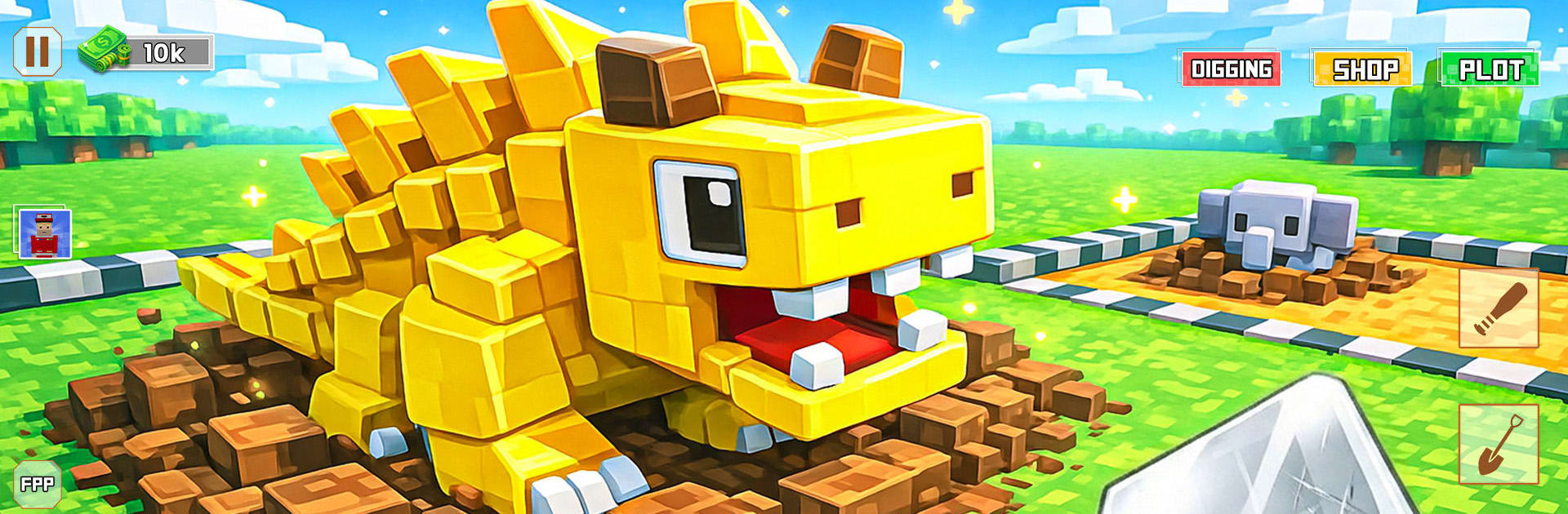
Dig to Find a Memerots

Dig to Find a Memerots

Racing

| SURVIVAL TECH VALLEY PRIVATE LIMITED

Play on PC with BlueStacks or from our cloud

  • Overview
  • Game Features
  • How to Play

Page Modified On: April 07, 2026

Play Dig to Find a Memerots on PC or Mac

Join millions to experience Dig to Find a Memerots, an exciting Racing game from SURVIVAL TECH VALLEY PRIVATE LIMITED. With BlueStacks App Player, you are always a step ahead of your opponent, ready to outplay them with faster gameplay and better control with the mouse and keyboard on your PC or Mac.

About the Game

Dig to Find a Memerots from SURVIVAL TECH VALLEY PRIVATE LIMITED blends creature collecting with a hands-on digging adventure. You’re tunneling for hidden eggs, cracking them open to meet oddball Memerots, then feeding, training, and evolving your best finds while expanding a quirky base. It sits in the Racing genre, but the rush here is the fast hunt for rarities and the steady push to grow a powerhouse collection.

Game Features

  • Dig For Secrets: Chip through different terrains to uncover buried eggs and the surprises inside.
  • Hatch With Care: Open eggs to reveal Memerots that range from common to rare and even legendary, each with distinct looks and behavior.
  • Train And Evolve: Feed, train, and evolve your crew to unlock new abilities that change how you play.
  • Build Your Grounds: Expand habitats, upgrade hatching zones, and dress up your space with playful decorations.
  • Missions And Events: Tackle goals, daily challenges, and time-limited events to earn coins, items, and special rewards.
  • Personality-Packed Creatures: Some Memerots are mischievous, others super helpful—certain ones even boost you in mini games.
  • Collection Momentum: The more unique Memerots you gather, the stronger and more versatile your lineup becomes.
  • Smooth And Colorful: Snappy touch controls, lively animations, and bright visuals keep everything light and responsive.
  • Offline Friendly: No connection? No problem. Keep digging and hatching anytime, anywhere.
  • BlueStacks Option: Prefer a bigger screen and easy controls? It plays nicely on BlueStacks without changing the core feel.

Slay your opponents with your epic moves. Play it your way on BlueStacks and dominate the battlefield.


Game Features

Enhancements

  • Macros
  • Multi Instance
  • Multi Instance Sync
  • Script
  • Enhancements
Macros

Macros

Automate the predictable in Dig to Find a Memerots and transform your gameplay with Macros. Get access to inventive Macros in the BlueStacks Macro Community
Multi Instance

Multi Instance

Play Dig to Find a Memerots on one window. And chat with your friend on the other. Press CTRL + Shift + 8 to open the Multi-Instance Manager. And start creating fresh instances or clone an existing one.
Multi Instance Sync

Multi Instance Sync

Play Dig to Find a Memerots with the power of Multi-Instance Sync. Replicate what you are doing on the main instance on all other instances. Level up faster, play more.
Script

Script

Script your way to gaming glory in Dig to Find a Memerots with BlueStacks Script. Write and run a set of commands to automate repeated tasks. Trigger the command by assigning it to any key.
Read More

How to Download and Play Dig to Find a Memerots on PC or Mac

  • Download and install BlueStacks on your PC or Mac

  • Complete Google sign-in to access the Play Store, or do it later

  • Look for Dig to Find a Memerots in the search bar at the top right corner

  • Click to install Dig to Find a Memerots from the search results

  • Complete Google sign-in (if you skipped step 2) to install Dig to Find a Memerots

  • Click the Dig to Find a Memerots icon on the home screen to start playing

video
Watch Video

Minimum System Requirements

With BlueStacks 5, you can get started on a PC that fulfills the following requirements.

  • Operating System

    Microsoft Windows 7 or above, macOS 11 (Big Sur) or above

  • Processor

    Intel, AMD or Apple Silicon Processor

  • RAM

    at least 4GB

  • HDD

    10GB Free Disk Space

Note:

* You must be an Administrator on your PC. Up to date graphics drivers from Microsoft or the chipset vendor.

Dig to Find a Memerots - FAQs

  • How to play Dig to Find a Memerots on Windows PC & Mac?

    Play Dig to Find a Memerots on your PC or Mac by following these simple steps.

    • Click on 'Play Dig to Find a Memerots on PC’ to download BlueStacks
    • Install it and log-in to Google Play Store
    • Launch and play the game.
  • Why is BlueStacks the fastest and safest platform to play games on PC?

    BlueStacks respects your privacy and is always safe and secure to use. It does not carry any malware, spyware, or any sort of additional software that could harm your PC.

    It is engineered to optimize speed and performance for a seamless gaming experience.

  • What are Dig to Find a Memerots PC requirements?

    Minimum requirement to run Dig to Find a Memerots on your PC

    • OS: Microsoft Windows 7 or above MacOS 11 (Big Sur) or above
    • Processor: Intel, AMD or Apple Silicon Processor
    • RAM: Your PC must have at least 4GB of RAM. (Note that having 4GB or more disk space is not a substitute for RAM)
    • HDD: 10GB Free Disk Space.
    • You must be an Administrator on your PC.