Drag Bike 201m Sunmori

Drag Bike 201m Sunmori

Racing

| Mari Berkembang

Play on PC with BlueStacks or from our cloud

  • Overview
  • Game Features
  • How to Play

Page Modified On: November 18, 2026

Play Drag Bike 201m Sunmori on PC or Mac

Step into the World of Drag Bike 201m Sunmori, a thrilling Racing game from the house of Mari Berkembang. Play this Android game on BlueStacks App Player and experience immersive gaming on PC or Mac.

About the Game

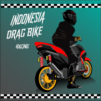
Drag Bike 201m Sunmori drops you into Indonesia’s street scene where quick hands and calm nerves decide who’s quickest. It’s a lean, no-nonsense Racing game built around blistering 201‑meter sprints, 800‑meter blasts, circuit battles, and laid-back sunmori cruises through a living city. Prefer a bigger view? You can play on PC with BlueStacks without changing the feel.

Game Features

  • Four distinct ways to ride: Pick between 201 m sprints, 800 m top‑speed pulls, corner‑heavy circuit bouts, or relaxed open‑world sunmori sessions.
  • Spontaneous 400 m duels: Ease up next to another rider and a heads‑up challenge appears—win for full coins, lose and you still pocket half.
  • Deep bike builds: Start with five base machines and customize everything—swap rims and exhausts across bikes, choose full bodywork or go half‑faired, and kit out your rider with matching helmets and jackets.
  • Strip-to-frame style: Peel it all back for that raw, bare‑frame look with spoked rims and underbone pipes, then tweak until it feels truly yours.
  • Physics with bite: Launch too hard and you’ll wheelie; grab too much front brake and you’ll stoppie; push past the limit and ragdoll tumbles, tire smoke, and exhaust backfires tell the whole story.
  • A city that actually moves: Traffic flows in lanes, pedestrians cross, and streetlights kick on at dusk—cruise slow or weave through until someone bites on a challenge.
  • Day-to-night immersion: Watch the sky shift as you ride, changing the vibe—and the way each run feels—without touching a menu.
  • Scalable visuals: SD, HD, and FHD options let you tune crispness and performance to match your device.
  • Offline whenever: Run sprints, tweak builds, or roam the city with no internet required.
  • Earn and invest: Every finish pays coins—stack your winnings, unlock new bikes, and fund the next round of mods.

Ready to top the leaderboard? We bet you do. Let precise controls and sharp visuals optimized on BlueStacks lead you to victory.


Game Features

Enhancements

  • Macros
  • Multi Instance
  • Multi Instance Sync
  • Script
  • Enhancements
Macros

Macros

Automate the predictable in Drag Bike 201m Sunmori and transform your gameplay with Macros. Get access to inventive Macros in the BlueStacks Macro Community
Multi Instance

Multi Instance

Play Drag Bike 201m Sunmori on one window. And chat with your friend on the other. Press CTRL + Shift + 8 to open the Multi-Instance Manager. And start creating fresh instances or clone an existing one.
Multi Instance Sync

Multi Instance Sync

Play Drag Bike 201m Sunmori with the power of Multi-Instance Sync. Replicate what you are doing on the main instance on all other instances. Level up faster, play more.
Script

Script

Script your way to gaming glory in Drag Bike 201m Sunmori with BlueStacks Script. Write and run a set of commands to automate repeated tasks. Trigger the command by assigning it to any key.
Read More

How to Download and Play Drag Bike 201m Sunmori on PC or Mac

  • Download and install BlueStacks on your PC or Mac

  • Complete Google sign-in to access the Play Store, or do it later

  • Look for Drag Bike 201m Sunmori in the search bar at the top right corner

  • Click to install Drag Bike 201m Sunmori from the search results

  • Complete Google sign-in (if you skipped step 2) to install Drag Bike 201m Sunmori

  • Click the Drag Bike 201m Sunmori icon on the home screen to start playing

video
Watch Video

Minimum System Requirements

With BlueStacks 5, you can get started on a PC that fulfills the following requirements.

  • Operating System

    Microsoft Windows 7 or above, macOS 11 (Big Sur) or above

  • Processor

    Intel, AMD or Apple Silicon Processor

  • RAM

    at least 4GB

  • HDD

    10GB Free Disk Space

Note:

* You must be an Administrator on your PC. Up to date graphics drivers from Microsoft or the chipset vendor.

Drag Bike 201m Sunmori - FAQs

  • How to play Drag Bike 201m Sunmori on Windows PC & Mac?

    Play Drag Bike 201m Sunmori on your PC or Mac by following these simple steps.

    • Click on 'Play Drag Bike 201m Sunmori on PC’ to download BlueStacks
    • Install it and log-in to Google Play Store
    • Launch and play the game.
  • Why is BlueStacks the fastest and safest platform to play games on PC?

    BlueStacks respects your privacy and is always safe and secure to use. It does not carry any malware, spyware, or any sort of additional software that could harm your PC.

    It is engineered to optimize speed and performance for a seamless gaming experience.

  • What are Drag Bike 201m Sunmori PC requirements?

    Minimum requirement to run Drag Bike 201m Sunmori on your PC

    • OS: Microsoft Windows 7 or above MacOS 11 (Big Sur) or above
    • Processor: Intel, AMD or Apple Silicon Processor
    • RAM: Your PC must have at least 4GB of RAM. (Note that having 4GB or more disk space is not a substitute for RAM)
    • HDD: 10GB Free Disk Space.
    • You must be an Administrator on your PC.