DUST: Dirt ATV Offroad Racing

DUST: Dirt ATV Offroad Racing

Racing

| Vira Games Inc.

Play on PC with BlueStacks or from our cloud

  • Overview
  • Game Features
  • How to Play

Page Modified On: June 25, 2026

Play DUST: Dirt ATV Offroad Racing on PC or Mac

DUST: Dirt ATV Offroad Racing brings the Racing genre to life, and throws up exciting challenges for gamers. Developed by Vira Games Inc., this Android game is best experienced on BlueStacks, the World’s #1 app player for PC and Mac users.

About the Game

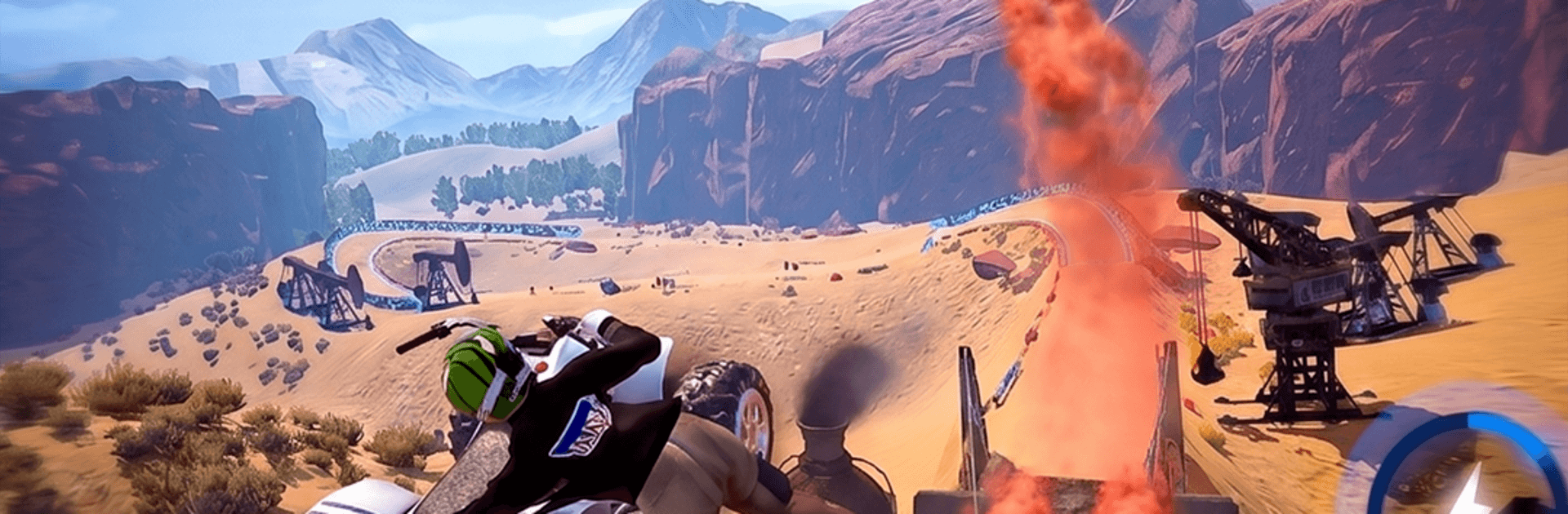
DUST: Dirt ATV Offroad Racing is all about wrestling a powerful quad across gnarly terrain and somehow making it look smooth. It’s gritty, fast, and a little chaotic—in a good way. Expect tight sprints, messy mud sections, and that constant tug-of-war between traction and speed that makes offroad Racing so satisfying.

Game Features

  • Built for ATVs: Handling is tuned for four wheelers—weight shifts matter, throttle control matters, and keeping the tires hooked up is half the game.
  • Surfaces with personality: Mud drags you down, loose dirt squirms under the wheels, and rocky patches kick the bike around. Hills, ruts, and jumps keep every lap unpredictable.
  • Real competition: Once you’re past the tutorial, it’s you versus a hungry pack. Rivals block, bump, and fight for lines, so clean passes actually feel earned.
  • Fast events and routes: Hit short sprints, hill climbs, mixed-surface circuits, and challenge missions spread across rugged trails and mountain paths.
  • Upgrade and tune: Boost speed, acceleration, grip, suspension, and handling. Tinker with your setup until it matches your riding style and the track conditions.
  • Skill-first controls: Feather the throttle in mud, brake early for off-camber turns, and land jumps straight—or pay for it on the next corner.
  • Gritty 3D presentation: Dust clouds, clattering bumps, and chunky terrain sell the feel of real offroading without getting in your way.
  • Play your way: Prefer a bigger screen and steady performance on PC? Running it with BlueStacks keeps things smooth and comfortable.

Start playing DUST: Dirt ATV Offroad Racing on BlueStacks and get a smoother, more comfortable PC or Mac setup.


Game Features

Enhancements

  • Macros
  • Multi Instance
  • Multi Instance Sync
  • Script
  • Enhancements
Macros

Macros

Automate the predictable in DUST: Dirt ATV Offroad Racing and transform your gameplay with Macros. Get access to inventive Macros in the BlueStacks Macro Community
Multi Instance

Multi Instance

Play DUST: Dirt ATV Offroad Racing on one window. And chat with your friend on the other. Press CTRL + Shift + 8 to open the Multi-Instance Manager. And start creating fresh instances or clone an existing one.
Multi Instance Sync

Multi Instance Sync

Play DUST: Dirt ATV Offroad Racing with the power of Multi-Instance Sync. Replicate what you are doing on the main instance on all other instances. Level up faster, play more.
Script

Script

Script your way to gaming glory in DUST: Dirt ATV Offroad Racing with BlueStacks Script. Write and run a set of commands to automate repeated tasks. Trigger the command by assigning it to any key.
Read More

How to Download and Play DUST: Dirt ATV Offroad Racing on PC or Mac

  • Download and install BlueStacks on your PC or Mac

  • Complete Google sign-in to access the Play Store, or do it later

  • Look for DUST: Dirt ATV Offroad Racing in the search bar at the top right corner

  • Click to install DUST: Dirt ATV Offroad Racing from the search results

  • Complete Google sign-in (if you skipped step 2) to install DUST: Dirt ATV Offroad Racing

  • Click the DUST: Dirt ATV Offroad Racing icon on the home screen to start playing

video
Watch Video

Minimum System Requirements

With BlueStacks 5, you can get started on a PC that fulfills the following requirements.

  • Operating System

    Microsoft Windows 7 or above, macOS 11 (Big Sur) or above

  • Processor

    Intel, AMD or Apple Silicon Processor

  • RAM

    at least 4GB

  • HDD

    10GB Free Disk Space

Note:

* You must be an Administrator on your PC. Up to date graphics drivers from Microsoft or the chipset vendor.

DUST: Dirt ATV Offroad Racing - FAQs

  • How to play DUST: Dirt ATV Offroad Racing on Windows PC & Mac?

    Play DUST: Dirt ATV Offroad Racing on your PC or Mac by following these simple steps.

    • Click on 'Play DUST: Dirt ATV Offroad Racing on PC’ to download BlueStacks
    • Install it and log-in to Google Play Store
    • Launch and play the game.
  • Why is BlueStacks the fastest and safest platform to play games on PC?

    BlueStacks respects your privacy and is always safe and secure to use. It does not carry any malware, spyware, or any sort of additional software that could harm your PC.

    It is engineered to optimize speed and performance for a seamless gaming experience.

  • What are DUST: Dirt ATV Offroad Racing PC requirements?

    Minimum requirement to run DUST: Dirt ATV Offroad Racing on your PC

    • OS: Microsoft Windows 7 or above MacOS 11 (Big Sur) or above
    • Processor: Intel, AMD or Apple Silicon Processor
    • RAM: Your PC must have at least 4GB of RAM. (Note that having 4GB or more disk space is not a substitute for RAM)
    • HDD: 10GB Free Disk Space.
    • You must be an Administrator on your PC.