Grau Favela: RETRO
Grau Favela: RETRO

Grau Favela: RETRO

Racing

| Pio Games

Play on PC with BlueStacks or from our cloud

  • Overview
  • Game Features
  • How to Play

Page Modified On: November 28, 2025

Play Grau Favela: RETRO on PC or Mac

Step into the World of Grau Favela: RETRO, a thrilling Racing game from the house of Pio Games. Play this Android game on BlueStacks App Player and experience immersive gaming on PC or Mac.

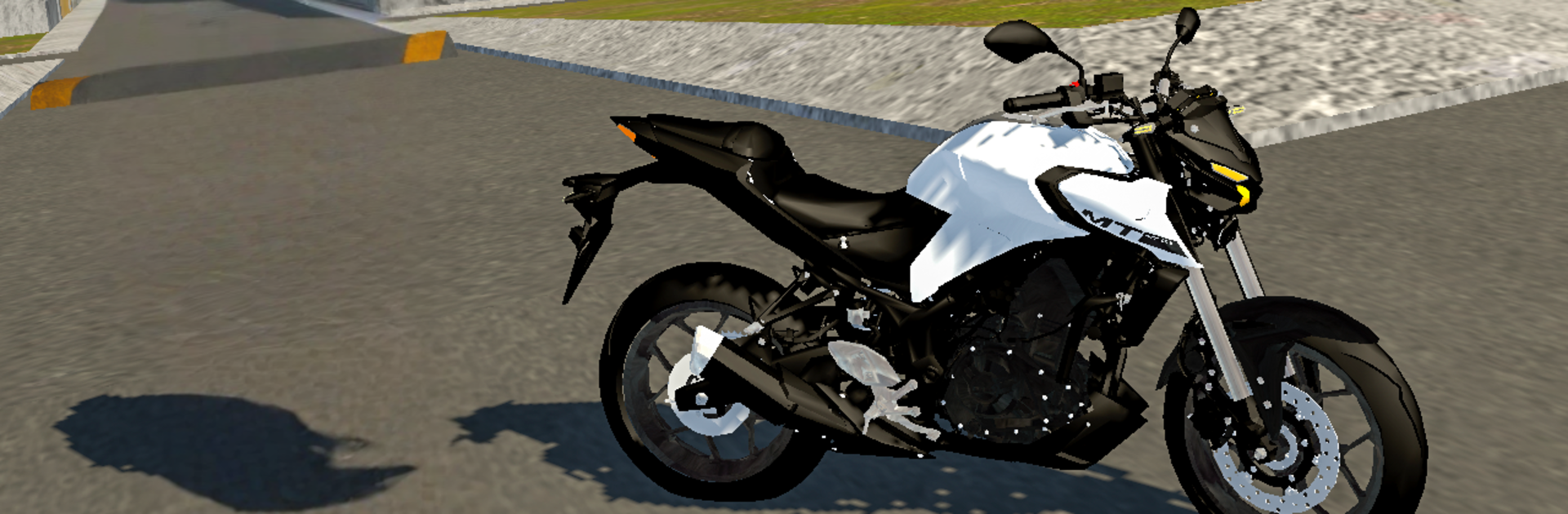
Grau Favela: RETRO feels like a throwback to the early days of the series, in a good way. It is all about Brazilian street bikes and stunt riding, so the fun is balancing throttle and brake to keep that front wheel up while weaving through tight streets. The physics have that raw, old-school charm where the bike has weight, the rear tire bites, and a tiny mistake means an instant flip. There is traffic to slip past, an escape mode that pushes quick decisions in alleys and corners, and a pillion option that puts a passenger on the back, which actually changes how the bike lifts and turns. It sounds small, but it really shifts the feel and makes clean wheelies harder to hold.

The workshop is a big piece. Players can tweak and dress up different Brazilian motorcycles, swap parts, change paint, and chase that specific stance or growl. Nothing is too fancy visually, but the streets and favelas have character, and the bikes carry the show anyway. On PC with BlueStacks it runs smoother and the controls are easier to map to keyboard or a pad, so keeping angle during long wheelies is way less of a fight. It plays more like a stunt playground than a straight racing game, and that is the point. If someone loves bike culture, lane splitting, and practicing control until it clicks, this scratches that itch.

Slay your opponents with your epic moves. Play it your way on BlueStacks and dominate the battlefield.


Game Features

Enhancements

  • Macros
  • Multi Instance
  • Multi Instance Sync
  • Script
  • Enhancements
Macros

Macros

Automate the predictable in Grau Favela: RETRO and transform your gameplay with Macros. Get access to inventive Macros in the BlueStacks Macro Community
Multi Instance

Multi Instance

Play Grau Favela: RETRO on one window. And chat with your friend on the other. Press CTRL + Shift + 8 to open the Multi-Instance Manager. And start creating fresh instances or clone an existing one.
Multi Instance Sync

Multi Instance Sync

Play Grau Favela: RETRO with the power of Multi-Instance Sync. Replicate what you are doing on the main instance on all other instances. Level up faster, play more.
Script

Script

Script your way to gaming glory in Grau Favela: RETRO with BlueStacks Script. Write and run a set of commands to automate repeated tasks. Trigger the command by assigning it to any key.
Read More

How to Download and Play Grau Favela: RETRO on PC or Mac

  • Download and install BlueStacks on your PC or Mac

  • Complete Google sign-in to access the Play Store, or do it later

  • Look for Grau Favela: RETRO in the search bar at the top right corner

  • Click to install Grau Favela: RETRO from the search results

  • Complete Google sign-in (if you skipped step 2) to install Grau Favela: RETRO

  • Click the Grau Favela: RETRO icon on the home screen to start playing

video
Watch Video

Minimum System Requirements

With BlueStacks 5, you can get started on a PC that fulfills the following requirements.

  • Operating System

    Microsoft Windows 7 or above, macOS 11 (Big Sur) or above

  • Processor

    Intel, AMD or Apple Silicon Processor

  • RAM

    at least 4GB

  • HDD

    10GB Free Disk Space

Note:

* You must be an Administrator on your PC. Up to date graphics drivers from Microsoft or the chipset vendor.

Grau Favela: RETRO - FAQs

  • How to play Grau Favela: RETRO on Windows PC & Mac?

    Play Grau Favela: RETRO on your PC or Mac by following these simple steps.

    • Click on 'Play Grau Favela: RETRO on PC’ to download BlueStacks
    • Install it and log-in to Google Play Store
    • Launch and play the game.
  • Why is BlueStacks the fastest and safest platform to play games on PC?

    BlueStacks respects your privacy and is always safe and secure to use. It does not carry any malware, spyware, or any sort of additional software that could harm your PC.

    It is engineered to optimize speed and performance for a seamless gaming experience.

  • What are Grau Favela: RETRO PC requirements?

    Minimum requirement to run Grau Favela: RETRO on your PC

    • OS: Microsoft Windows 7 or above MacOS 11 (Big Sur) or above
    • Processor: Intel, AMD or Apple Silicon Processor
    • RAM: Your PC must have at least 4GB of RAM. (Note that having 4GB or more disk space is not a substitute for RAM)
    • HDD: 10GB Free Disk Space.
    • You must be an Administrator on your PC.