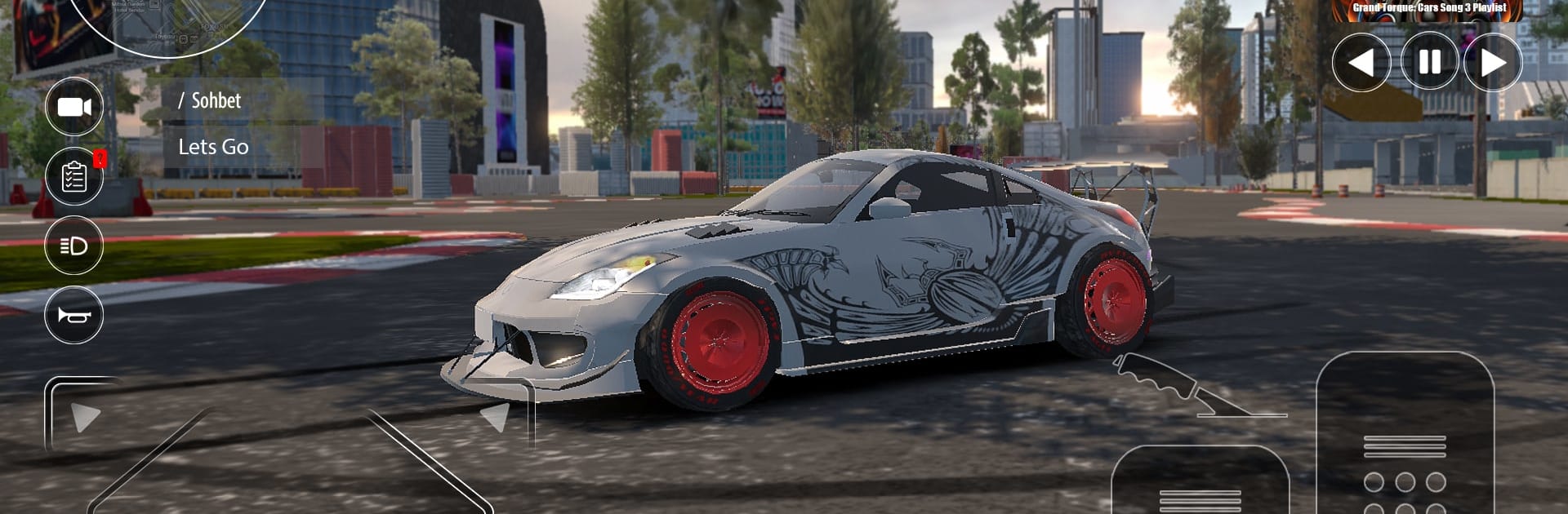
Grand Torque: Cars
Grand Torque: Cars

Grand Torque: Cars

Racing

| Webperon Games

Play on PC with BlueStacks or from our cloud

  • Overview
  • Game Features
  • How to Play

Page Modified On: July 14, 2026

Play Grand Torque: Cars on PC or Mac

Grand Torque: Cars by Webperon Games has plenty to keep you busy. BlueStacks lets you play it on PC or Mac with more screen space, better control, and fewer mobile limits.

About the Game

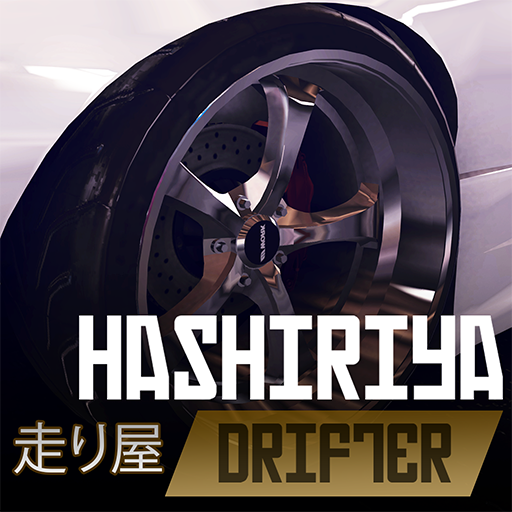
Grand Torque: Cars is a Racing sandbox for people who love the feel of real cars under their fingertips. It’s all about freedom: cruise a big open map, slide through corners, chase personal bests, or jump straight into organized races. The physics lean toward realism, so every tweak you make—tires, suspension, power—actually changes how your ride behaves.

Game Features

  • Open-world driving: Roam a wide, seamless city and surrounding roads, pick up activities as you spot them, and deal with living traffic that keeps you on your toes.
  • Real handling model: Weight transfer, grip, and throttle response matter here, whether you’re feathering a drift or going for a clean, grippy line.
  • Missions and races: Tackle drifting challenges, checkpoint sprints, and longer races to progress and unlock more toys to tune.
  • Body kits and wheels: Swap bumpers, skirts, spoilers, and wheels to shape a look that’s yours—not just a paint swap.
  • Paint and wraps: Go matte, metallic, or special-finish, then layer vinyls and full-car wraps to build a livery that pops.
  • Performance tuning: Bump engine output, dial in suspension height and stiffness, and balance handling for drift or race setups.
  • Authentic car audio: Engines growl, turbos whistle, and exhausts crackle—sounds that make every pull feel satisfying.
  • Crisp visuals: Clean lighting and detailed models showcase your custom build from any angle.
  • Play your style: Cruise, drift, or chase lap times—switch it up whenever the mood changes.
  • PC-friendly option: Prefer a keyboard or gamepad? You can play on BlueStacks for smooth controls and steady performance.

Ready to top the leaderboard? We bet you do. Let precise controls and sharp visuals optimized on BlueStacks lead you to victory.


Game Features

Enhancements

  • Macros
  • Multi Instance
  • Multi Instance Sync
  • Script
  • Enhancements
Macros

Macros

Automate the predictable in Grand Torque: Cars and transform your gameplay with Macros. Get access to inventive Macros in the BlueStacks Macro Community
Multi Instance

Multi Instance

Play Grand Torque: Cars on one window. And chat with your friend on the other. Press CTRL + Shift + 8 to open the Multi-Instance Manager. And start creating fresh instances or clone an existing one.
Multi Instance Sync

Multi Instance Sync

Play Grand Torque: Cars with the power of Multi-Instance Sync. Replicate what you are doing on the main instance on all other instances. Level up faster, play more.
Script

Script

Script your way to gaming glory in Grand Torque: Cars with BlueStacks Script. Write and run a set of commands to automate repeated tasks. Trigger the command by assigning it to any key.
Read More

How to Download and Play Grand Torque: Cars on PC or Mac

  • Download and install BlueStacks on your PC or Mac

  • Complete Google sign-in to access the Play Store, or do it later

  • Look for Grand Torque: Cars in the search bar at the top right corner

  • Click to install Grand Torque: Cars from the search results

  • Complete Google sign-in (if you skipped step 2) to install Grand Torque: Cars

  • Click the Grand Torque: Cars icon on the home screen to start playing

video
Watch Video

Minimum System Requirements

With BlueStacks 5, you can get started on a PC that fulfills the following requirements.

  • Operating System

    Microsoft Windows 7 or above, macOS 11 (Big Sur) or above

  • Processor

    Intel, AMD or Apple Silicon Processor

  • RAM

    at least 4GB

  • HDD

    10GB Free Disk Space

Note:

* You must be an Administrator on your PC. Up to date graphics drivers from Microsoft or the chipset vendor.

Grand Torque: Cars - FAQs

  • How to play Grand Torque: Cars on Windows PC & Mac?

    Play Grand Torque: Cars on your PC or Mac by following these simple steps.

    • Click on 'Play Grand Torque: Cars on PC’ to download BlueStacks
    • Install it and log-in to Google Play Store
    • Launch and play the game.
  • Why is BlueStacks the fastest and safest platform to play games on PC?

    BlueStacks respects your privacy and is always safe and secure to use. It does not carry any malware, spyware, or any sort of additional software that could harm your PC.

    It is engineered to optimize speed and performance for a seamless gaming experience.

  • What are Grand Torque: Cars PC requirements?

    Minimum requirement to run Grand Torque: Cars on your PC

    • OS: Microsoft Windows 7 or above MacOS 11 (Big Sur) or above
    • Processor: Intel, AMD or Apple Silicon Processor
    • RAM: Your PC must have at least 4GB of RAM. (Note that having 4GB or more disk space is not a substitute for RAM)
    • HDD: 10GB Free Disk Space.
    • You must be an Administrator on your PC.