Heavy Machines & Mining

Heavy Machines & Mining

Simulation

| Webperon Games

Play on PC with BlueStacks or from our cloud

  • Overview
  • Game Features
  • How to Play

Page Modified On: December 22, 2025

Play Heavy Machines & Mining on PC or Mac

Explore a whole new adventure with Heavy Machines & Mining, a Simulation game created by Webperon Games. Experience great gameplay with BlueStacks, the most popular gaming platform to play Android games on your PC or Mac.

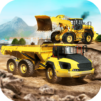
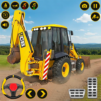
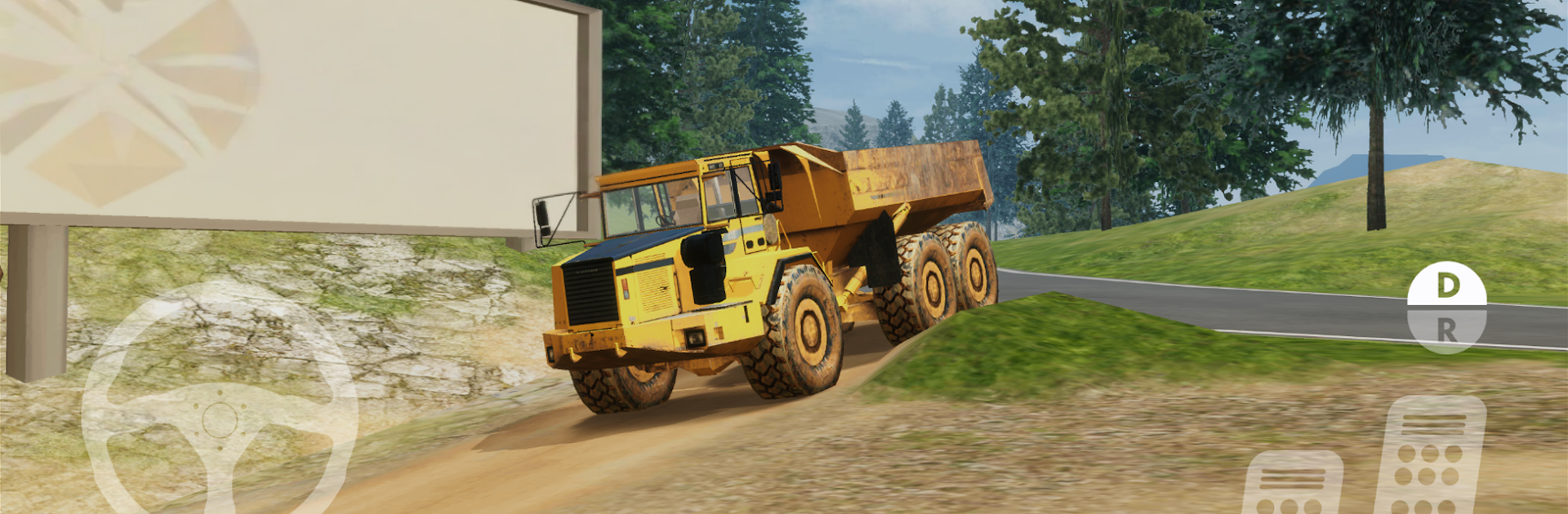
Heavy Machines & Mining feels like a big sandbox for anyone who likes heavy gear and slow, careful jobs. It drops the player into mining pits, road work zones, tunnels under construction, even house and bridge projects, then hands over the keys to a whole fleet. One minute it is an excavator digging a trench and loading a dump truck, the next it is a dozer pushing soil or a grader trying to smooth a lane without leaving ugly ripples. There are lowbed haulers for moving equipment, rollers for compacting, cranes for lifting, a conveyor system that keeps materials flowing, plus loaders, trucks, and a bagger style excavator. The machines have weight and momentum, so climbing a steep gravel road with a full load actually makes the truck grunt, and brakes need planning or the trailer starts to snake. The audio sells it too, with clattery diesel sounds and hydraulic hiss that make each task feel grounded.

The maps throw a lot at the player. Tight mountain passes, muddy cutbacks, long highways with traffic that does not always care about giant machines turning, and weather that shifts between clear sun, rain, maybe fog, so visibility and grip change. The camera is helpful but needs a bit of practice, same with the arm controls on the excavators, which are precise but unforgiving if rushed. On PC with BlueStacks, the mouse look and keyboard mapping make steering and crane movement easier, and the bigger screen helps spot markers and edges before a wheel slips off. It looks clean, runs steady, and the jobs are varied enough that it never feels like the same loop. It is not a fast game. It rewards patience, neat work, and that quiet satisfaction when a bridge span lines up or a truck load reaches the site without tipping.

Make your gaming sessions memorable with precise controls that give you an edge in close combats and visuals that pop up, bringing every character to life.


Game Features

Enhancements

  • Macros
  • Multi Instance
  • Multi Instance Sync
  • Script
  • Enhancements
Macros

Macros

Automate the predictable in Heavy Machines & Mining and transform your gameplay with Macros. Get access to inventive Macros in the BlueStacks Macro Community
Multi Instance

Multi Instance

Play Heavy Machines & Mining on one window. And chat with your friend on the other. Press CTRL + Shift + 8 to open the Multi-Instance Manager. And start creating fresh instances or clone an existing one.
Multi Instance Sync

Multi Instance Sync

Play Heavy Machines & Mining with the power of Multi-Instance Sync. Replicate what you are doing on the main instance on all other instances. Level up faster, play more.
Script

Script

Script your way to gaming glory in Heavy Machines & Mining with BlueStacks Script. Write and run a set of commands to automate repeated tasks. Trigger the command by assigning it to any key.
Read More

How to Download and Play Heavy Machines & Mining on PC or Mac

  • Download and install BlueStacks on your PC or Mac

  • Complete Google sign-in to access the Play Store, or do it later

  • Look for Heavy Machines & Mining in the search bar at the top right corner

  • Click to install Heavy Machines & Mining from the search results

  • Complete Google sign-in (if you skipped step 2) to install Heavy Machines & Mining

  • Click the Heavy Machines & Mining icon on the home screen to start playing

video
Watch Video

Minimum System Requirements

With BlueStacks 5, you can get started on a PC that fulfills the following requirements.

  • Operating System

    Microsoft Windows 7 or above, macOS 11 (Big Sur) or above

  • Processor

    Intel, AMD or Apple Silicon Processor

  • RAM

    at least 4GB

  • HDD

    10GB Free Disk Space

Note:

* You must be an Administrator on your PC. Up to date graphics drivers from Microsoft or the chipset vendor.

Heavy Machines & Mining - FAQs

  • How to play Heavy Machines & Mining on Windows PC & Mac?

    Play Heavy Machines & Mining on your PC or Mac by following these simple steps.

    • Click on 'Play Heavy Machines & Mining on PC’ to download BlueStacks
    • Install it and log-in to Google Play Store
    • Launch and play the game.
  • Why is BlueStacks the fastest and safest platform to play games on PC?

    BlueStacks respects your privacy and is always safe and secure to use. It does not carry any malware, spyware, or any sort of additional software that could harm your PC.

    It is engineered to optimize speed and performance for a seamless gaming experience.

  • What are Heavy Machines & Mining PC requirements?

    Minimum requirement to run Heavy Machines & Mining on your PC

    • OS: Microsoft Windows 7 or above MacOS 11 (Big Sur) or above
    • Processor: Intel, AMD or Apple Silicon Processor
    • RAM: Your PC must have at least 4GB of RAM. (Note that having 4GB or more disk space is not a substitute for RAM)
    • HDD: 10GB Free Disk Space.
    • You must be an Administrator on your PC.