Merge to Fight: Smashy Car

Merge to Fight: Smashy Car

Racing

| Pi_game

Play on PC with BlueStacks or from our cloud

  • Overview
  • Game Features
  • How to Play

Page Modified On: May 25, 2026

Play Merge to Fight: Smashy Car on PC or Mac

Merge to Fight: Smashy Car by Pi_game has plenty to keep you busy. BlueStacks lets you play it on PC or Mac with more screen space, better control, and fewer mobile limits.

About the Game

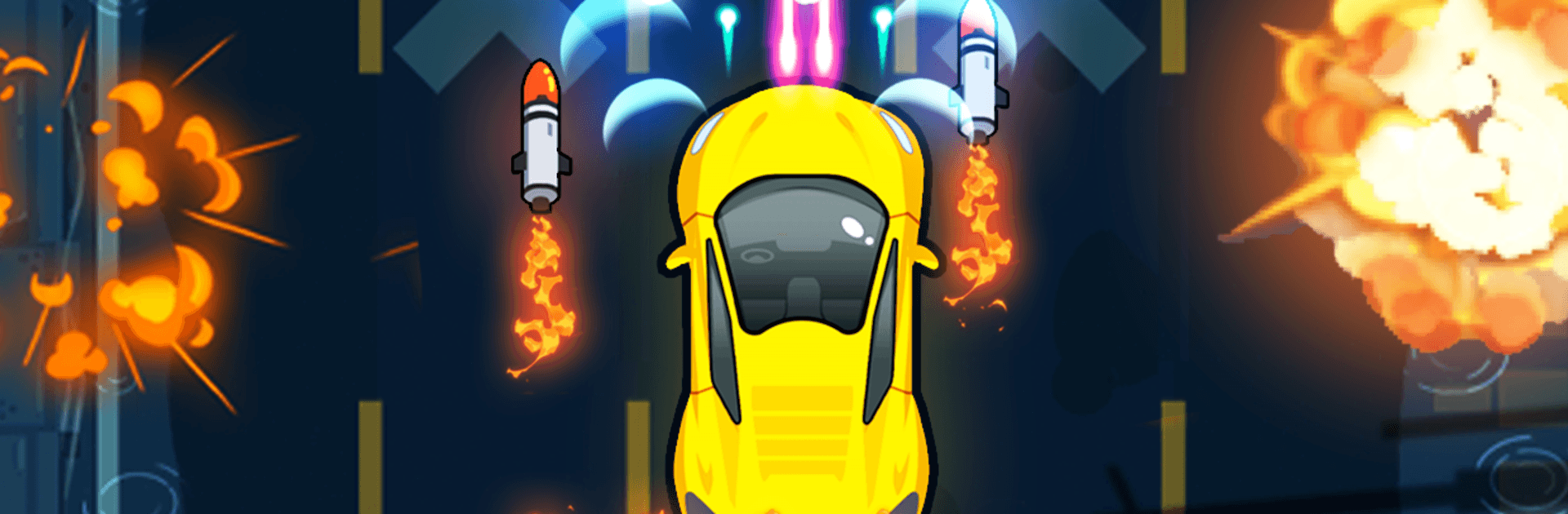
Merge to Fight: Smashy Car throws you into a chaotic city where street racing collides with over-the-top car combat. You’re blasting down crowded roads, weaving through barricades, and fusing rides and gear to build the nastiest machine on the block. Want to clean up the mess or make it bigger? Your call. It also plays smoothly on PC with BlueStacks if you like a bigger view.

Game Features

  • Merge-and-Upgrade Garage: Combine cars, cannons, and gadgets to craft tougher, faster, meaner builds between runs.
  • High-Speed Car Combat: Drift, ram, and fire on the move while dodging traps and enemy ambushes—pure Racing energy with arcade shooter flair.
  • 60+ Vehicles to Unlock: From sleek sports cars and formula-style rockets to bikes and quirky compacts, plus secret variants and heavy armor.
  • Gadgets, Power-Ups, and Allies: Deploy drones, turrets, and other helpers to thin out roadblocks and turn close calls into clean wins.
  • City Missions with Attitude: Tackle wild chases, last-stand showdowns, and chaotic gauntlets that test reflexes and timing.
  • Short, Punchy Runs: Jump in for quick sessions or push a marathon streak—stages scale up fast and never stay predictable.
  • Score Chasing Made Fun: Aim for perfect routes, stack combos, and keep shaving seconds to beat your best.
  • Easy to Pick Up, Hard to Put Down: Simple controls feel great right away, and the merge layer keeps tinkering endlessly satisfying.

Start playing Merge to Fight: Smashy Car on BlueStacks and get a smoother, more comfortable PC or Mac setup.


Game Features

Enhancements

  • Macros
  • Multi Instance
  • Multi Instance Sync
  • Script
  • Enhancements
Macros

Macros

Automate the predictable in Merge to Fight: Smashy Car and transform your gameplay with Macros. Get access to inventive Macros in the BlueStacks Macro Community
Multi Instance

Multi Instance

Play Merge to Fight: Smashy Car on one window. And chat with your friend on the other. Press CTRL + Shift + 8 to open the Multi-Instance Manager. And start creating fresh instances or clone an existing one.
Multi Instance Sync

Multi Instance Sync

Play Merge to Fight: Smashy Car with the power of Multi-Instance Sync. Replicate what you are doing on the main instance on all other instances. Level up faster, play more.
Script

Script

Script your way to gaming glory in Merge to Fight: Smashy Car with BlueStacks Script. Write and run a set of commands to automate repeated tasks. Trigger the command by assigning it to any key.
Read More

How to Download and Play Merge to Fight: Smashy Car on PC or Mac

  • Download and install BlueStacks on your PC or Mac

  • Complete Google sign-in to access the Play Store, or do it later

  • Look for Merge to Fight: Smashy Car in the search bar at the top right corner

  • Click to install Merge to Fight: Smashy Car from the search results

  • Complete Google sign-in (if you skipped step 2) to install Merge to Fight: Smashy Car

  • Click the Merge to Fight: Smashy Car icon on the home screen to start playing

video
Watch Video

Minimum System Requirements

With BlueStacks 5, you can get started on a PC that fulfills the following requirements.

  • Operating System

    Microsoft Windows 7 or above, macOS 11 (Big Sur) or above

  • Processor

    Intel, AMD or Apple Silicon Processor

  • RAM

    at least 4GB

  • HDD

    10GB Free Disk Space

Note:

* You must be an Administrator on your PC. Up to date graphics drivers from Microsoft or the chipset vendor.

Merge to Fight: Smashy Car - FAQs

  • How to play Merge to Fight: Smashy Car on Windows PC & Mac?

    Play Merge to Fight: Smashy Car on your PC or Mac by following these simple steps.

    • Click on 'Play Merge to Fight: Smashy Car on PC’ to download BlueStacks
    • Install it and log-in to Google Play Store
    • Launch and play the game.
  • Why is BlueStacks the fastest and safest platform to play games on PC?

    BlueStacks respects your privacy and is always safe and secure to use. It does not carry any malware, spyware, or any sort of additional software that could harm your PC.

    It is engineered to optimize speed and performance for a seamless gaming experience.

  • What are Merge to Fight: Smashy Car PC requirements?

    Minimum requirement to run Merge to Fight: Smashy Car on your PC

    • OS: Microsoft Windows 7 or above MacOS 11 (Big Sur) or above
    • Processor: Intel, AMD or Apple Silicon Processor
    • RAM: Your PC must have at least 4GB of RAM. (Note that having 4GB or more disk space is not a substitute for RAM)
    • HDD: 10GB Free Disk Space.
    • You must be an Administrator on your PC.