Midnight Car Drifting Game

Midnight Car Drifting Game

Racing

| Quinix LTD

Play on PC with BlueStacks or from our cloud

  • Overview
  • Game Features
  • How to Play

Page Modified On: May 05, 2026

Play Midnight Car Drifting Game on PC or Mac

Bring your A-game to Midnight Car Drifting Game, the Racing game sensation from Quinix LTD. Give your gameplay the much-needed boost with precise game controls, high FPS graphics, and top-tier features on your PC or Mac with BlueStacks.

About the Game

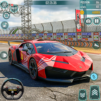
Midnight Car Drifting Game is all about late-night speed, smoky slides, and that quiet-city-after-dark vibe. It’s a Racing title from Quinix LTD built for players who love threading clean drifts through glowing streets and shaving seconds off their best times. Prefer playing on a bigger screen? It handles smoothly on BlueStacks, too.

Game Features

  • After-Hours City Tracks: Slip onto empty roads lit by neon signs and streetlamps, with sights and reflections that make every corner feel alive.
  • Built for Drifting: String together long, controlled slides, manage throttle and angle, and nail exits to keep your momentum high.
  • A Garage Worth Flexing: Unlock a lineup of sporty rides, each with its own personality, then pick the one that matches your driving style.
  • Tune It Your Way: Upgrade speed, handling, and brakes, and tweak the visual style so your car looks and feels just right.
  • Modes for Any Mood: Jump into quick runs, chase checkpoints, or hunt for the perfect time in focused time trials.
  • Smooth, Simple Controls: Choose touch or tilt controls that respond cleanly, so the car does exactly what your hands (or phone) ask.
  • Living Night Atmosphere: Dynamic lighting and a moody city backdrop keep every session fresh and immersive.
  • Optimized Performance: Runs confidently on a wide range of devices, keeping the action fast and the frame rate steady.

Get ready for a buttery smooth, high-performance gaming action only on BlueStacks.

Game Features

Enhancements

  • Macros
  • Multi Instance
  • Multi Instance Sync
  • Script
  • Enhancements
Macros

Macros

Automate the predictable in Midnight Car Drifting Game and transform your gameplay with Macros. Get access to inventive Macros in the BlueStacks Macro Community
Multi Instance

Multi Instance

Play Midnight Car Drifting Game on one window. And chat with your friend on the other. Press CTRL + Shift + 8 to open the Multi-Instance Manager. And start creating fresh instances or clone an existing one.
Multi Instance Sync

Multi Instance Sync

Play Midnight Car Drifting Game with the power of Multi-Instance Sync. Replicate what you are doing on the main instance on all other instances. Level up faster, play more.
Script

Script

Script your way to gaming glory in Midnight Car Drifting Game with BlueStacks Script. Write and run a set of commands to automate repeated tasks. Trigger the command by assigning it to any key.
Read More

How to Download and Play Midnight Car Drifting Game on PC or Mac

  • Download and install BlueStacks on your PC or Mac

  • Complete Google sign-in to access the Play Store, or do it later

  • Look for Midnight Car Drifting Game in the search bar at the top right corner

  • Click to install Midnight Car Drifting Game from the search results

  • Complete Google sign-in (if you skipped step 2) to install Midnight Car Drifting Game

  • Click the Midnight Car Drifting Game icon on the home screen to start playing

video
Watch Video

Minimum System Requirements

With BlueStacks 5, you can get started on a PC that fulfills the following requirements.

  • Operating System

    Microsoft Windows 7 or above, macOS 11 (Big Sur) or above

  • Processor

    Intel, AMD or Apple Silicon Processor

  • RAM

    at least 4GB

  • HDD

    10GB Free Disk Space

Note:

* You must be an Administrator on your PC. Up to date graphics drivers from Microsoft or the chipset vendor.

Midnight Car Drifting Game - FAQs

  • How to play Midnight Car Drifting Game on Windows PC & Mac?

    Play Midnight Car Drifting Game on your PC or Mac by following these simple steps.

    • Click on 'Play Midnight Car Drifting Game on PC’ to download BlueStacks
    • Install it and log-in to Google Play Store
    • Launch and play the game.
  • Why is BlueStacks the fastest and safest platform to play games on PC?

    BlueStacks respects your privacy and is always safe and secure to use. It does not carry any malware, spyware, or any sort of additional software that could harm your PC.

    It is engineered to optimize speed and performance for a seamless gaming experience.

  • What are Midnight Car Drifting Game PC requirements?

    Minimum requirement to run Midnight Car Drifting Game on your PC

    • OS: Microsoft Windows 7 or above MacOS 11 (Big Sur) or above
    • Processor: Intel, AMD or Apple Silicon Processor
    • RAM: Your PC must have at least 4GB of RAM. (Note that having 4GB or more disk space is not a substitute for RAM)
    • HDD: 10GB Free Disk Space.
    • You must be an Administrator on your PC.