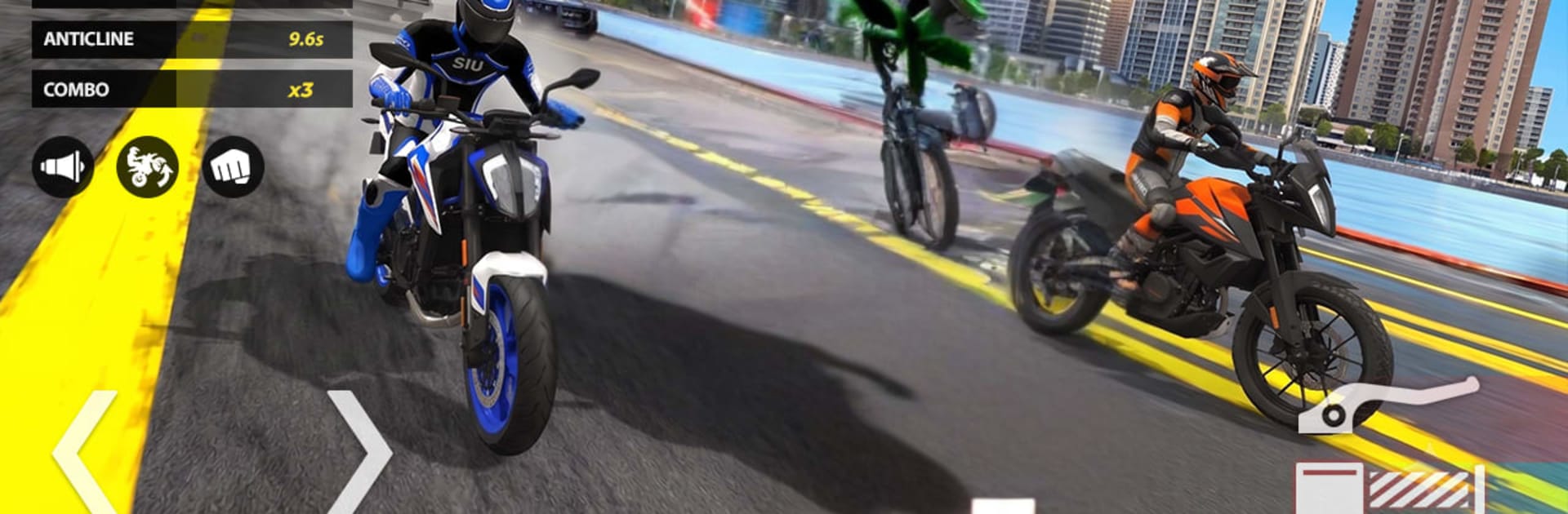
Moto Rider: Road Challenge

Moto Rider: Road Challenge

Racing

| brain

Play on PC with BlueStacks or from our cloud

  • Overview
  • Game Features
  • How to Play

Page Modified On: October 21, 2026

Play Moto Rider: Road Challenge on PC or Mac

Step into the World of Moto Rider: Road Challenge, a thrilling Racing game from the house of brain. Play this Android game on BlueStacks App Player and experience immersive gaming on PC or Mac.

About the Game

Moto Rider: Road Challenge throws you onto packed highways where every split second matters. It’s a lean, fast-paced Racing experience built around threading through traffic, dodging hazards, and pushing your personal limits one run at a time. Prefer a bigger screen and steady controls? It also feels great on PC with BlueStacks.

Game Features

  • Varied road challenges: Jump into focused missions that ask you to weave through traffic, hit specific goals, and sharpen your timing as the stakes climb.
  • High-speed pursuits: Keep your throttle steady while you’re being chased, find clean lanes, and hold your nerve when the road closes in.
  • Hazard-packed routes: React to sudden barriers and tricky layouts, pick safer lines on the fly, and make it through without laying the bike down.
  • Endless ride: See how far you can go in nonstop traffic, stretch your concentration, and try to beat that last best distance.
  • Unlockable motorcycles: Earn access to new bikes as you progress and pick the one that matches your style for your next highway run.
  • Simple, responsive controls: Get moving right away with controls that feel snappy and consistent, so your focus stays on the road ahead.
  • Busy traffic flow: Expect shifting gaps, changing conditions, and a constant need to adjust speed and position.
  • Rising difficulty: The better you ride, the tougher it gets—more pressure, tighter windows, and bigger payoffs for clean runs.
  • Rewards and progression: Complete objectives, rack up milestones, and keep unlocking more content as you improve.

Ready to top the leaderboard? We bet you do. Let precise controls and sharp visuals optimized on BlueStacks lead you to victory.


Game Features

Enhancements

  • Macros
  • Multi Instance
  • Multi Instance Sync
  • Script
  • Enhancements
Macros

Macros

Automate the predictable in Moto Rider: Road Challenge and transform your gameplay with Macros. Get access to inventive Macros in the BlueStacks Macro Community
Multi Instance

Multi Instance

Play Moto Rider: Road Challenge on one window. And chat with your friend on the other. Press CTRL + Shift + 8 to open the Multi-Instance Manager. And start creating fresh instances or clone an existing one.
Multi Instance Sync

Multi Instance Sync

Play Moto Rider: Road Challenge with the power of Multi-Instance Sync. Replicate what you are doing on the main instance on all other instances. Level up faster, play more.
Script

Script

Script your way to gaming glory in Moto Rider: Road Challenge with BlueStacks Script. Write and run a set of commands to automate repeated tasks. Trigger the command by assigning it to any key.
Read More

How to Download and Play Moto Rider: Road Challenge on PC or Mac

  • Download and install BlueStacks on your PC or Mac

  • Complete Google sign-in to access the Play Store, or do it later

  • Look for Moto Rider: Road Challenge in the search bar at the top right corner

  • Click to install Moto Rider: Road Challenge from the search results

  • Complete Google sign-in (if you skipped step 2) to install Moto Rider: Road Challenge

  • Click the Moto Rider: Road Challenge icon on the home screen to start playing

video
Watch Video

Minimum System Requirements

With BlueStacks 5, you can get started on a PC that fulfills the following requirements.

  • Operating System

    Microsoft Windows 7 or above, macOS 11 (Big Sur) or above

  • Processor

    Intel, AMD or Apple Silicon Processor

  • RAM

    at least 4GB

  • HDD

    10GB Free Disk Space

Note:

* You must be an Administrator on your PC. Up to date graphics drivers from Microsoft or the chipset vendor.

Moto Rider: Road Challenge - FAQs

  • How to play Moto Rider: Road Challenge on Windows PC & Mac?

    Play Moto Rider: Road Challenge on your PC or Mac by following these simple steps.

    • Click on 'Play Moto Rider: Road Challenge on PC’ to download BlueStacks
    • Install it and log-in to Google Play Store
    • Launch and play the game.
  • Why is BlueStacks the fastest and safest platform to play games on PC?

    BlueStacks respects your privacy and is always safe and secure to use. It does not carry any malware, spyware, or any sort of additional software that could harm your PC.

    It is engineered to optimize speed and performance for a seamless gaming experience.

  • What are Moto Rider: Road Challenge PC requirements?

    Minimum requirement to run Moto Rider: Road Challenge on your PC

    • OS: Microsoft Windows 7 or above MacOS 11 (Big Sur) or above
    • Processor: Intel, AMD or Apple Silicon Processor
    • RAM: Your PC must have at least 4GB of RAM. (Note that having 4GB or more disk space is not a substitute for RAM)
    • HDD: 10GB Free Disk Space.
    • You must be an Administrator on your PC.