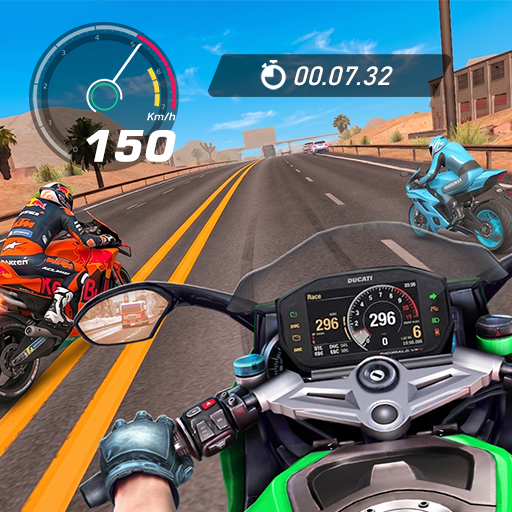
Nitro Speed: Crew Drag Race NS

Nitro Speed: Crew Drag Race NS

Racing

| Daniverse Games

Play on PC with BlueStacks or from our cloud

  • Overview
  • Game Features
  • How to Play

Page Modified On: October 30, 2026

Play Nitro Speed: Crew Drag Race NS on PC or Mac

Play Nitro Speed: Crew Drag Race NS by Daniverse Games on PC or Mac with BlueStacks. Use a bigger screen, mouse and keyboard controls, and smoother performance while you play.

About the Game

Nitro Speed: Crew Drag Race NS is all about clean starts, razor‑sharp shifts, and that perfect nitro blast that slingshots you past the finish line. It’s a Racing experience that rewards timing and feel more than anything else—short runs, high tension, and plenty of room to tinker with your setup. Want a wider view and steady performance? It also plays smoothly on BlueStacks.

Game Features

  • Precision Launches: Nail the green and manage wheelspin to get the jump—milliseconds make the difference between a win and a near miss.
  • Manual Shifting: Ride the revs and hit shifts in the sweet spot; push too late and you’ll lose speed, too early and you’ll leave time on the table.
  • Smart Nitro Use: Fire your nitro when your power’s peaking to surge ahead, or save it for that final stretch when your rival thinks they’ve got you.
  • Build Your Garage: Upgrade engine power, fine‑tune gearing, boost nitro efficiency, and improve handling to create cars tailored for different brackets.
  • Short, Intense Runs: Races are quick, punchy, and perfect for a few attempts whenever you’ve got a spare minute—easy to start, hard to put down.
  • 2D Speed, Big Feedback: Crisp 2D visuals and punchy effects make every launch, shift, and burst feel immediate and satisfying.
  • Crew Progression: Start your own crew, rack up wins, and push your name up the ranks with steady, skill‑based progress.
  • Trophies and Leaderboards: Collect trophies as you rise and track your best times on leaderboards where consistency really pays off.
  • Learn Every Car: Each ride has its own rhythm—different launch behavior, unique shift points, and tuning quirks you’ll get to know by heart.

Get ready for a buttery smooth, high-performance gaming action only on BlueStacks.

Game Features

Enhancements

  • Macros
  • Multi Instance
  • Multi Instance Sync
  • Script
  • Enhancements
Macros

Macros

Automate the predictable in Nitro Speed: Crew Drag Race NS and transform your gameplay with Macros. Get access to inventive Macros in the BlueStacks Macro Community
Multi Instance

Multi Instance

Play Nitro Speed: Crew Drag Race NS on one window. And chat with your friend on the other. Press CTRL + Shift + 8 to open the Multi-Instance Manager. And start creating fresh instances or clone an existing one.
Multi Instance Sync

Multi Instance Sync

Play Nitro Speed: Crew Drag Race NS with the power of Multi-Instance Sync. Replicate what you are doing on the main instance on all other instances. Level up faster, play more.
Script

Script

Script your way to gaming glory in Nitro Speed: Crew Drag Race NS with BlueStacks Script. Write and run a set of commands to automate repeated tasks. Trigger the command by assigning it to any key.
Read More

How to Download and Play Nitro Speed: Crew Drag Race NS on PC or Mac

  • Download and install BlueStacks on your PC or Mac

  • Complete Google sign-in to access the Play Store, or do it later

  • Look for Nitro Speed: Crew Drag Race NS in the search bar at the top right corner

  • Click to install Nitro Speed: Crew Drag Race NS from the search results

  • Complete Google sign-in (if you skipped step 2) to install Nitro Speed: Crew Drag Race NS

  • Click the Nitro Speed: Crew Drag Race NS icon on the home screen to start playing

video
Watch Video

Minimum System Requirements

With BlueStacks 5, you can get started on a PC that fulfills the following requirements.

  • Operating System

    Microsoft Windows 7 or above, macOS 11 (Big Sur) or above

  • Processor

    Intel, AMD or Apple Silicon Processor

  • RAM

    at least 4GB

  • HDD

    10GB Free Disk Space

Note:

* You must be an Administrator on your PC. Up to date graphics drivers from Microsoft or the chipset vendor.

Nitro Speed: Crew Drag Race NS - FAQs

  • How to play Nitro Speed: Crew Drag Race NS on Windows PC & Mac?

    Play Nitro Speed: Crew Drag Race NS on your PC or Mac by following these simple steps.

    • Click on 'Play Nitro Speed: Crew Drag Race NS on PC’ to download BlueStacks
    • Install it and log-in to Google Play Store
    • Launch and play the game.
  • Why is BlueStacks the fastest and safest platform to play games on PC?

    BlueStacks respects your privacy and is always safe and secure to use. It does not carry any malware, spyware, or any sort of additional software that could harm your PC.

    It is engineered to optimize speed and performance for a seamless gaming experience.

  • What are Nitro Speed: Crew Drag Race NS PC requirements?

    Minimum requirement to run Nitro Speed: Crew Drag Race NS on your PC

    • OS: Microsoft Windows 7 or above MacOS 11 (Big Sur) or above
    • Processor: Intel, AMD or Apple Silicon Processor
    • RAM: Your PC must have at least 4GB of RAM. (Note that having 4GB or more disk space is not a substitute for RAM)
    • HDD: 10GB Free Disk Space.
    • You must be an Administrator on your PC.