Open World Bike Racing Game

Open World Bike Racing Game

Racing

| Wild Kanga

Play on PC with BlueStacks or from our cloud

  • Overview
  • Game Features
  • How to Play

Page Modified On: October 08, 2026

Play Open World Bike Racing Game on PC or Mac

Explore a whole new adventure with Open World Bike Racing Game, a Racing game created by Wild Kanga. Experience great gameplay with BlueStacks, the most popular gaming platform to play Android games on your PC or Mac.

About the Game

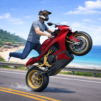
Open World Bike Racing Game hands you a roaring bike, a massive map, and the freedom to ride the way you like. It’s a fast, open-world take on Racing where you can thread city traffic, blast across highways, or kick up dirt on mountain trails—then swap to something totally different five minutes later. Pick your ride, tune it to your taste, and chase pure speed and style. Prefer playing on a bigger screen with tighter controls? It runs smoothly on BlueStacks.

Game Features

  • Open-world freedom: Explore a sprawling map with city streets, winding highways, sandy deserts, and rugged mountain paths—no fences, no rails.
  • Authentic handling: Feel real weight, grip, and braking with responsive physics that reward clean lines, late braking, and bold wheelies.
  • Bikes for every mood: Jump between sport bikes, dirt machines, and full-blown superbikes, each with a distinct feel and sound.
  • Tuning that matters: Upgrade engines, brakes, and tires, then add visual flair to build a ride that matches your vibe.
  • Stunts and ramps: Launch off purpose-built ramps, string together tricks, and stick clean landings to keep the adrenaline high.
  • Traffic and chases: Slice through busy lanes, time gaps like a pro, and shake off sirens when the heat ramps up.
  • Missions and events: Tackle quick races, time trials, and bite-size challenges when you want structure instead of free roam.
  • Dynamic world: A full day-night cycle and shifting weather mix up visibility, grip, and strategy on every route.
  • Smooth controls: Snappy steering, reliable braking, and easy drift control make high-speed corners feel natural and satisfying.

Ready to top the leaderboard? We bet you do. Let precise controls and sharp visuals optimized on BlueStacks lead you to victory.


Game Features

Enhancements

  • Macros
  • Multi Instance
  • Multi Instance Sync
  • Script
  • Enhancements
Macros

Macros

Automate the predictable in Open World Bike Racing Game and transform your gameplay with Macros. Get access to inventive Macros in the BlueStacks Macro Community
Multi Instance

Multi Instance

Play Open World Bike Racing Game on one window. And chat with your friend on the other. Press CTRL + Shift + 8 to open the Multi-Instance Manager. And start creating fresh instances or clone an existing one.
Multi Instance Sync

Multi Instance Sync

Play Open World Bike Racing Game with the power of Multi-Instance Sync. Replicate what you are doing on the main instance on all other instances. Level up faster, play more.
Script

Script

Script your way to gaming glory in Open World Bike Racing Game with BlueStacks Script. Write and run a set of commands to automate repeated tasks. Trigger the command by assigning it to any key.
Read More

How to Download and Play Open World Bike Racing Game on PC or Mac

  • Download and install BlueStacks on your PC or Mac

  • Complete Google sign-in to access the Play Store, or do it later

  • Look for Open World Bike Racing Game in the search bar at the top right corner

  • Click to install Open World Bike Racing Game from the search results

  • Complete Google sign-in (if you skipped step 2) to install Open World Bike Racing Game

  • Click the Open World Bike Racing Game icon on the home screen to start playing

video
Watch Video

Minimum System Requirements

With BlueStacks 5, you can get started on a PC that fulfills the following requirements.

  • Operating System

    Microsoft Windows 7 or above, macOS 11 (Big Sur) or above

  • Processor

    Intel, AMD or Apple Silicon Processor

  • RAM

    at least 4GB

  • HDD

    10GB Free Disk Space

Note:

* You must be an Administrator on your PC. Up to date graphics drivers from Microsoft or the chipset vendor.

Open World Bike Racing Game - FAQs

  • How to play Open World Bike Racing Game on Windows PC & Mac?

    Play Open World Bike Racing Game on your PC or Mac by following these simple steps.

    • Click on 'Play Open World Bike Racing Game on PC’ to download BlueStacks
    • Install it and log-in to Google Play Store
    • Launch and play the game.
  • Why is BlueStacks the fastest and safest platform to play games on PC?

    BlueStacks respects your privacy and is always safe and secure to use. It does not carry any malware, spyware, or any sort of additional software that could harm your PC.

    It is engineered to optimize speed and performance for a seamless gaming experience.

  • What are Open World Bike Racing Game PC requirements?

    Minimum requirement to run Open World Bike Racing Game on your PC

    • OS: Microsoft Windows 7 or above MacOS 11 (Big Sur) or above
    • Processor: Intel, AMD or Apple Silicon Processor
    • RAM: Your PC must have at least 4GB of RAM. (Note that having 4GB or more disk space is not a substitute for RAM)
    • HDD: 10GB Free Disk Space.
    • You must be an Administrator on your PC.