Pegaxy Blaze PvP Horse Racing

Pegaxy Blaze PvP Horse Racing

Racing

| STC HOLDINGS COMPANY LIMITED

Play on PC with BlueStacks or from our cloud

  • Overview
  • Game Features
  • How to Play

Page Modified On: May 11, 2026

Play Pegaxy Blaze PvP Horse Racing on PC or Mac

Join millions to experience Pegaxy Blaze PvP Horse Racing, an exciting Racing game from STC HOLDINGS COMPANY LIMITED. With BlueStacks App Player, you are always a step ahead of your opponent, ready to outplay them with faster gameplay and better control with the mouse and keyboard on your PC or Mac.

About the Game

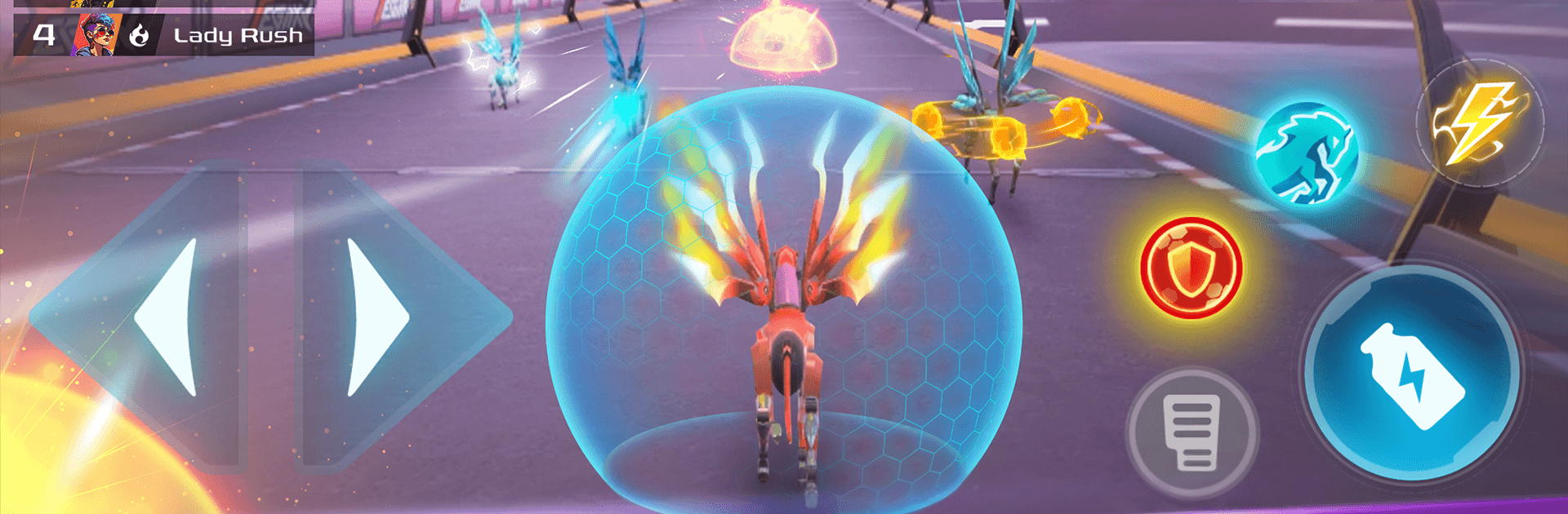
Pegaxy Blaze PvP Horse Racing drops you into fast, head-to-head races where sleek mecha horses rocket across sci‑fi tracks packed with surprises. It’s quick to learn—steer, time your boosts, grab the right pick-ups—but there’s real strategy in when to attack, when to defend, and how to squeeze past rivals. Built by STC HOLDINGS COMPANY LIMITED, this Racing title feels great on mobile and also runs smoothly on BlueStacks if you like a bigger screen and crisp controls.

Game Features

  • Real-time PvP races: Go up against real players in high-energy heats where smart decisions beat raw speed.
  • Elemental track items: Wind, water, fire, and lightning-themed pick-ups shake up each lap, forcing on-the-fly tactics.
  • Futuristic mecha steeds: Control your Pega—a sleek, cyber-styled horse—with responsive handling and a satisfying sense of momentum.
  • Nitro boosts that matter: Time your Nitro at clutch moments to sling past the pack or secure a last‑second win.
  • Power-ups that escalate: Item spawns ramp up as the race goes on, cranking the tension and opening bold comeback plays.
  • Unique skills per Pega: Every Pega comes with its own strengths; learn their quirks and play to their edge.
  • Upgrades and rare finds: Strengthen your stable by upgrading Pegas and unlocking rarer ones to push your ceiling higher.
  • Trophy-chasing leaderboard: Win races to grow your Trophy count and climb global rankings—every result shifts your standing.
  • Quick, skill-first action: Clean controls and short bursts of chaos make it easy to jump in, hard to put down.
  • Smooth on BlueStacks: Prefer a keyboard or a big display? The game feels sharp and responsive there too.

Get ready for a buttery smooth, high-performance gaming action only on BlueStacks.

Game Features

Enhancements

  • Macros
  • Multi Instance
  • Multi Instance Sync
  • Script
  • Enhancements
Macros

Macros

Automate the predictable in Pegaxy Blaze PvP Horse Racing and transform your gameplay with Macros. Get access to inventive Macros in the BlueStacks Macro Community
Multi Instance

Multi Instance

Play Pegaxy Blaze PvP Horse Racing on one window. And chat with your friend on the other. Press CTRL + Shift + 8 to open the Multi-Instance Manager. And start creating fresh instances or clone an existing one.
Multi Instance Sync

Multi Instance Sync

Play Pegaxy Blaze PvP Horse Racing with the power of Multi-Instance Sync. Replicate what you are doing on the main instance on all other instances. Level up faster, play more.
Script

Script

Script your way to gaming glory in Pegaxy Blaze PvP Horse Racing with BlueStacks Script. Write and run a set of commands to automate repeated tasks. Trigger the command by assigning it to any key.
Read More

How to Download and Play Pegaxy Blaze PvP Horse Racing on PC or Mac

  • Download and install BlueStacks on your PC or Mac

  • Complete Google sign-in to access the Play Store, or do it later

  • Look for Pegaxy Blaze PvP Horse Racing in the search bar at the top right corner

  • Click to install Pegaxy Blaze PvP Horse Racing from the search results

  • Complete Google sign-in (if you skipped step 2) to install Pegaxy Blaze PvP Horse Racing

  • Click the Pegaxy Blaze PvP Horse Racing icon on the home screen to start playing

video
Watch Video

Minimum System Requirements

With BlueStacks 5, you can get started on a PC that fulfills the following requirements.

  • Operating System

    Microsoft Windows 7 or above, macOS 11 (Big Sur) or above

  • Processor

    Intel, AMD or Apple Silicon Processor

  • RAM

    at least 4GB

  • HDD

    10GB Free Disk Space

Note:

* You must be an Administrator on your PC. Up to date graphics drivers from Microsoft or the chipset vendor.

Pegaxy Blaze PvP Horse Racing - FAQs

  • How to play Pegaxy Blaze PvP Horse Racing on Windows PC & Mac?

    Play Pegaxy Blaze PvP Horse Racing on your PC or Mac by following these simple steps.

    • Click on 'Play Pegaxy Blaze PvP Horse Racing on PC’ to download BlueStacks
    • Install it and log-in to Google Play Store
    • Launch and play the game.
  • Why is BlueStacks the fastest and safest platform to play games on PC?

    BlueStacks respects your privacy and is always safe and secure to use. It does not carry any malware, spyware, or any sort of additional software that could harm your PC.

    It is engineered to optimize speed and performance for a seamless gaming experience.

  • What are Pegaxy Blaze PvP Horse Racing PC requirements?

    Minimum requirement to run Pegaxy Blaze PvP Horse Racing on your PC

    • OS: Microsoft Windows 7 or above MacOS 11 (Big Sur) or above
    • Processor: Intel, AMD or Apple Silicon Processor
    • RAM: Your PC must have at least 4GB of RAM. (Note that having 4GB or more disk space is not a substitute for RAM)
    • HDD: 10GB Free Disk Space.
    • You must be an Administrator on your PC.