Race Master Manager
Race Master Manager

Race Master Manager

Racing

| FNK Games

Play on PC with BlueStacks or from our cloud

  • Overview
  • Game Features
  • How to Play

Page Modified On: July 20, 2026

Play Race Master Manager on PC or Mac

Play Race Master Manager by FNK Games on PC or Mac with BlueStacks. Use a bigger screen, mouse and keyboard controls, and smoother performance while you play.

About the Game

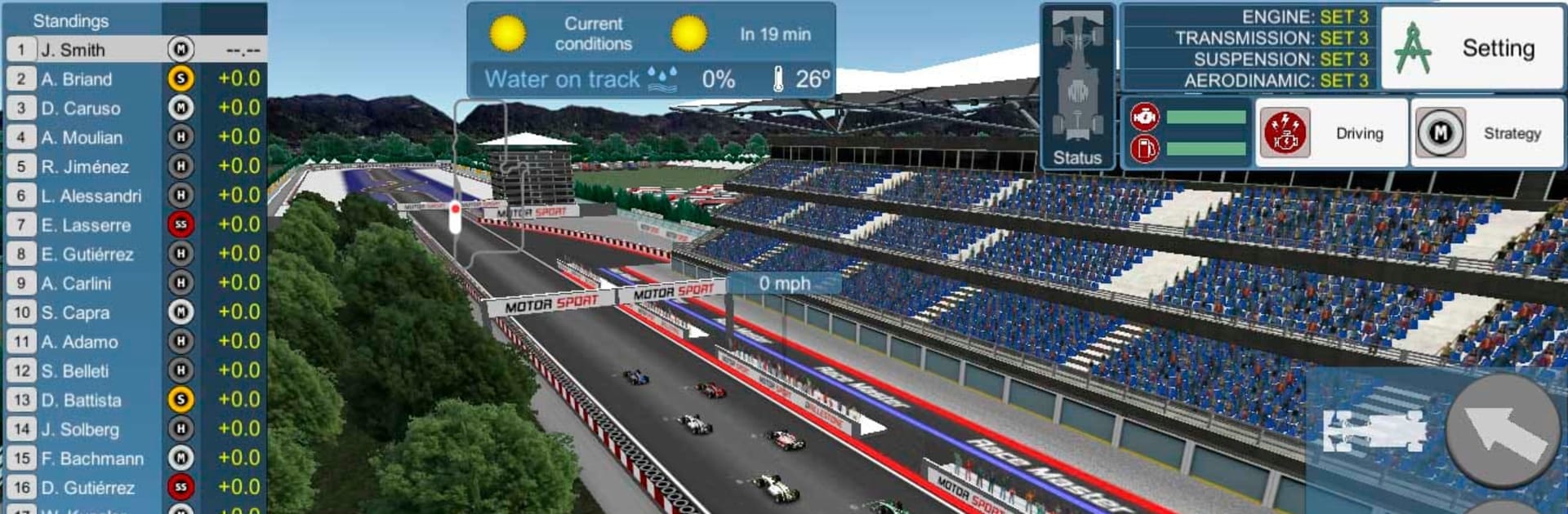
Race Master Manager is where fast laps meet smart calls. It’s a Racing management game that actually lets you jump in and influence what happens on track. Plan your strategy, tune every part, then take control for those make-or-break moments when a clean overtake or tighter line can decide everything.

Game Features

  • Hands-on racing decisions: Switch lanes, time your overtakes, and pick the inside line through corners when it counts. Strategy isn’t just on the pit wall—you’re part of the action.
  • Deep car setup: Tweak engine output, gear ratios, aerodynamics, and suspension to match each circuit. Every change affects acceleration, top speed, grip, and how quickly your tires wear.
  • Multiple race styles: Tackle short, high-pressure sprints or go the distance in endurance events with more laps, pit stops, and long-run tire planning.
  • 48 tracks to master: Work through a full calendar of championships with varied layouts that push different strengths of your car and driver.
  • Smart upgrades: Improve performance across the season—but keep up, because rival teams are upgrading too.
  • Weather that keeps you guessing: Start in sunshine, finish in rain. Pick the right compound for the forecast and react when conditions flip mid-race.
  • Tire strategy, simplified: Softs are quick; harder rubber lasts longer. Your setup and driving style directly change how fast those tires fade.
  • Drivers that grow: Develop driver skills through race experience to unlock extra pace and consistency.
  • Maintenance matters: Engines, gearboxes, and more take a beating. Keep components in top shape to avoid costly surprises.
  • A stronger crew: Train your team to cut pit times and sharpen race-day execution.
  • Play anywhere: Run your team on mobile or fire it up on PC with BlueStacks if you want a bigger screen and comfy controls.

BlueStacks gives you more room to focus on the game and less time adjusting around mobile limitations.


Game Features

Enhancements

  • Macros
  • Multi Instance
  • Multi Instance Sync
  • Script
  • Enhancements
Macros

Macros

Automate the predictable in Race Master Manager and transform your gameplay with Macros. Get access to inventive Macros in the BlueStacks Macro Community
Multi Instance

Multi Instance

Play Race Master Manager on one window. And chat with your friend on the other. Press CTRL + Shift + 8 to open the Multi-Instance Manager. And start creating fresh instances or clone an existing one.
Multi Instance Sync

Multi Instance Sync

Play Race Master Manager with the power of Multi-Instance Sync. Replicate what you are doing on the main instance on all other instances. Level up faster, play more.
Script

Script

Script your way to gaming glory in Race Master Manager with BlueStacks Script. Write and run a set of commands to automate repeated tasks. Trigger the command by assigning it to any key.
Read More

How to Download and Play Race Master Manager on PC or Mac

  • Download and install BlueStacks on your PC or Mac

  • Complete Google sign-in to access the Play Store, or do it later

  • Look for Race Master Manager in the search bar at the top right corner

  • Click to install Race Master Manager from the search results

  • Complete Google sign-in (if you skipped step 2) to install Race Master Manager

  • Click the Race Master Manager icon on the home screen to start playing

video
Watch Video

Minimum System Requirements

With BlueStacks 5, you can get started on a PC that fulfills the following requirements.

  • Operating System

    Microsoft Windows 7 or above, macOS 11 (Big Sur) or above

  • Processor

    Intel, AMD or Apple Silicon Processor

  • RAM

    at least 4GB

  • HDD

    10GB Free Disk Space

Note:

* You must be an Administrator on your PC. Up to date graphics drivers from Microsoft or the chipset vendor.

Race Master Manager - FAQs

  • How to play Race Master Manager on Windows PC & Mac?

    Play Race Master Manager on your PC or Mac by following these simple steps.

    • Click on 'Play Race Master Manager on PC’ to download BlueStacks
    • Install it and log-in to Google Play Store
    • Launch and play the game.
  • Why is BlueStacks the fastest and safest platform to play games on PC?

    BlueStacks respects your privacy and is always safe and secure to use. It does not carry any malware, spyware, or any sort of additional software that could harm your PC.

    It is engineered to optimize speed and performance for a seamless gaming experience.

  • What are Race Master Manager PC requirements?

    Minimum requirement to run Race Master Manager on your PC

    • OS: Microsoft Windows 7 or above MacOS 11 (Big Sur) or above
    • Processor: Intel, AMD or Apple Silicon Processor
    • RAM: Your PC must have at least 4GB of RAM. (Note that having 4GB or more disk space is not a substitute for RAM)
    • HDD: 10GB Free Disk Space.
    • You must be an Administrator on your PC.