Real Moto Bike Racing Game

Real Moto Bike Racing Game

Racing

| Moon Star Games Yazilim

Play on PC with BlueStacks or from our cloud

  • Overview
  • Game Features
  • How to Play

Page Modified On: July 14, 2026

Play Real Moto Bike Racing Game on PC or Mac

Bring your A-game to Real Moto Bike Racing Game, the Racing game sensation from Moon Star Games Yazilim. Give your gameplay the much-needed boost with precise game controls, high FPS graphics, and top-tier features on your PC or Mac with BlueStacks.

About the Game

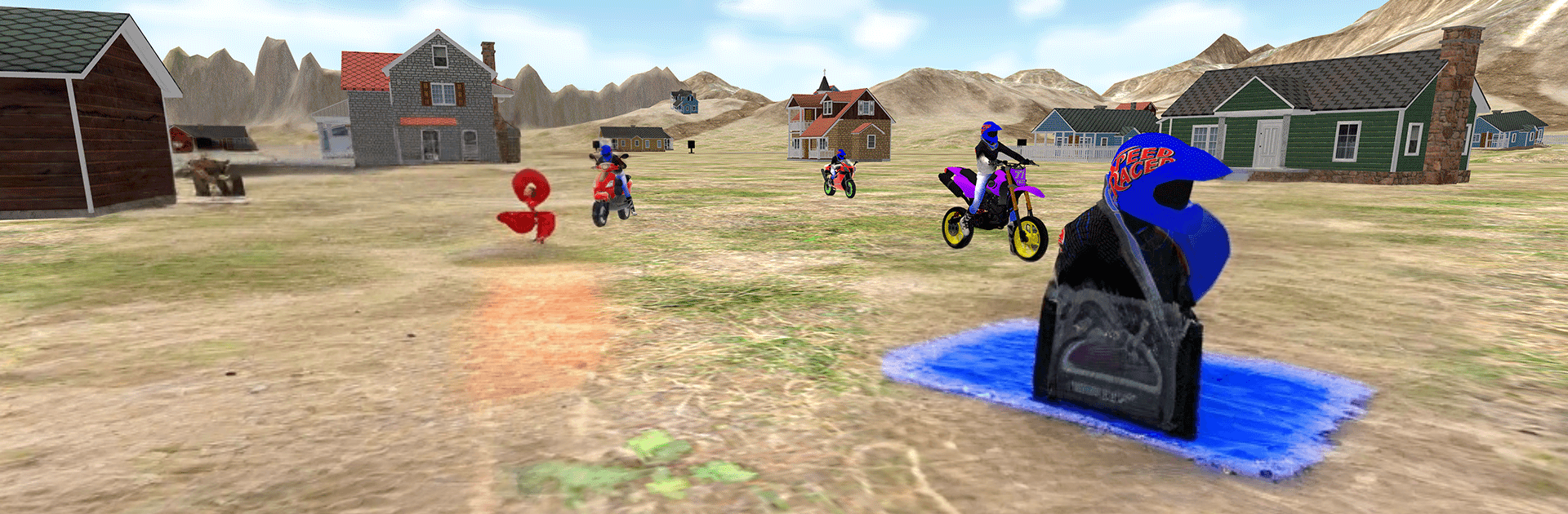
Real Moto Bike Racing Game puts you right on the saddle with speed, grit, and roads that actually fight back. Jump between bustling city lanes and bumpy dirt paths, swap bikes, and push for cleaner lines and faster times. It’s a tight, fast-paced Racing experience that feels immediate and satisfying, whether you’re chasing records or just blowing off steam.

Game Features

  • Real-feel handling: Lean into corners, manage your throttle, and feel the weight shift as you brake, wheelie, or land a jump. The bikes react the way you expect.
  • City heat and off-road grit: Thread through busy traffic one moment, then kick dust on rugged tracks the next. Each environment asks you to ride differently.
  • Modes for every mood: Go for chill laps in Free Ride, throw down big tricks in stunt-focused runs, or push your nerve in traffic-heavy challenges.
  • A garage to grow: Pick from a lineup of powerful machines, tweak their look, and tune performance to suit your style.
  • Clean, responsive controls: Smooth steering and steady feedback make quick corrections and tight overtakes feel natural.
  • Crisp sights, loud engines: Sharp 3D visuals, punchy engine notes, and satisfying effects keep every sprint and slide punchy.
  • Stunts and bold passes: Pop wheelies, launch off ramps, and slice past cars with precise timing to keep your momentum building.
  • Subtle PC boost: Prefer a bigger screen and steady input? Playing on BlueStacks keeps everything snappy without changing the feel.

Ready to top the leaderboard? We bet you do. Let precise controls and sharp visuals optimized on BlueStacks lead you to victory.


Game Features

Enhancements

  • Macros
  • Multi Instance
  • Multi Instance Sync
  • Script
  • Enhancements
Macros

Macros

Automate the predictable in Real Moto Bike Racing Game and transform your gameplay with Macros. Get access to inventive Macros in the BlueStacks Macro Community
Multi Instance

Multi Instance

Play Real Moto Bike Racing Game on one window. And chat with your friend on the other. Press CTRL + Shift + 8 to open the Multi-Instance Manager. And start creating fresh instances or clone an existing one.
Multi Instance Sync

Multi Instance Sync

Play Real Moto Bike Racing Game with the power of Multi-Instance Sync. Replicate what you are doing on the main instance on all other instances. Level up faster, play more.
Script

Script

Script your way to gaming glory in Real Moto Bike Racing Game with BlueStacks Script. Write and run a set of commands to automate repeated tasks. Trigger the command by assigning it to any key.
Read More

How to Download and Play Real Moto Bike Racing Game on PC or Mac

  • Download and install BlueStacks on your PC or Mac

  • Complete Google sign-in to access the Play Store, or do it later

  • Look for Real Moto Bike Racing Game in the search bar at the top right corner

  • Click to install Real Moto Bike Racing Game from the search results

  • Complete Google sign-in (if you skipped step 2) to install Real Moto Bike Racing Game

  • Click the Real Moto Bike Racing Game icon on the home screen to start playing

video
Watch Video

Minimum System Requirements

With BlueStacks 5, you can get started on a PC that fulfills the following requirements.

  • Operating System

    Microsoft Windows 7 or above, macOS 11 (Big Sur) or above

  • Processor

    Intel, AMD or Apple Silicon Processor

  • RAM

    at least 4GB

  • HDD

    10GB Free Disk Space

Note:

* You must be an Administrator on your PC. Up to date graphics drivers from Microsoft or the chipset vendor.

Real Moto Bike Racing Game - FAQs

  • How to play Real Moto Bike Racing Game on Windows PC & Mac?

    Play Real Moto Bike Racing Game on your PC or Mac by following these simple steps.

    • Click on 'Play Real Moto Bike Racing Game on PC’ to download BlueStacks
    • Install it and log-in to Google Play Store
    • Launch and play the game.
  • Why is BlueStacks the fastest and safest platform to play games on PC?

    BlueStacks respects your privacy and is always safe and secure to use. It does not carry any malware, spyware, or any sort of additional software that could harm your PC.

    It is engineered to optimize speed and performance for a seamless gaming experience.

  • What are Real Moto Bike Racing Game PC requirements?

    Minimum requirement to run Real Moto Bike Racing Game on your PC

    • OS: Microsoft Windows 7 or above MacOS 11 (Big Sur) or above
    • Processor: Intel, AMD or Apple Silicon Processor
    • RAM: Your PC must have at least 4GB of RAM. (Note that having 4GB or more disk space is not a substitute for RAM)
    • HDD: 10GB Free Disk Space.
    • You must be an Administrator on your PC.