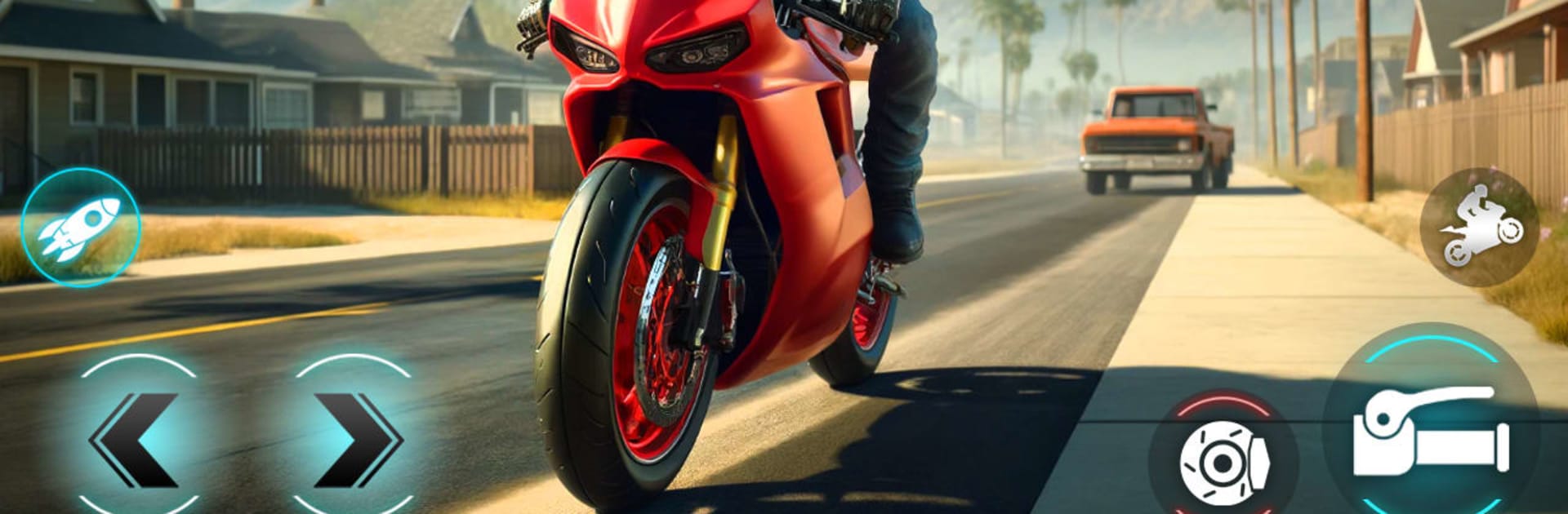
Moto Bike Racing Bike Game 3D

Moto Bike Racing Bike Game 3D

Racing

| TRY Games

Play on PC with BlueStacks or from our cloud

  • Overview
  • Game Features
  • How to Play

Page Modified On: April 13, 2026

Play Moto Bike Racing Bike Game 3D on PC or Mac

Explore a whole new adventure with Moto Bike Racing Bike Game 3D, a Racing game created by TRY Games. Experience great gameplay with BlueStacks, the most popular gaming platform to play Android games on your PC or Mac.

About the Game

Moto Bike Racing Bike Game 3D from TRY Games is a fast, flexible take on the Racing genre that lets you chase pure two‑wheel speed without the fuss. It mixes high‑stakes highway runs with open areas to explore, plus a physics model that actually feels like a motorcycle. Want tight, traffic‑threading sprints or a laid‑back ride to practice your lines? It’s all here, and it’s surprisingly smooth on both touch controls and, if you prefer, on PC with BlueStacks.

Game Features

  • Real Bike Feel: Responsive handling, weighty lean angles, quick brakes, and throttle control that rewards clean inputs rather than button mashing.
  • Highway Traffic Runs: Weave through moving cars, time your passes, and read the flow of the road in tense, traffic‑rider‑style challenges.
  • Open-World Rides: Leave the straight shot behind and roam bigger spaces where you can cruise, explore, and sharpen your control at your own pace.
  • Offroad and Dirt Tracks: Swap asphalt for dust with dedicated offroad routes that push traction, balance, and momentum in a different way.
  • Stunt Zones: Hit controlled arenas to practice wheel lifts, jumps, and combos without worrying about traffic barreling into you.
  • Garage and Progression: Build a collection—from sleek superbikes to recognizable Indian Bikes—then personalize the look to make each ride yours.
  • Structured Missions: Short, focused goals keep sessions snappy, while longer events test consistency and patience.
  • Multiple Camera Views: Switch perspectives to suit the moment—close for precision, pulled back for better situational awareness.
  • Smooth, Stable Performance: Optimized visuals and steady frame delivery keep the action readable when speeds climb.
  • Play Your Way: Great for quick offline sessions on mobile, and it feels right at home on PC with BlueStacks if you like keyboard or gamepad control.
  • Welcoming but Deep: New riders get approachable handling; veterans can push pace and technique for faster, cleaner runs.

Ready to top the leaderboard? We bet you do. Let precise controls and sharp visuals optimized on BlueStacks lead you to victory.


Game Features

Enhancements

  • Macros
  • Multi Instance
  • Multi Instance Sync
  • Script
  • Enhancements
Macros

Macros

Automate the predictable in Moto Bike Racing Bike Game 3D and transform your gameplay with Macros. Get access to inventive Macros in the BlueStacks Macro Community
Multi Instance

Multi Instance

Play Moto Bike Racing Bike Game 3D on one window. And chat with your friend on the other. Press CTRL + Shift + 8 to open the Multi-Instance Manager. And start creating fresh instances or clone an existing one.
Multi Instance Sync

Multi Instance Sync

Play Moto Bike Racing Bike Game 3D with the power of Multi-Instance Sync. Replicate what you are doing on the main instance on all other instances. Level up faster, play more.
Script

Script

Script your way to gaming glory in Moto Bike Racing Bike Game 3D with BlueStacks Script. Write and run a set of commands to automate repeated tasks. Trigger the command by assigning it to any key.
Read More

How to Download and Play Moto Bike Racing Bike Game 3D on PC or Mac

  • Download and install BlueStacks on your PC or Mac

  • Complete Google sign-in to access the Play Store, or do it later

  • Look for Moto Bike Racing Bike Game 3D in the search bar at the top right corner

  • Click to install Moto Bike Racing Bike Game 3D from the search results

  • Complete Google sign-in (if you skipped step 2) to install Moto Bike Racing Bike Game 3D

  • Click the Moto Bike Racing Bike Game 3D icon on the home screen to start playing

video
Watch Video

Minimum System Requirements

With BlueStacks 5, you can get started on a PC that fulfills the following requirements.

  • Operating System

    Microsoft Windows 7 or above, macOS 11 (Big Sur) or above

  • Processor

    Intel, AMD or Apple Silicon Processor

  • RAM

    at least 4GB

  • HDD

    10GB Free Disk Space

Note:

* You must be an Administrator on your PC. Up to date graphics drivers from Microsoft or the chipset vendor.

Moto Bike Racing Bike Game 3D - FAQs

  • How to play Moto Bike Racing Bike Game 3D on Windows PC & Mac?

    Play Moto Bike Racing Bike Game 3D on your PC or Mac by following these simple steps.

    • Click on 'Play Moto Bike Racing Bike Game 3D on PC’ to download BlueStacks
    • Install it and log-in to Google Play Store
    • Launch and play the game.
  • Why is BlueStacks the fastest and safest platform to play games on PC?

    BlueStacks respects your privacy and is always safe and secure to use. It does not carry any malware, spyware, or any sort of additional software that could harm your PC.

    It is engineered to optimize speed and performance for a seamless gaming experience.

  • What are Moto Bike Racing Bike Game 3D PC requirements?

    Minimum requirement to run Moto Bike Racing Bike Game 3D on your PC

    • OS: Microsoft Windows 7 or above MacOS 11 (Big Sur) or above
    • Processor: Intel, AMD or Apple Silicon Processor
    • RAM: Your PC must have at least 4GB of RAM. (Note that having 4GB or more disk space is not a substitute for RAM)
    • HDD: 10GB Free Disk Space.
    • You must be an Administrator on your PC.