Real Racing 3
Real Racing 3

Real Racing 3

Racing

| UPSIDE LEAD ( PRIVATE ) LIMITED

Play on PC with BlueStacks or from our cloud

  • Overview
  • Game Features
  • How to Play

Page Modified On: June 18, 2026

Play Real Racing 3 on PC or Mac

Bring your A-game to Real Racing 3, the Racing game sensation from UPSIDE LEAD ( PRIVATE ) LIMITED. Give your gameplay the much-needed boost with precise game controls, high FPS graphics, and top-tier features on your PC or Mac with BlueStacks.

About the Game

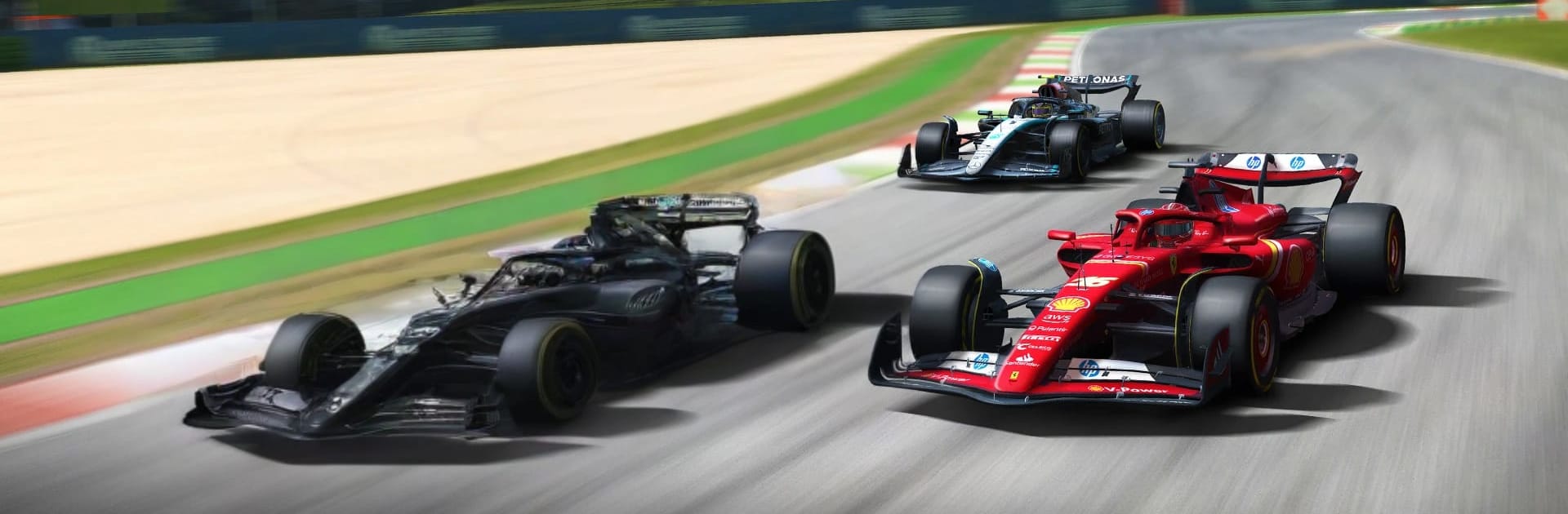
Real Racing 3 is a polished, fast, and seriously satisfying take on Racing that puts real cars on real tracks with proper motorsport rules. You get the thrill of big grids, tight corners, and clean (or not-so-clean) overtakes—whether you’re grinding out lap times solo or trading moves in multiplayer. And yes, it looks fantastic while doing it.

Game Features

  • Real cars, real brands: Build a garage with hundreds of cars from names you actually know—Porsche, Bugatti, Aston Martin, McLaren, Ford, and plenty more. Every model feels distinct, from the way it accelerates to how it grips through a chicane.
  • Iconic tracks worldwide: Tackle famous circuits across the globe with multiple layouts—think Monza, Silverstone, Le Mans, Yas Marina, Circuit of the Americas, Dubai Autodrome, and others. Day and night racing keeps things fresh.
  • Big grids, serious racing: Start on packed grids with up to 43 cars and experience formats that encourage strategy and nerve, including endurance runs, eliminations, cups, time trials, and Formula-inspired events.
  • Multiplayer your way: Jump into real-time, 8-player races for head-to-head action, or challenge friends’ lap data anytime with Time-Shifted Multiplayer—no waiting for schedules to line up.
  • Tune your view and feel: Pick from multiple camera angles (including cockpit), tweak the HUD, and choose the control style that suits you—tilt, touch, or on-screen steering.
  • Slick visuals and physics: Advanced rendering brings reflective bodywork, working mirrors, and believable car damage to life, so every race looks sharp and every bump matters.
  • Thousands of events: There’s always something to chase—career series, championships, and special challenges that reward consistency, speed, and a bit of bravery.
  • Plays great on PC: Prefer a bigger screen and tighter inputs? Run Real Racing 3 with BlueStacks for crisp visuals and comfy keyboard or gamepad controls.

Start your journey now. Download the game on BlueStacks, invite your friends, and march on a new adventure.


Game Features

Enhancements

  • Macros
  • Multi Instance
  • Multi Instance Sync
  • Script
  • Enhancements
Macros

Macros

Automate the predictable in Real Racing 3 and transform your gameplay with Macros. Get access to inventive Macros in the BlueStacks Macro Community
Multi Instance

Multi Instance

Play Real Racing 3 on one window. And chat with your friend on the other. Press CTRL + Shift + 8 to open the Multi-Instance Manager. And start creating fresh instances or clone an existing one.
Multi Instance Sync

Multi Instance Sync

Play Real Racing 3 with the power of Multi-Instance Sync. Replicate what you are doing on the main instance on all other instances. Level up faster, play more.
Script

Script

Script your way to gaming glory in Real Racing 3 with BlueStacks Script. Write and run a set of commands to automate repeated tasks. Trigger the command by assigning it to any key.
Read More

How to Download and Play Real Racing 3 on PC or Mac

  • Download and install BlueStacks on your PC or Mac

  • Complete Google sign-in to access the Play Store, or do it later

  • Look for Real Racing 3 in the search bar at the top right corner

  • Click to install Real Racing 3 from the search results

  • Complete Google sign-in (if you skipped step 2) to install Real Racing 3

  • Click the Real Racing 3 icon on the home screen to start playing

video
Watch Video

Minimum System Requirements

With BlueStacks 5, you can get started on a PC that fulfills the following requirements.

  • Operating System

    Microsoft Windows 7 or above, macOS 11 (Big Sur) or above

  • Processor

    Intel, AMD or Apple Silicon Processor

  • RAM

    at least 4GB

  • HDD

    10GB Free Disk Space

Note:

* You must be an Administrator on your PC. Up to date graphics drivers from Microsoft or the chipset vendor.

Real Racing 3 - FAQs

  • How to play Real Racing 3 on Windows PC & Mac?

    Play Real Racing 3 on your PC or Mac by following these simple steps.

    • Click on 'Play Real Racing 3 on PC’ to download BlueStacks
    • Install it and log-in to Google Play Store
    • Launch and play the game.
  • Why is BlueStacks the fastest and safest platform to play games on PC?

    BlueStacks respects your privacy and is always safe and secure to use. It does not carry any malware, spyware, or any sort of additional software that could harm your PC.

    It is engineered to optimize speed and performance for a seamless gaming experience.

  • What are Real Racing 3 PC requirements?

    Minimum requirement to run Real Racing 3 on your PC

    • OS: Microsoft Windows 7 or above MacOS 11 (Big Sur) or above
    • Processor: Intel, AMD or Apple Silicon Processor
    • RAM: Your PC must have at least 4GB of RAM. (Note that having 4GB or more disk space is not a substitute for RAM)
    • HDD: 10GB Free Disk Space.
    • You must be an Administrator on your PC.