Real Sports Racing: Car Games

Real Sports Racing: Car Games

Racing

| spiritapps

Play on PC with BlueStacks or from our cloud

  • Overview
  • Game Features
  • How to Play

Page Modified On: December 05, 2025

Play Real Sports Racing: Car Games on PC or Mac

Join millions to experience Real Sports Racing: Car Games, an exciting Racing game from spiritapps. With BlueStacks App Player, you are always a step ahead of your opponent, ready to outplay them with faster gameplay and better control with the mouse and keyboard on your PC or Mac.

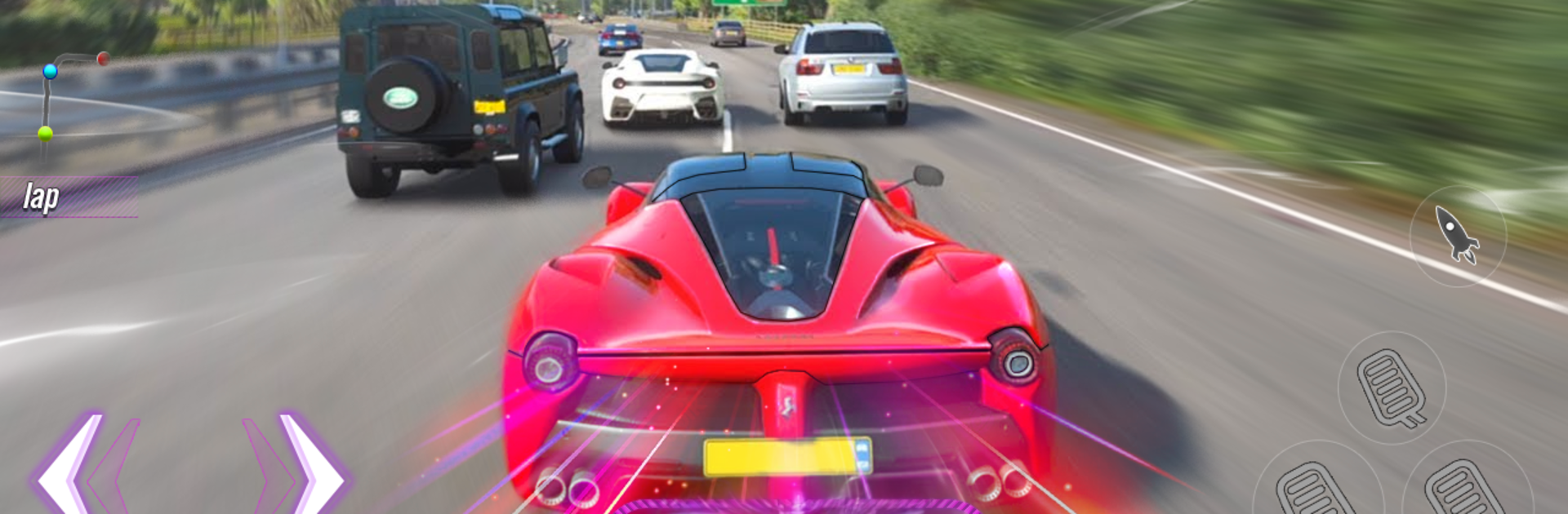
Real Sports Racing: Car Games is all about wild stunt tracks and big arcade energy. Think giant ramps, loops, and verticle drops that launch a shiny GT car way into the sky, then ask for a clean landing on a skinny bit of asphalt. The handling sits in that sweet spot between realistic and playful, so the car feels weighty when it should, but still lets players pull off ridiculous jumps, flips, and long drifts without getting fussy. Courses play like rollercoasters with checkpoints. Miss a landing or clip a hurdle and the run pops back to the last gate, but there are only a few retries so timing, speed control, and nitro use actually matter. It rewards smooth steering and quick resets more than aggressive smashing.

There are a few flavors of play here. Stunt mode goes heavy on mega ramps and flying cars. Highway runs toss in traffic and ask for clean overtakes and drift control. Parking and challenge stages slow things down and become little precision puzzles. Coins come from risky tricks and clean finishes, which feed into unlocking cars and tweaking how they look. Camera swaps are handy, from close cockpit to a wide view for lining up landings. The physics are exaggerated in a good way, and the tracks keep mixing in new shapes so it does not feel stale. On BlueStacks with a keyboard, steering and nitro timing feel extra tight, and the visuals look crisp on a monitor. It is also fine offline, which fits quick sessions between other stuff.

Slay your opponents with your epic moves. Play it your way on BlueStacks and dominate the battlefield.


Game Features

Enhancements

  • Macros
  • Multi Instance
  • Multi Instance Sync
  • Script
  • Enhancements
Macros

Macros

Automate the predictable in Real Sports Racing: Car Games and transform your gameplay with Macros. Get access to inventive Macros in the BlueStacks Macro Community
Multi Instance

Multi Instance

Play Real Sports Racing: Car Games on one window. And chat with your friend on the other. Press CTRL + Shift + 8 to open the Multi-Instance Manager. And start creating fresh instances or clone an existing one.
Multi Instance Sync

Multi Instance Sync

Play Real Sports Racing: Car Games with the power of Multi-Instance Sync. Replicate what you are doing on the main instance on all other instances. Level up faster, play more.
Script

Script

Script your way to gaming glory in Real Sports Racing: Car Games with BlueStacks Script. Write and run a set of commands to automate repeated tasks. Trigger the command by assigning it to any key.
Read More

How to Download and Play Real Sports Racing: Car Games on PC or Mac

  • Download and install BlueStacks on your PC or Mac

  • Complete Google sign-in to access the Play Store, or do it later

  • Look for Real Sports Racing: Car Games in the search bar at the top right corner

  • Click to install Real Sports Racing: Car Games from the search results

  • Complete Google sign-in (if you skipped step 2) to install Real Sports Racing: Car Games

  • Click the Real Sports Racing: Car Games icon on the home screen to start playing

video
Watch Video

Minimum System Requirements

With BlueStacks 5, you can get started on a PC that fulfills the following requirements.

  • Operating System

    Microsoft Windows 7 or above, macOS 11 (Big Sur) or above

  • Processor

    Intel, AMD or Apple Silicon Processor

  • RAM

    at least 4GB

  • HDD

    10GB Free Disk Space

Note:

* You must be an Administrator on your PC. Up to date graphics drivers from Microsoft or the chipset vendor.

Real Sports Racing: Car Games - FAQs

  • How to play Real Sports Racing: Car Games on Windows PC & Mac?

    Play Real Sports Racing: Car Games on your PC or Mac by following these simple steps.

    • Click on 'Play Real Sports Racing: Car Games on PC’ to download BlueStacks
    • Install it and log-in to Google Play Store
    • Launch and play the game.
  • Why is BlueStacks the fastest and safest platform to play games on PC?

    BlueStacks respects your privacy and is always safe and secure to use. It does not carry any malware, spyware, or any sort of additional software that could harm your PC.

    It is engineered to optimize speed and performance for a seamless gaming experience.

  • What are Real Sports Racing: Car Games PC requirements?

    Minimum requirement to run Real Sports Racing: Car Games on your PC

    • OS: Microsoft Windows 7 or above MacOS 11 (Big Sur) or above
    • Processor: Intel, AMD or Apple Silicon Processor
    • RAM: Your PC must have at least 4GB of RAM. (Note that having 4GB or more disk space is not a substitute for RAM)
    • HDD: 10GB Free Disk Space.
    • You must be an Administrator on your PC.