Rev & Drive: Car Driving 2026

Rev & Drive: Car Driving 2026

Racing

| PTS-Games

Play on PC with BlueStacks or from our cloud

  • Overview
  • Game Features
  • How to Play

Page Modified On: April 21, 2026

Play Rev & Drive: Car Driving 2026 on PC or Mac

Bring your A-game to Rev & Drive: Car Driving 2026, the Racing game sensation from PTS-Games. Give your gameplay the much-needed boost with precise game controls, high FPS graphics, and top-tier features on your PC or Mac with BlueStacks.

About the Game

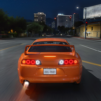
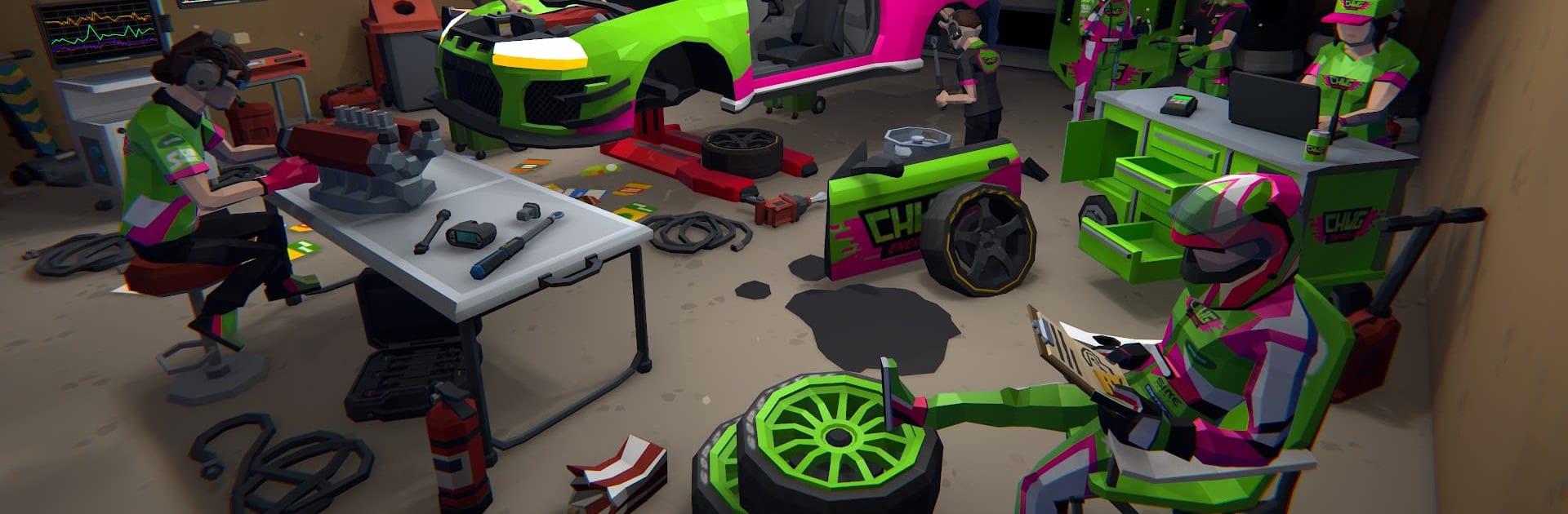
Rev & Drive: Car Driving 2026 from PTS-Games throws you behind the wheel of a full-on street and track life. It’s a Racing playground where you build your dream garage, tune every last bolt, and take on rivals across city blocks, technical circuits, and rough rally stages. Prefer a bigger screen and tighter control? You can play it on PC with BlueStacks, too.

Game Features

  • Open-World Freedom: Cruise a sprawling map packed with events, roaming rivals, and surprise challenges. Park, hop out, chat with NPCs, and even pick up hidden races as you explore.
  • From Nobody to Notorious: Start as an unknown and grind your way through the underground—win high‑stakes showdowns, earn respect, and make your name stick.
  • A Garage That Keeps Growing: Collect 150+ rides, from muscle bruisers and JDM icons to hypercars, classics, GT machines, formula racers, SUVs, and wild custom builds.
  • Races for Every Skill: Hit drag strips for perfect shifts, link clean drifts, attack technical circuits, tackle off‑road rally stages with pace notes, and chase personal bests in time attack.
  • Deep Performance Tuning: Swap engines, bolt on turbos or supers, pick AWD/RWD/FWD, fine‑tune gear ratios, and run nitrous. Build a drag missile, a slide-happy drifter, or a razor‑sharp track car.
  • Style It Your Way: Lay down fresh paint, wraps, and decals; choose wheels and body parts; tweak stance and camber; add neons and custom plates—even color your NOS glow.
  • Cops on Your Tail: A dynamic wanted system keeps you honest. Push your luck and outrun the sirens, or risk seeing your pride and joy impounded.
  • Damage That Matters: Scrapes and crashes aren’t just cosmetic—performance and handling take a hit, and mechanical issues can bite. Repair it or limp home.
  • Competitive Heat: Jump into asynchronous online matchups and climb global leaderboards across every discipline to see where you really stand.
  • Build Your Driver: Pick from multiple character options and set up a look that matches your racing persona.
  • Physics You Can Feel: Each car behaves differently based on weight, drivetrain, and tuning. Get the setup right, and the difference is night and day.
  • Always Evolving: Expect fresh cars, features, and polish through regular updates that keep the streets buzzing.

Slay your opponents with your epic moves. Play it your way on BlueStacks and dominate the battlefield.


Game Features

Enhancements

  • Macros
  • Multi Instance
  • Multi Instance Sync
  • Script
  • Enhancements
Macros

Macros

Automate the predictable in Rev & Drive: Car Driving 2026 and transform your gameplay with Macros. Get access to inventive Macros in the BlueStacks Macro Community
Multi Instance

Multi Instance

Play Rev & Drive: Car Driving 2026 on one window. And chat with your friend on the other. Press CTRL + Shift + 8 to open the Multi-Instance Manager. And start creating fresh instances or clone an existing one.
Multi Instance Sync

Multi Instance Sync

Play Rev & Drive: Car Driving 2026 with the power of Multi-Instance Sync. Replicate what you are doing on the main instance on all other instances. Level up faster, play more.
Script

Script

Script your way to gaming glory in Rev & Drive: Car Driving 2026 with BlueStacks Script. Write and run a set of commands to automate repeated tasks. Trigger the command by assigning it to any key.
Read More

How to Download and Play Rev & Drive: Car Driving 2026 on PC or Mac

  • Download and install BlueStacks on your PC or Mac

  • Complete Google sign-in to access the Play Store, or do it later

  • Look for Rev & Drive: Car Driving 2026 in the search bar at the top right corner

  • Click to install Rev & Drive: Car Driving 2026 from the search results

  • Complete Google sign-in (if you skipped step 2) to install Rev & Drive: Car Driving 2026

  • Click the Rev & Drive: Car Driving 2026 icon on the home screen to start playing

video
Watch Video

Minimum System Requirements

With BlueStacks 5, you can get started on a PC that fulfills the following requirements.

  • Operating System

    Microsoft Windows 7 or above, macOS 11 (Big Sur) or above

  • Processor

    Intel, AMD or Apple Silicon Processor

  • RAM

    at least 4GB

  • HDD

    10GB Free Disk Space

Note:

* You must be an Administrator on your PC. Up to date graphics drivers from Microsoft or the chipset vendor.

Rev & Drive: Car Driving 2026 - FAQs

  • How to play Rev & Drive: Car Driving 2026 on Windows PC & Mac?

    Play Rev & Drive: Car Driving 2026 on your PC or Mac by following these simple steps.

    • Click on 'Play Rev & Drive: Car Driving 2026 on PC’ to download BlueStacks
    • Install it and log-in to Google Play Store
    • Launch and play the game.
  • Why is BlueStacks the fastest and safest platform to play games on PC?

    BlueStacks respects your privacy and is always safe and secure to use. It does not carry any malware, spyware, or any sort of additional software that could harm your PC.

    It is engineered to optimize speed and performance for a seamless gaming experience.

  • What are Rev & Drive: Car Driving 2026 PC requirements?

    Minimum requirement to run Rev & Drive: Car Driving 2026 on your PC

    • OS: Microsoft Windows 7 or above MacOS 11 (Big Sur) or above
    • Processor: Intel, AMD or Apple Silicon Processor
    • RAM: Your PC must have at least 4GB of RAM. (Note that having 4GB or more disk space is not a substitute for RAM)
    • HDD: 10GB Free Disk Space.
    • You must be an Administrator on your PC.