Street Racing
Street Racing

Street Racing

Racing

| The Rise

Play on PC with BlueStacks or from our cloud

  • Overview
  • Game Features
  • How to Play

Page Modified On: November 03, 2025

Play Street Racing on PC or Mac

Step into the World of Street Racing, a thrilling Racing game from the house of The Rise. Play this Android game on BlueStacks App Player and experience immersive gaming on PC or Mac.

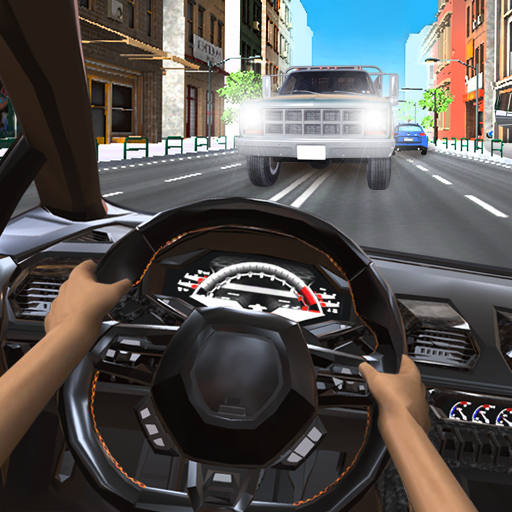
Street Racing is all about quick online runs and showing off a ride that actually feels like it belongs on city streets. Up to ten people can jump into the same session, which keeps races busy without turning them into chaos. The standout is a pursuit match where one player tries to escape and everyone else gives chase. It is simple to understand, tense in all the right moments, and the map has enough open roads and tight corners to make those split-second choices matter. The handling leans arcade, so cars slide a bit and nitrous pushes them forward with a clean kick, which suits the whole street vibe. There is also a free roam city for messing with lines, practicing drifts, or just cruising while waiting for a lobby to fill.

Customization is a big draw. Players can tweak how the car behaves and dress it up with a very large set of decals and paint options. Chrome wheels up to 21 inches, a nitrous system, visual tweaks that actually stand out when the sun hits the bodywork, it all feels made for screenshots and bragging rights. On PC with BlueStacks, keyboard steering feels steady and the higher frame rate helps when threading through traffic. It is the kind of racer that rewards small adjustments, then lets someone roll up to an online start line and prove the tune works.

Get ready for a buttery smooth, high-performance gaming action only on BlueStacks.

Game Features

Enhancements

  • Macros
  • Multi Instance
  • Multi Instance Sync
  • Script
  • Enhancements
Macros

Macros

Automate the predictable in Street Racing and transform your gameplay with Macros. Get access to inventive Macros in the BlueStacks Macro Community
Multi Instance

Multi Instance

Play Street Racing on one window. And chat with your friend on the other. Press CTRL + Shift + 8 to open the Multi-Instance Manager. And start creating fresh instances or clone an existing one.
Multi Instance Sync

Multi Instance Sync

Play Street Racing with the power of Multi-Instance Sync. Replicate what you are doing on the main instance on all other instances. Level up faster, play more.
Script

Script

Script your way to gaming glory in Street Racing with BlueStacks Script. Write and run a set of commands to automate repeated tasks. Trigger the command by assigning it to any key.
Read More

How to Download and Play Street Racing on PC or Mac

  • Download and install BlueStacks on your PC or Mac

  • Complete Google sign-in to access the Play Store, or do it later

  • Look for Street Racing in the search bar at the top right corner

  • Click to install Street Racing from the search results

  • Complete Google sign-in (if you skipped step 2) to install Street Racing

  • Click the Street Racing icon on the home screen to start playing

video
Watch Video

Minimum System Requirements

With BlueStacks 5, you can get started on a PC that fulfills the following requirements.

  • Operating System

    Microsoft Windows 7 or above, macOS 11 (Big Sur) or above

  • Processor

    Intel, AMD or Apple Silicon Processor

  • RAM

    at least 4GB

  • HDD

    10GB Free Disk Space

Note:

* You must be an Administrator on your PC. Up to date graphics drivers from Microsoft or the chipset vendor.

Street Racing - FAQs

  • How to play Street Racing on Windows PC & Mac?

    Play Street Racing on your PC or Mac by following these simple steps.

    • Click on 'Play Street Racing on PC’ to download BlueStacks
    • Install it and log-in to Google Play Store
    • Launch and play the game.
  • Why is BlueStacks the fastest and safest platform to play games on PC?

    BlueStacks respects your privacy and is always safe and secure to use. It does not carry any malware, spyware, or any sort of additional software that could harm your PC.

    It is engineered to optimize speed and performance for a seamless gaming experience.

  • What are Street Racing PC requirements?

    Minimum requirement to run Street Racing on your PC

    • OS: Microsoft Windows 7 or above MacOS 11 (Big Sur) or above
    • Processor: Intel, AMD or Apple Silicon Processor
    • RAM: Your PC must have at least 4GB of RAM. (Note that having 4GB or more disk space is not a substitute for RAM)
    • HDD: 10GB Free Disk Space.
    • You must be an Administrator on your PC.