Drift Legends : Mission Racing

Drift Legends : Mission Racing

Racing

| North Coast Studio

Play on PC with BlueStacks or from our cloud

  • Overview
  • Game Features
  • How to Play

Page Modified On: June 09, 2026

Play Drift Legends : Mission Racing on PC or Mac

Step into the World of Drift Legends : Mission Racing, a thrilling Racing game from the house of North Coast Studio. Play this Android game on BlueStacks App Player and experience immersive gaming on PC or Mac.

About the Game

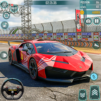
Drift Legends : Mission Racing is a slick, city-sized playground for anyone who loves sliding sideways. It blends the thrill of street drifts with a mission-driven loop, so you can chase scores one minute and free-roam the next. Expect a tactile, skill-first feel where throttle control, tire grip, and weight shift really matter in every corner.

Game Features

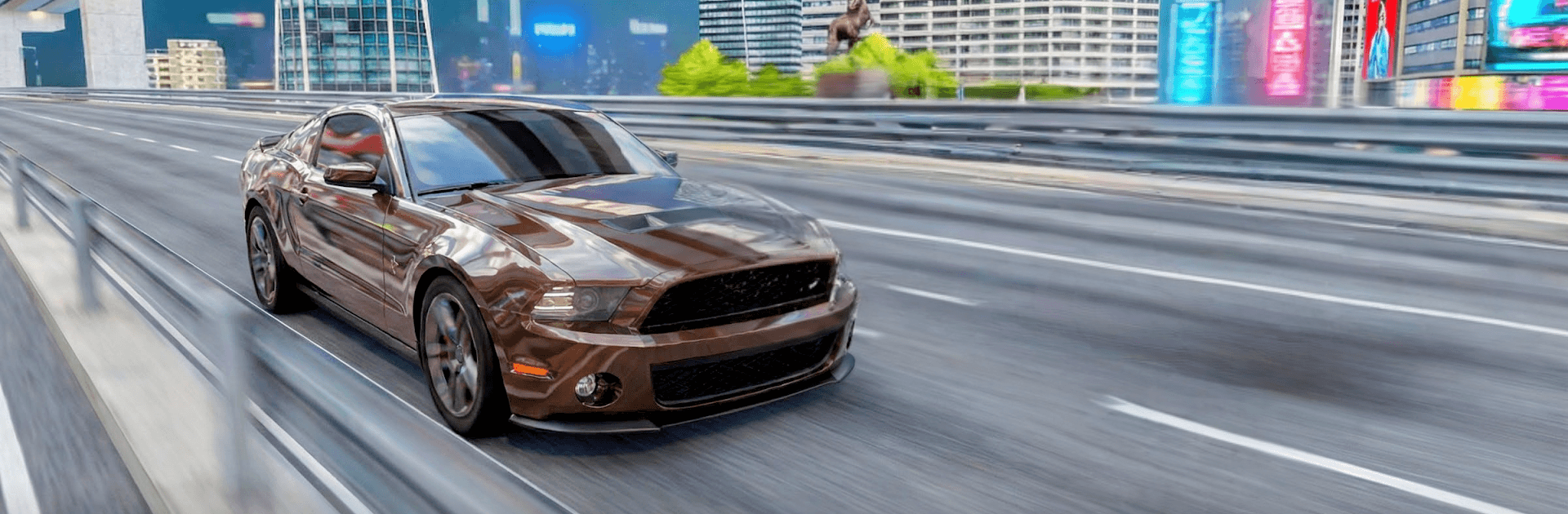
  • Open-World City: Cruise a wide urban map loaded with shortcuts, overpasses, and stunt-friendly spots. Find hidden areas and send it off ramps while you stitch together long, smoky drifts.

  • Real-Feel Handling: Weight transfer, tire bite, and engine torque are tuned so slides feel earned, not floaty. The car reacts to your inputs, rewarding clean lines and smart throttle work.

  • Crisp, High-Res Visuals: Neon streets, rich textures, and striking lighting make the city pop day or night. High-resolution support (up to 4K) keeps every reflection and tail-light streak razor sharp.

  • Garage You’ll Care About: Stack your collection with classics and modern exotics—from burly muscle to sleek super sports. Each one brings its own character and drift style.

  • Build and Personalize: Upgrade performance to sharpen response, then tweak the look to match your vibe. It’s your ride—tune it for longer slides or quicker exits.

  • Mission Mode Variety: Prove control and precision with time trials, high-score drift runs, and parking challenges that punish sloppy inputs and reward smooth technique.

  • Your Controls, Your Way: Use a steering wheel layout, tap buttons, or gyro tilt. Adjust sensitivity and aim assist to lock in that just-right feel.

  • Day-to-Night Playground: Tear up bright mornings or neon-soaked midnights with a dynamic cycle that changes the mood—and the way the city looks under your headlights.

  • Smooth on BlueStacks: Prefer a bigger screen and crisp inputs? Play on PC with BlueStacks for responsive controls and clean visuals while you chase that perfect angle.

Ready to top the leaderboard? We bet you do. Let precise controls and sharp visuals optimized on BlueStacks lead you to victory.


Game Features

Enhancements

  • Macros
  • Multi Instance
  • Multi Instance Sync
  • Script
  • Enhancements
Macros

Macros

Automate the predictable in Drift Legends : Mission Racing and transform your gameplay with Macros. Get access to inventive Macros in the BlueStacks Macro Community
Multi Instance

Multi Instance

Play Drift Legends : Mission Racing on one window. And chat with your friend on the other. Press CTRL + Shift + 8 to open the Multi-Instance Manager. And start creating fresh instances or clone an existing one.
Multi Instance Sync

Multi Instance Sync

Play Drift Legends : Mission Racing with the power of Multi-Instance Sync. Replicate what you are doing on the main instance on all other instances. Level up faster, play more.
Script

Script

Script your way to gaming glory in Drift Legends : Mission Racing with BlueStacks Script. Write and run a set of commands to automate repeated tasks. Trigger the command by assigning it to any key.
Read More

How to Download and Play Drift Legends : Mission Racing on PC or Mac

  • Download and install BlueStacks on your PC or Mac

  • Complete Google sign-in to access the Play Store, or do it later

  • Look for Drift Legends : Mission Racing in the search bar at the top right corner

  • Click to install Drift Legends : Mission Racing from the search results

  • Complete Google sign-in (if you skipped step 2) to install Drift Legends : Mission Racing

  • Click the Drift Legends : Mission Racing icon on the home screen to start playing

video
Watch Video

Minimum System Requirements

With BlueStacks 5, you can get started on a PC that fulfills the following requirements.

  • Operating System

    Microsoft Windows 7 or above, macOS 11 (Big Sur) or above

  • Processor

    Intel, AMD or Apple Silicon Processor

  • RAM

    at least 4GB

  • HDD

    10GB Free Disk Space

Note:

* You must be an Administrator on your PC. Up to date graphics drivers from Microsoft or the chipset vendor.

Drift Legends : Mission Racing - FAQs

  • How to play Drift Legends : Mission Racing on Windows PC & Mac?

    Play Drift Legends : Mission Racing on your PC or Mac by following these simple steps.

    • Click on 'Play Drift Legends : Mission Racing on PC’ to download BlueStacks
    • Install it and log-in to Google Play Store
    • Launch and play the game.
  • Why is BlueStacks the fastest and safest platform to play games on PC?

    BlueStacks respects your privacy and is always safe and secure to use. It does not carry any malware, spyware, or any sort of additional software that could harm your PC.

    It is engineered to optimize speed and performance for a seamless gaming experience.

  • What are Drift Legends : Mission Racing PC requirements?

    Minimum requirement to run Drift Legends : Mission Racing on your PC

    • OS: Microsoft Windows 7 or above MacOS 11 (Big Sur) or above
    • Processor: Intel, AMD or Apple Silicon Processor
    • RAM: Your PC must have at least 4GB of RAM. (Note that having 4GB or more disk space is not a substitute for RAM)
    • HDD: 10GB Free Disk Space.
    • You must be an Administrator on your PC.