Truck Simulator: Road Driver

Truck Simulator: Road Driver

Racing

| AppCurrent, LLC

Play on PC with BlueStacks or from our cloud

  • Overview
  • Game Features
  • How to Play

Page Modified On: May 25, 2026

Play Truck Simulator: Road Driver on PC or Mac

Bring your A-game to Truck Simulator: Road Driver, the Racing game sensation from AppCurrent, LLC. Give your gameplay the much-needed boost with precise game controls, high FPS graphics, and top-tier features on your PC or Mac with BlueStacks.

About the Game

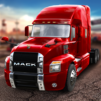
Truck Simulator: Road Driver puts you behind the wheel of a big rig and hands you the keys to the open road. It blends the chill satisfaction of long hauls with the pressure of tight deadlines and the thrill you’d expect from a Racing title. Expect weighty physics, tricky parking, and a steady stream of delivery jobs that make every mile count. Want to swap touch controls for keyboard and a bigger screen? It plays smoothly on PC with BlueStacks, too.

Game Features

  • Authentic handling: Every truck feels heavy and responsive, so braking, cornering, and acceleration change depending on your load and the road beneath you.
  • Detailed interiors: Check mirrors, watch your gauges, and settle into cabins that look and feel like the real deal.
  • Weather that matters: Rain and other changing conditions challenge your grip and visibility, pushing you to adjust on the fly.
  • Varied missions: From routine drop-offs to urgent, time-sensitive cargo, each job tests a different part of your skill set.
  • Precision parking: Slide into tight docks and loading bays where clean angles and careful reversing make all the difference.
  • Diverse routes: Cruise highways, navigate city streets, and tackle uneven terrain as you plan the safest, smartest path.
  • Upgrades and customization: Earn cash to buy new trucks, tune engines, improve handling, and deck out your ride with accessories.
  • Racing edge: Hit highway sprints where speed, timing, and control decide whether you make the delivery window.
  • Smooth on PC: Prefer a desktop setup? BlueStacks helps the game shine with crisp visuals and comfortable controls.

Start playing Truck Simulator: Road Driver on BlueStacks and get a smoother, more comfortable PC or Mac setup.


Game Features

Enhancements

  • Macros
  • Multi Instance
  • Multi Instance Sync
  • Script
  • Enhancements
Macros

Macros

Automate the predictable in Truck Simulator: Road Driver and transform your gameplay with Macros. Get access to inventive Macros in the BlueStacks Macro Community
Multi Instance

Multi Instance

Play Truck Simulator: Road Driver on one window. And chat with your friend on the other. Press CTRL + Shift + 8 to open the Multi-Instance Manager. And start creating fresh instances or clone an existing one.
Multi Instance Sync

Multi Instance Sync

Play Truck Simulator: Road Driver with the power of Multi-Instance Sync. Replicate what you are doing on the main instance on all other instances. Level up faster, play more.
Script

Script

Script your way to gaming glory in Truck Simulator: Road Driver with BlueStacks Script. Write and run a set of commands to automate repeated tasks. Trigger the command by assigning it to any key.
Read More

How to Download and Play Truck Simulator: Road Driver on PC or Mac

  • Download and install BlueStacks on your PC or Mac

  • Complete Google sign-in to access the Play Store, or do it later

  • Look for Truck Simulator: Road Driver in the search bar at the top right corner

  • Click to install Truck Simulator: Road Driver from the search results

  • Complete Google sign-in (if you skipped step 2) to install Truck Simulator: Road Driver

  • Click the Truck Simulator: Road Driver icon on the home screen to start playing

video
Watch Video

Minimum System Requirements

With BlueStacks 5, you can get started on a PC that fulfills the following requirements.

  • Operating System

    Microsoft Windows 7 or above, macOS 11 (Big Sur) or above

  • Processor

    Intel, AMD or Apple Silicon Processor

  • RAM

    at least 4GB

  • HDD

    10GB Free Disk Space

Note:

* You must be an Administrator on your PC. Up to date graphics drivers from Microsoft or the chipset vendor.

Truck Simulator: Road Driver - FAQs

  • How to play Truck Simulator: Road Driver on Windows PC & Mac?

    Play Truck Simulator: Road Driver on your PC or Mac by following these simple steps.

    • Click on 'Play Truck Simulator: Road Driver on PC’ to download BlueStacks
    • Install it and log-in to Google Play Store
    • Launch and play the game.
  • Why is BlueStacks the fastest and safest platform to play games on PC?

    BlueStacks respects your privacy and is always safe and secure to use. It does not carry any malware, spyware, or any sort of additional software that could harm your PC.

    It is engineered to optimize speed and performance for a seamless gaming experience.

  • What are Truck Simulator: Road Driver PC requirements?

    Minimum requirement to run Truck Simulator: Road Driver on your PC

    • OS: Microsoft Windows 7 or above MacOS 11 (Big Sur) or above
    • Processor: Intel, AMD or Apple Silicon Processor
    • RAM: Your PC must have at least 4GB of RAM. (Note that having 4GB or more disk space is not a substitute for RAM)
    • HDD: 10GB Free Disk Space.
    • You must be an Administrator on your PC.